


Creating 2D floor plans with Homestyler can significantly elevate your real estate listings and architectural presentations. Whether you are a realtor, a designer, or just a homeowner, knowing how to effectively obtain these floor plans can save you both time and effort. Homestyler utilizes innovative 3D scanning technology to capture spaces in intricate detail, enabling the generation of precise 2D representations. This article will guide you through the steps to efficiently order your 2D floor plans.
Exploring Homestyler's Technology
Homestyler makes use of cutting-edge 3D scanning technology to create immersive virtual tours and 2D floor plans derived from the scanned data. The outcome is a detailed portrayal of the space, which is advantageous for visualization. To begin, you will need a suitable 3D scanner compatible with Homestyler for capturing the area you wish to transform into a floor plan.
Steps to Acquire Your 2D Floor Plan
1. To begin, ensure you have produced a 3D model of your space using Homestyler. This can be done by scanning the property with your Homestyler-compatible camera and uploading the data to the Homestyler cloud.
2. Once your model is prepared, log into your Homestyler account and select the model you want to convert into a floor plan.
3. Click on the "Create 2D Floor Plan" option. Homestyler will automatically process your model to generate a comprehensive 2D floor plan.
4. After the processing is complete, you are able to download or order prints of your newly created floor plan. It’s truly that simple!
Advantages of Utilizing Homestyler for Floor Plans
Employing Homestyler for your floor plans provides numerous benefits. The dimension accuracy guarantees that all elements are scaled proportionately. Furthermore, integrating 3D walkthroughs greatly enhances user experience, allowing clients to visualize the space more effectively. Moreover, sharing these floor plans across various platforms becomes effortless, enhancing property marketing efficiency.
Frequently Asked Questions
1. How long does it take for Homestyler to generate a 2D floor plan? Typically, the process to convert the 3D model to a floor plan takes just a few minutes, although this timeframe may vary depending on the space's complexity.
2. Can I make changes to the 2D floor plans after they've been generated? Absolutely, you can leverage different design tools to modify the floor plans according to your project's requirements. Homestyler offers various customization options for this purpose.
Welcome to Homestyler – Your Top Choice for 2D Floor Planning

Minimalist Solid Wood Round Coffee Table 3D Model

Natural Live Edge Solid Walnut Coffee Table Top 3D Model
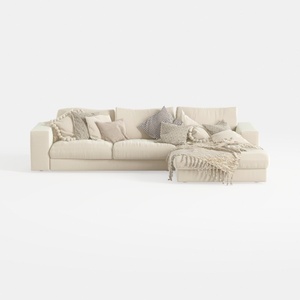
Minimalist Beige Fabric L Shaped Sectional Sofa with Throw Pillows 3D Model
Looking to transform your living space? Homestyler is a fantastic online home design platform that makes decorating fun and easy. With its intuitive design tool, stunning 3D renderings, and helpful video tutorials, you’ll turn your home design dreams into reality in no time!
지금 무료로 디자인하세요
































