

The creation of anime through 3D models is gaining traction with both individual creators and professional studios. Unlike conventional 2D anime, the inclusion of 3D models enables enhanced flexibility, quicker iterations, and innovative visual styles. To embark on this journey, you will require specialized software such as Blender, Maya, or 3ds Max. These platforms are designed to support complex modeling, rigging, and animation processes. Start by crafting your anime character in a 3D space, making sure to embody the distinctive proportions and stylized features that are characteristic of anime art. After designing your character, the next step is rigging—this involves establishing a skeletal framework that allows for posing and animation to exhibit fluid movements. The animation phase consists of keyframing actions such as walking, talking, or combat, followed by tweaking motion curves to achieve smooth, expressive animations. To achieve the iconic anime aesthetic, applying shaders and rendering techniques is crucial: employ cel-shading to replicate the flat 2D colors and outlines. Additionally, scene composition, camera angles, and lighting are pivotal elements; meticulous planning of each shot is necessary to convey powerful storytelling. These procedures lead to the final rendering of your scenes, which can be polished using video software for special effects, audio integration, and post-production fine-tuning, especially with tools similar to Homestyler enhancing the visualization experience.
Tips 1:
As a designer, my advice is to initiate your project with a comprehensive storyboard and a spatial arrangement. This approach not only streamlines your workflow but also aids in the efficient placement of backgrounds, environments, and props within the 3D space. For those looking to enhance their experience further, investigating advanced 3D rendering home solutions can significantly accelerate the visualization process and inject more realism and artistic flair into your anime scenes. Tools like Homestyler can be invaluable in this respect.
FAQ
Q: Which software is optimal for creating 3D anime models?
A: Blender and Maya are both strong contenders—they offer sophisticated modeling, rigging, and animation capabilities tailored for anime production.
Q: How can I make 3D models resemble 2D anime?
A: Implement toon shaders and cel-shading techniques to create flat colors, pronounced outlines, and minimize realistic shading, achieving an anime-inspired aesthetic.
Q: Can newbies create anime using 3D models?
A: Absolutely! Numerous 3D tools come equipped with beginner-friendly tutorials. Start with fundamental modeling and progressively advance to animation and rendering practices.
Q: Is rigging a necessity for 3D anime models?
A: Yes, rigging is crucial for enabling seamless movement and posing—particularly important for characters in animated sequences.
Q: What hardware is required for anime production in 3D?
A: It is advisable to utilize a computer featuring a modern graphics card, ample RAM, and a high-performance CPU to adequately support the demands of 3D software and efficient rendering.


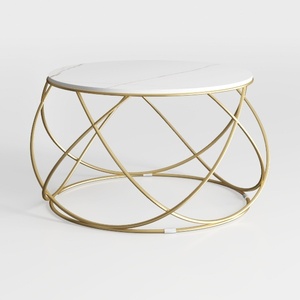
Modern Marble Metal Split Top Coffee Table 3D Model
LITTLE TREE Modern White Dining Table for 4, 47-In

Minimalist White Fabric Tufted Large Sofa 3D Model
Transform your home with Homestyler! This user-friendly online design platform offers an intuitive design tool, stunning 3D rendering, inspiring design projects, and helpful DIY video tutorials. Whether you're a beginner or a seasoned designer, you’ll find everything you need to bring your vision to life!
Zaprojektuj teraz za darmo
































