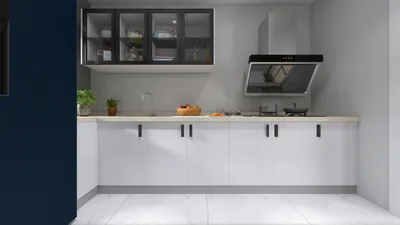


The world of online 3D model animation has become much more user-friendly, thanks to robust web-based tools. If you're aiming to create dynamic animations for interiors, product showcases, or virtual tours, there are user-friendly platforms available that enable you to rig, animate, and render right within your browser without the need for cumbersome software installations. The typical workflow includes three main steps: uploading or crafting your 3D model, establishing the animation sequence—which may involve moving items, adjusting light settings, or simulating camera movements—and finally exporting or sharing your animated scene in formats such as video or interactive graphics. A prime example of such a tool is Homestyler, which has gained recognition for its versatility and ease of use.
To start animating, select an appropriate online animation tool that features user-friendly controls and supports popular file formats like OBJ, FBX, and GLTF. After that, upload your 3D model and utilize the animation timeline on the platform to set keyframes, defining the initial and final positions for items, lights, or cameras. Many of these web-based animation tools come equipped with drag-and-drop motion paths, rotational controls, and pre-designed animation templates that allow you to easily breathe life into static models. Once you've tested your animated scene, you can export it as a video file (such as MP4 or GIF) or embed the interactive animation directly on your website, providing an immersive experience.
As an interior design professional, I frequently suggest utilizing state-of-the-art visualization tools like Homestyler to effectively convey concepts to clients. For instance, when you need to present furniture layouts or lighting adjustments, platforms that integrate rendering and animation functionalities can significantly enhance your presentations. If you seek a streamlined method to animate layouts, renders, and walkthroughs within your design process, contemporary solutions now allow for the creation, editing, and animation of 3D rendered home environments entirely online, making them ideal for both industry professionals and design hobbyists alike.
Tips 1:
When animating 3D models for interior designs, think about employing camera flythroughs to help viewers grasp the flow and scale of your project. Pay attention to smooth transitions from one room to another and incorporate lighting animations that imitate the way natural and artificial light influence the ambiance throughout different times of the day.
FAQ
Q: What is the simplest method to animate a 3D model online?
A: Utilize a web-based animation tool that allows for model uploads and offers timeline controls for movement and effects settings.
Q: Can I animate pre-existing 3D interior layouts if I lack professional experience?
A: Certainly! Numerous online platforms provide templates and user-friendly, drag-and-drop interfaces, facilitating easy animation of 3D interiors for novices.
Q: Which file formats do online 3D animation tools usually support?
A: The formats most commonly supported include OBJ, FBX, GLTF, along with occasional support for SketchUp or Collada files.
Q: Can animated 3D models be directly incorporated into client presentations?
A: Definitely! You can export the animation as a video or use interactive embeds to significantly enhance both presentations and communications with clients.
Q: In what ways do animations enhance interior design presentations?
A: Animations enable clients to better visualize spatial configurations, lighting dynamics, and transitions throughout areas, resulting in more engaging and convincing presentations.
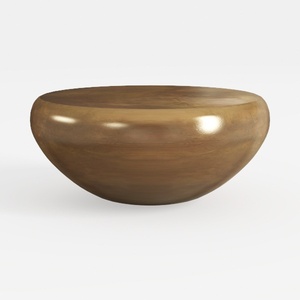
Minimalist Solid Wood Round Coffee Table 3D Model

Meridian Furniture 77054Natural Everson Collection
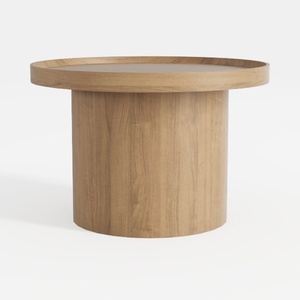
Minimalist Solid Oak Round Coffee Table 3D Model
Discover the ease of home design with Homestyler! This innovative platform offers user-friendly online tools, stunning 3D renderings, an array of inspiring design projects, and helpful DIY video tutorials. Perfect for anyone looking to transform their space effortlessly. Start designing your dream home today!
Zaprojektuj teraz za darmo
































