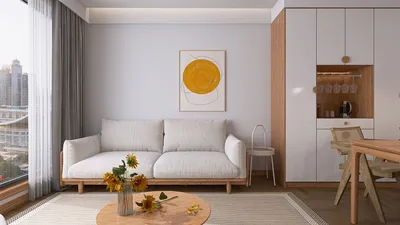


Developing 3D representations of individuals merges artistic flair with advanced technology and meticulous planning. To kick off your modeling journey, select software that suits your needs; popular options like Blender, Maya, and ZBrush offer powerful tools for sculpting and rendering human figures. It's essential to start with references such as photographs, 2D sketches, or photogrammetry scans to ensure your model's anatomical precision. You can begin by creating basic shapes to outline proportions and poses, then progressively enhance details like facial features, muscles, and attire. Adding textures is crucial to enhance realism, letting you apply realistic skin tones, hair, and fabric patterns. Subsequently, retopology and rigging will set up your model for animation, enabling natural movements. In my role as an interior designer, I frequently integrate detailed 3D models of people into my visual representations. For instance, filling a virtual room with realistic figures can significantly enhance the spatial experience and user engagement within the environment. If you're looking to incorporate authentic figures into your design projects, consider using Homestyler, a comprehensive tool that simplifies both scene rendering and composition for interior spaces.
Tips 1:
Always gather a variety of references and utilize anatomical resources to enhance realism. Break your modeling process into smaller, manageable phases: sculpting, retopologizing, texturing, rigging, and posing. In interior design, strategically placing 3D human figures can effectively demonstrate practical layouts and spatial dynamics of a room.
FAQ
Q: What is the quickest method to create a lifelike human figure in 3D?
A: Employing photogrammetry or scanning can swiftly produce a base model, while sculpting in tools like Blender or ZBrush yields detailed outcomes.
Q: What file formats are most commonly used for exporting 3D human figures?
A: The most frequently used formats include .OBJ, .FBX, and .STL, which are suitable for rendering, animation, or 3D printing.
Q: Can I utilize free human models for interior design presentations?
A: Indeed, numerous platforms provide royalty-free human models for use in visualizations—just ensure you check the licensing for commercial applications.
Q: How do I position 3D human figures in a room setting?
A: You should rig the model by adding bones and controls, then use animation tools to position them in natural stances that suit the interior setting.
Q: What advantages do 3D people bring to interior renderings?
A: They add scale, authenticity, and emotional depth, making designs more engaging and helping clients envision how a space will be utilized.

Rustic Solid Oak Square Coffee Table with Geometric Inlay Pattern 3D Model
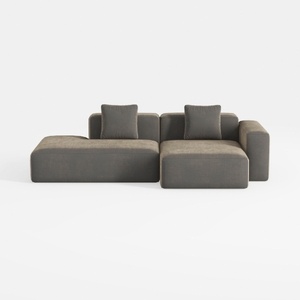
Minimalist Fabric L Shape Sectional Sofa with Throw Pillows 3D Model

Minimalist Solid Oak Round Coffee Table 3D Model
Homestyler is your go-to online home design platform, perfect for all skill levels. With its user-friendly design tool, stunning 3D renderings, extensive design projects, and helpful DIY video tutorials, you can transform your space and unleash your creativity effortlessly. Explore your design dreams today!
Progetta ora GRATIS
































