

Developing a 3D representation of cast aluminum panels requires careful attention to detail and accuracy. In this guide, we'll walk you through each step, making it easier than ever to create effective and lifelike models using tools like Homestyler.
Grasping the Concept of Cast Aluminum Panels
Before you begin the modeling process, it's crucial to understand what cast aluminum panels are. Composed of an aluminum alloy, these panels are popular in architecture due to their lightweight nature and durability. Are you considering a project that necessitates these materials?
Your first task in crafting your model should be to familiarize yourself with the dimensions and design details of the panel you aim to replicate. What sizes, textures, and finishes are typical for cast aluminum panels in your design plans?
Configuring Your 3D Modeling Software
Select a 3D modeling platform that allows for detailed construction, such as Blender, SketchUp, or SolidWorks. Have you explored any of these options? If not, taking the time to learn their features can be beneficial.
Once you've settled on your software, set up the workspace by defining measurement units that align with those of the panels. This initial step is vital for maintaining the accurate scale of your models.
Constructing the Base Shape of the Panel
Next, focus on creating the foundational shape of your panel. Cast aluminum panels usually come in rectangular or square forms. Start by outlining the shape according to your project's specifications. Would you like guidance on drawing shapes in your selected software?
After establishing the base outline, extrude it to add thickness. The typical thickness for aluminum panels varies between 1/8” and 1/4”. What thickness is required for your project?
Incorporating Texture and Additional Features
A distinctive feature of cast aluminum is its unique texture. Utilize the texturing tools provided in your software to apply realistic finishes that emulate the true appearance of aluminum. Think about whether you prefer a polished surface or a more rugged, industrial aesthetic. Which style aligns best with your design vision?
You can also enhance realism by adding grooves or patterns to the panel's surface. This aspect is particularly important if your design includes intricate details.
Completing Your 3D Model
Once you have added textures and final touches, it's time to render your model. This step enables you to see how the panel appears under different lighting scenarios. Would you like tips on setting up lighting for a more effective render?
Finally, export your model in the required file format for your specific projects, whether for architectural visualizations, presentations, or manufacturing needs.
Common Questions
Q: Which software is best for modeling cast aluminum panels? A: Platforms like Blender, SketchUp, and SolidWorks are excellent for creating 3D models.
Q: What methods can I use to obtain a realistic aluminum texture? A: Make use of your software's texturing tools to craft finishes that closely replicate cast aluminum.

Minimalist Travertine Round Side Table 3D Model
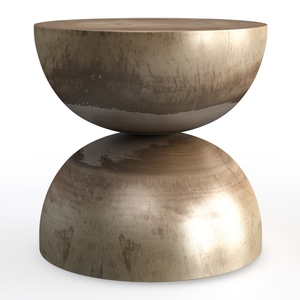
Minimalist Solid Wood Round Side Table Unique Hourglass Shape 3D Model

Homestyler is your go-to online home design platform, perfect for anyone looking to create stunning interiors. Its easy-to-use design tool, impressive 3D rendering, and extensive project library, along with helpful video tutorials, make transforming your space a breeze—no prior experience needed!
立即免费设计
































