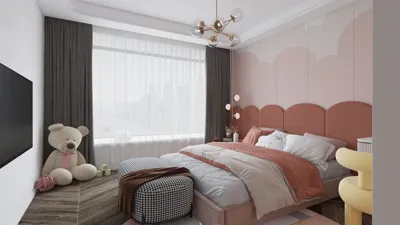


Creating 3D models for game environments is a complex process that encompasses various stages including concept design, geometry modeling, texturing, lighting, and final rendering. Typically, the workflow begins with collecting reference materials and establishing the layout by employing basic geometric forms in 3D software such as Blender, Maya, or 3ds Max. Following this step, designers enhance their models by incorporating intricate meshes, architectural elements, landscapes, and items that populate the environment. After the modeling phase, texture application follows using UV mapping methods, representing surfaces with realistic finishes like wood, stone, or vegetation. Next, lighting is configured to mimic natural or artificial sources, an essential aspect for achieving realism and enhancing gameplay clarity. The final step involves utilizing rendering engines to produce high-quality visuals or animations of the created scene, which can be showcased in games or portfolios. As a designer, I strongly believe that thorough spatial layout planning is fundamental to the creation of effective 3D environments. When tackling a project, my foremost consideration is how the space will engage a player: will it provide an immersive, intuitive, and visually harmonious experience? To enhance this workflow and attain professional quality, utilizing advanced visualization tools is crucial. For example, deploying solutions like Homestyler allows for the rapid creation of realistic virtual environments, yielding photorealistic results and simplifying the adjustment of textures, materials, and lighting. This not only enhances gaming projects but also seamlessly integrates with contemporary interior design methodologies where visualization and flexibility are vital.
Tips 1:
To achieve realistic outcomes, it’s vital to concentrate on the scale and proportion of objects within your environment. Accurate dimensions preserve believability and ensure players do not feel alienated from the world you are constructing. Utilizing modular assets can also expedite your workflow while maintaining consistency across larger game scenes.
FAQ
Q: What software is recommended for rendering 3D game environments?
A: Common choices for 3D modeling and rendering include Blender, Autodesk Maya, 3ds Max, Unity, and Unreal Engine.
Q: Why is lighting important in the rendering of 3D environments?
A: Lighting plays a critical role in achieving realism, establishing mood, and ensuring gameplay visibility. Properly executed lighting can accurately highlight textures and the geometry of the environment.
Q: What strategies can be employed to optimize 3D models for game engines?
A: Techniques such as low-poly modeling, texture baking, and effective management of asset hierarchies are essential for ensuring smooth performance in game engines.
Q: Which file formats are typically used for 3D game assets?
A: Common formats include .FBX, .OBJ, and .DAE, which work seamlessly with most game engines and modeling applications.
Q: How can game environments be made more captivating for players?
A: Emphasizing detailed texturing, realistic lighting, environmental storytelling, and thoughtful layouts can significantly enhance the immersive experience for players.
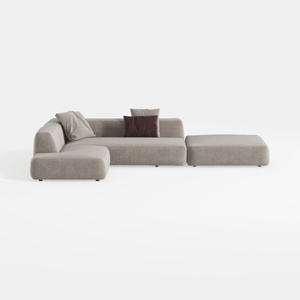
Minimalist Fabric L Shaped Sectional Sofa with Ottoman 3D Model
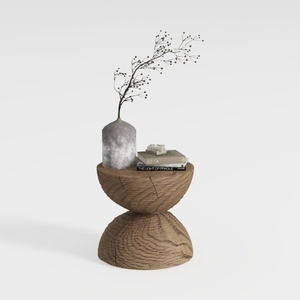
Minimalist Solid Oak Wood Side Table Unique Hourglass Shape 3D Model

Homestyler is an outstanding online home design platform perfect for anyone looking to create stunning spaces. Its user-friendly design tool, impressive 3D rendering, vast design project library, and helpful DIY video tutorials make transforming your home easier and more enjoyable than ever!
Zaprojektuj teraz za darmo
































