

When it comes to designing compact spaces, utilizing tools like Google Maps for floor plan mapping can significantly enhance the experience. Have you ever faced challenges in obtaining accurate measurements or felt overwhelmed during the design phase? Google Maps equips you with essential features to produce precise floor plans and maximize space efficiency.
Exploring Google Maps Features
Firstly, Google Maps offers a comprehensive aerial view of various locales, making it particularly valuable for planning both residential and commercial properties. It provides in-depth insights regarding building configurations, surroundings, and even local amenities. Additionally, the geographical data available through Google Maps ensures that the floor plans you create are both accurate and realistic.
Key Steps to Create a Floor Plan Using Google Maps
Developing a floor plan with Google Maps entails several essential steps:
1. **Locate Your Property**: Begin by searching for the desired building or area to map out. Opt for the satellite view for a more precise visualization. This bird’s-eye perspective greatly aids in your floor plan layout.
2. **Measure Relevant Distances**: Employ the measuring tool available on Google Maps to determine accurate distances between crucial design elements. Identify locations for walls and measure distances to guarantee everything integrates seamlessly.
3. **Draw Your Layout**: Using graph paper or design software, start outlining your layout based on the measurements obtained from Google Maps. Ensure to incorporate placements for windows, doors, and other structural components required.
4. **Enhance Your Design**: Once your initial layout is drafted, begin improving your design by rethinking furniture arrangement and traffic flow. Consider questions such as: How will the space function? What movement patterns exist?
It’s advisable to consistently cross-check your design against the Google Maps visuals as you craft your floor plan. Additionally, Google Street View can assist in visualizing how the interior interacts with its exterior context, thereby improving your design accuracy.
FAQ
Q: Is it possible to measure indoor spaces using Google Maps?
A: Google Maps primarily focuses on outdoor data and does not measure indoor areas directly. Nonetheless, you can estimate and apply the gathered information to facilitate effective indoor measurements.
Q: Are there any free alternatives to Google Maps for creating floor plans?
A: Absolutely, numerous platforms provide floor planning capabilities, including options like SketchUp, Floorplanner, and RoomSketcher.
Q: Can I collaborate with others using Google Maps?
A: Google Maps allows sharing of locations, yet for comprehensive floor plans, it is more effective to utilize specialized design software equipped with collaboration features, such as Homestyler.
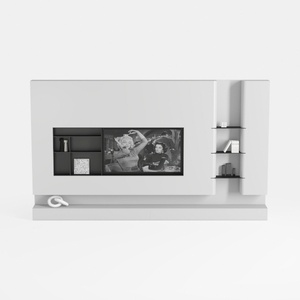
Minimalist White Wall Mounted TV Stand Cabinet With Open Shelves 3D Model

Minimalist Concrete Potted Dried Foliage Plant 3D Model
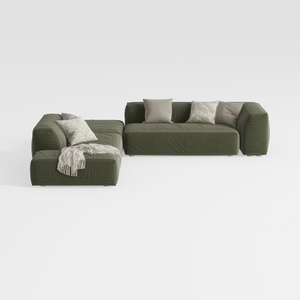
Minimalist Modern Fabric L Shaped Sectional Sofa with Throw Pillows 3D Model
Homestyler is your go-to online home design platform, ideal for all skill levels! With its user-friendly design tool, stunning 3D renderings, vast project options, and helpful video tutorials, transforming your interior design dreams into reality has never been easier!
Concevez maintenant gratuitement
































