

Designing a 3D island model can be an exciting endeavor whether you're a novice or a seasoned designer. This project can serve various purposes, from gaming and architectural visualization to educational applications. To create a realistic island that fits its goal, follow a series of organized steps. Begin by detailing the island's characteristics, including its shoreline, topography, greenery, water features, and any artificial elements. You can utilize software such as Blender, SketchUp, or innovative interior design platforms like Homestyler to start crafting the land. Begin modeling by manipulating simple shapes, designing elevations, and incorporating textures. By layering textures and applying materials for sand, foliage, and water, you can enhance realism significantly. When it comes to achieving lifelike lighting and ambiance, consider rendering your model with built-in engines or third-party plugins that enhance atmospheric effects.
Design Tips:
As a designer, my first piece of advice is to commence with a detailed concept sketch or mood board. This approach aids in establishing the visual theme and influences your choices regarding textures and hues. If you're looking for a simplified way to construct intricate environments with easy customization, you might want to investigate tools like Homestyler, which can facilitate material assignment and lighting configuration for your island design.
Frequently Asked Questions
Q: What software is suitable for beginners to create a 3D island model?
A: Beginner-friendly options include free software such as Blender and SketchUp, with Blender being particularly robust for both modeling and rendering tasks.
Q: How can I add realistic water effects to my island model?
A: Employ material nodes or shaders in your software to mimic the transparency and reflection of water. Many platforms, including Homestyler, provide built-in water assets for quick implementation.
Q: Which file formats work best for exporting 3D island models?
A: Standard file formats like .obj, .fbx, and .dae are widely supported across most 3D modeling and game development engines.
Q: Is it possible to use AI tools for expedited island modeling?
A: Absolutely! Many design platforms now feature AI capabilities that can generate landscapes, textures, and even entire environments quickly with minimal manual effort.
Q: How can I add custom vegetation or buildings to my island?
A: You can import additional 3D models or create your own, placing them using the tools available in your software to customize the vegetation and structures on your island model.
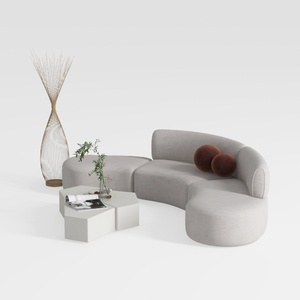
Minimalist Fabric Curved Sectional Sofa 3D Model
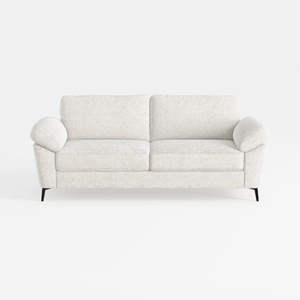
Minimalist Fabric Loveseat Sofa with Black Metal Legs 3D Model
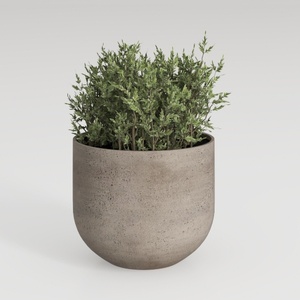
Minimalist Concrete Planter Pot with Indoor Greenery 3D Model
Looking to transform your home? Homestyler is your go-to online platform for stunning home design! With an easy-to-use design tool, realistic 3D renderings, and a wealth of DIY video tutorials, it empowers you to create and visualize your dream spaces effortlessly.
立即免费设计
































