

Crafting a 3D representation of a canyon can be a thrilling endeavor that brings together both digital and hands-on methodologies. Whether you're a student, a hobbyist, or a seasoned designer, this process allows for an enriched understanding of natural geological structures while sharpening your modeling abilities. Here’s a comprehensive step-by-step guide to get you started with using Homestyler for your projects:
1. Research & Gather References:
Start with collecting reference images, maps, and topographical data related to the canyon you are planning to model. You can find these resources through online searches, satellite imagery, or even your own photographs. Gaining insight into the layers, textures, and general forms of the canyon is vital for crafting an accurate representation.
2. Select Your Medium:
Decide if you prefer to construct a digital model using software tools or a physical one using materials like clay, foam, or paper mache. Digital modeling allows for precision and adaptability, while physical models provide a tangible, hands-on experience.
3. The Digital Modeling Journey:
- Utilize 3D modeling software such as Blender, SketchUp, or specific tools like Homestyler to create your landscape.
- Begin by either importing or generating a terrain base. Many applications offer terrain generation features or let you import DEM (Digital Elevation Model) files for accurate topography representation.
- Shape or extrude elements to represent the canyon’s steep cliffs, gorges, and various layers.
- Apply materials and textures: Use UV mapping or texture painting to add realistic rock, soil, and vegetation textures.
- Introduce lighting and atmospheric effects like sunlight, fog, or water at the canyon's floor to enhance realism.
- Render your model for generating still images or walkthrough animations that showcase your work.
4. The Physical Model Approach:
- Begin by sketching a cross-section of the canyon or mapping it out onto your modeling base, typically foam board or cardboard.
- Use tools to carve out the canyon’s layers and features or stack various materials to build depth.
- Add detail by covering the entire model with paper mache or clay.
- For finishing touches, paint and texture with acrylics, sand, or small stones to mirror real-life characteristics.
5. Refine and Showcase:
Review the proportions, features, and colors of your model. Consider presenting it as part of an exhibition or integrating it into other design projects.
As a designer, I believe this process transcends mere duplication; it’s about enhancing the model’s communicative capability. If you intend to use your canyon model within a virtual architectural framework—such as embedding a house, park, or pathway alongside the canyon’s border—a tool like Homestyler, which includes terrain and elevation features, can be particularly beneficial. This paves the way for experimentation with environmental contexts and spatial design, which are essential elements in professional interior and landscape design practices.
Tips 1:
To achieve greater realism, take the time to study erosion patterns and natural layering found in authentic canyons. These intricate details can significantly elevate the visual appeal of your 3D model.
FAQs
Q: Which software is ideal for modeling natural landscapes such as canyons?
A: Blender, SketchUp, and specialized 3D floor planning applications are excellent for landscape modeling. Some allow for the import of terrain data reflecting real geographic features.
Q: What techniques can enhance the realism of my digital canyon model?
A: Incorporate high-quality textures, be mindful of lighting, and draw inspiration from actual canyons to capture authentic geological details and shadows.
Q: Can I integrate 3D models of canyons into architectural designs?
A: Certainly! Realistic terrain models can greatly assist in site planning and design presentations, enabling you to visualize structures within their natural settings.
Q: Is it feasible to create a 3D canyon model without prior software experience?
A: Yes, without a doubt! Building physical models from materials like clay, paper mache, or foam is a user-friendly and educational approach.
Q: How do professionals typically present landscape or canyon models?
A: Industry professionals often utilize detailed renderings, 3D prints, or animations to illustrate how designs interact with the surrounding natural environment.


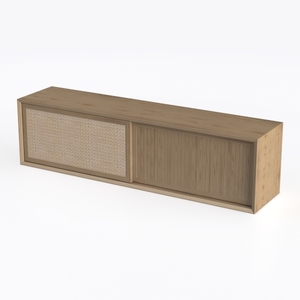
JOZZBY Set of 3 Storage Cabinet, Sideboard Buffet
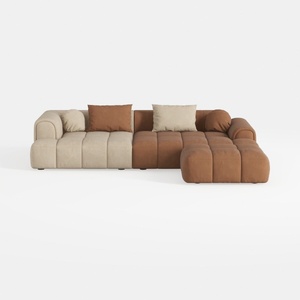
Modern Velvet Sectional Sofa, U Shape Minimalist M
Discover the ultimate home design experience with Homestyler! This intuitive online platform offers a powerful design tool, stunning 3D renderings, and a plethora of design projects and DIY video tutorials. Transform your space effortlessly and let your creativity shine, no matter your skill level!
Diseño ahora GRATIS
































