


Designing a 3D park model can be an exhilarating endeavor for students, hobbyists, or urban planners aiming to visualize a prospective public space. Begin by establishing the scale of your park and gathering references for desired features, including walking trails, playgrounds, benches, gazebos, ponds, and foliage. Assemble your materials, which might consist of cardboard, foam board, modeling clay, wire and sponge trees, colored paper, and miniature figures. Start by sketching your park layout on paper, outlining where each element will be placed. Build the base by cutting your foundation material to size and marking different zones with a pencil. Create terrain elements like hills and ponds using foam or clay, and layer grass or sand to achieve realistic textures. Next, design pathways and incorporate structures, ensuring everything fits within your selected scale. Finally, add finishing details like tiny trees, fences, and park accessories to enhance the model’s appeal.
As an interior designer, I consider each model—including parks—with a focus on layout efficiency and user experience. Before finalizing your design, think about how individuals will navigate the space: Are the paths accessible and welcoming? Do the seating areas provide a balance of sunlight and shade? These principles are quite comparable to the planning of home or office layouts. For more sophisticated and visually appealing results, take advantage of digital tools that can bring your ideas to life with accuracy and adaptability. Utilizing a 3D Floor Planner, you can experiment with various features, quickly modify proportions, and generate realistic visualizations to share or present.
Enhancement Tips
To add extra realism, incorporate small LED lights to simulate street lamps and consider using clear resin to create realistic pond water effects. Detailing textures, such as gravel paths made from fine sand or pebbles, can elevate your model's quality. Always design your layout to promote a natural flow of traffic and to harmonize green areas with recreation spaces.
Frequently Asked Questions
Q: What scale is ideal for a 3D park model?
A: Typical scales range from 1:100 to 1:200, but select one that allows inclusion of essential details without oversizing the model.
Q: What materials are best for depicting trees and vegetation in a model park?
A: Modeling clay, painted sponge pieces, or wire with green flocking are effective; alternatively, you can purchase pre-made miniature trees from hobby shops.
Q: Is it possible to create a digital 3D park model instead of a physical one?
A: Definitely! Tools like 3D Floor Planner enable you to efficiently visualize, edit, and render park designs without the need for a physical model.
Q: How can I ensure my park model appears realistic?
A: Referencing actual parks, observing human scale, and considering visitor usage of amenities can guide your modeling decisions for realism.
Q: What software do industry professionals prefer for 3D park modeling?
A: Professionals frequently utilize software like 3D Floor Planner, SketchUp, or specialized landscape design applications for creating detailed models and achieving realistic renderings.
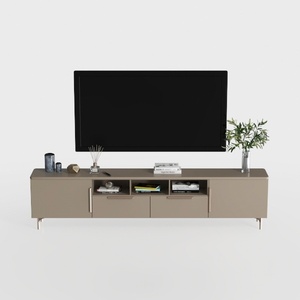
Modern Minimalist Solid Wood TV Stand Cabinet with Storage 3D Model

Minimalist Beige Fabric L Shape Sectional Sofa 3D Model
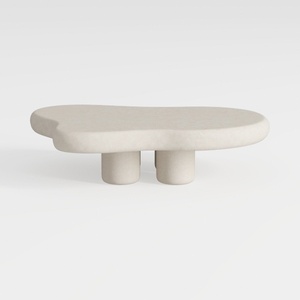
Minimalist Modern Irregular Shaped Concrete Coffee Table 3D Model
Homestyler is your go-to online home design platform! With its user-friendly design tool, stunning 3D renderings, diverse design projects, and helpful video tutorials, you can effortlessly create your dream space. Perfect for both beginners and seasoned decorators, let your creativity shine!
Diseño ahora GRATIS
































