

Creating a three-dimensional representation of a dog is not only enjoyable but also a fulfilling endeavor, particularly for those new to digital design or pet enthusiasts eager to capture the essence of their beloved companions in a virtual environment. This undertaking typically encompasses three crucial phases: selecting the appropriate tools, crafting the initial shape, and fine-tuning the model to achieve either realism or a stylized appearance. By adopting a designer’s perspective, we can discover a practical method to undertake this project efficiently while nurturing creativity. Consider incorporating platforms like Homestyler to enhance your workflow for interior visualization.
The first step is to choose the right software for 3D modeling. Beginners may find software such as Blender or Tinkercad intuitive to navigate, while those with more experience could prefer Autodesk Maya or ZBrush, which offer extensive capabilities for detailed designs. It's also beneficial to collect reference images of the dog you wish to model, including views from the side, front, and top for enhanced accuracy.
Begin by outlining the fundamental forms: use basic shapes like spheres or cubes to represent the head, body, and legs. Connect these primitive shapes using the sculpting or mesh editing features available in your software. As the model develops, concentrate on defining key attributes such as the dog's snout, ears, and tail, while adjusting the proportions to fit your vision. Whether you strive for anatomical precision or a stylized rendition, be mindful of these critical features.
After establishing the foundational structure, utilize texture and color mapping tools to incorporate details like fur, eyes, and paw pads. For a more polished render, enhance your model with appropriate lighting and shading to add depth. If your intention is to create a striking interior scene featuring your dog model as a decorative element, utilizing a 3D design tool like Homestyler can help visualize how it fits within room layouts, lighting conditions, and other furnishings, ensuring an integrated result.
Tip 1:
Work in a non-destructive manner: Always save backups at each stage of your modeling process. This allows you to revert to previous iterations if necessary. Experiment with various poses and fur styles using the software's modifiers or sculpting brushes. Reference images can serve not only for accuracy but also as inspiration, especially when designing stylized or fantasy canines.
FAQ
Q: What is the most user-friendly software for beginners aiming to create a 3D dog model?
A: Blender and Tinkercad are excellent beginner choices, featuring intuitive functionalities and a wealth of tutorial resources for modeling dogs.
Q: How can I achieve a realistic look for my 3D dog model?
A: Aim for anatomical accuracy, utilize high-quality textures, and pay close attention to details like fur, eyes, and subtle nuances in both pose and lighting.
Q: Is it feasible to 3D print my dog model?
A: Absolutely! Most 3D modeling applications enable you to export your models in formats suitable for 3D printing, provided that the mesh is closed and manifold.
Q: Will I require special hardware for 3D modeling?
A: While basic modeling can typically be accomplished on numerous contemporary computers, more intricate models or high-resolution renders will benefit from faster processors, additional RAM, and dedicated graphics cards.
Q: How can I implement my 3D dog model into interior design projects?
A: By integrating your 3D dog model into room scenes, you can visualize decor concepts, enhance virtual staging, or showcase personalized spaces effectively to clients.
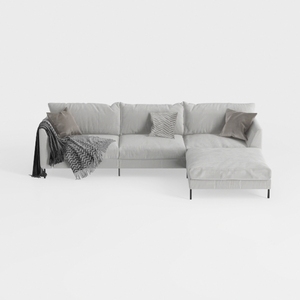
Minimalist Light Gray Fabric L Shape Sectional Sofa 3D Model


Minimalist Solid Wood Accent Cabinet with Textured Top 3D Model

Minimalist Glass Top Solid Wood Base Irregular Coffee Table 3D Model
Homestyler is your go-to online home design platform! With its user-friendly design tool, stunning 3D renderings, and a wealth of DIY video tutorials, you can effortlessly create and visualize your dream spaces. Explore design projects and unleash your creativity today!
Design Now for FREE
































