


Crafting a 3D chair model may initially appear intimidating, yet it is a fulfilling endeavor that ignites your creative spirit. In this article, we will explore the fundamental steps involved in designing a 3D chair using various tools, including Homestyler, to streamline the process.
Conceptualizing Your Chair Design
Before you jump into any design software, take a moment to sketch out your chair concept. What aesthetic are you aiming for—modern, classic, or perhaps an eclectic blend? Think about the materials and textures you wish to incorporate, as these choices will significantly impact your modeling journey.
Selecting the Appropriate Software
A variety of 3D modeling applications are at your disposal, including Blender, SketchUp, and Homestyler. Pick one that aligns with your proficiency and the intricacy of your design. Each program typically features tutorials that assist novices in quickly learning the foundational skills needed for crafting models.
Initiating Your 3D Design
Once you’ve determined the software to use, begin by constructing simple shapes that represent various components of the chair—like the seat, legs, and backrest. Maintaining accurate proportions is vital for ensuring the model’s realism.
Enhancing Your Model
After you’ve laid out the basic structure, enhance the model by incorporating details such as curves, textures, and additional design features. This phase is crucial, as it distinguishes a plain model from a more visually engaging one. Utilize the tools available in your chosen software to extrude or alter surfaces for the desired finish.
Applying Finishes and Textures
Textures breathe life into your chair model. Experiment with a variety of materials such as wood, fabric, or metallic finishes. Most 3D modeling applications, including Homestyler, come with material libraries that provide realistic options to complete your chair.
Setting Up Lighting and Rendering Your Model
Lighting is a key element in 3D modeling. Arrange your scene to include suitable lighting that accentuates the features of your chair. Once you're satisfied with the setup, render your model to produce a final image, which can showcase your hard work in portfolios or presentations.
Frequently Asked Questions
Q: What are the best software options for beginners who want to design a chair in 3D? A: For beginners, both Blender and SketchUp are excellent choices due to their intuitive interfaces and extensive online support.
Q: How can I enhance the realism of my chair model? A: Concentrate on intricate details, utilize high-quality textures, and adjust lighting and shadow settings to improve the overall realism.
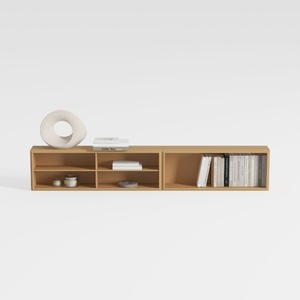

Zoe Ash Large Record Storage Console

Minimalist Solid Oak Dining Table With Cylindrical Legs 3D Model

Clihome Mid-Century Modern Accent Chair with Wood
Discover the ease of home design with Homestyler! This intuitive online platform offers a robust design tool, stunning 3D renderings, and a plethora of inspiring design projects and DIY video tutorials. Transform your space seamlessly—no experience needed!
Zaprojektuj teraz za darmo
































