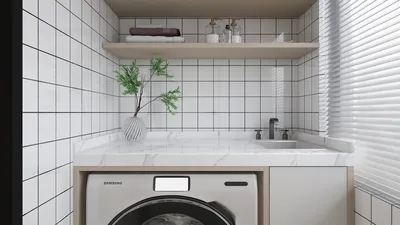


Designing a 3D representation of your ideal home can appear daunting, but with suitable resources and assistance, the process turns into a fulfilling experience. Whether you're an aspiring architect or a homeowner looking to envision your space, constructing a 3D model allows you to investigate limitless options and make informed choices regarding your residence.
To start this adventure, you’ll need reliable 3D modeling software like Homestyler, known for its user-friendly interface that suits beginners perfectly. Here are crucial steps to create your own 3D home model:
Step 1: Plan Your Design
Begin by outlining your dream home's layout on paper. Contemplate the number of rooms you need, your desired styles, and how functionality plays a role. Consider: What spaces are most vital in my home? How do I envision their connections?
Step 2: Choose Your Software
Select a 3D modeling application that aligns with your skill level and project needs. For newcomers, Homestyler is ideal due to its accessibility, while advanced users may prefer software like Revit for detailed designs. Have you used any other 3D modeling programs? If so, which did you find accommodating?
Step 3: Create the Basic Structure
Once your software is up and running, start constructing the foundational aspects of your house—including walls, floors, and roofs. Use functions such as 'extrude' and 'push-pull' to shape and define your home's characteristics. Maintaining proportion and scale is vital for a realistic representation of your space.
Step 4: Add Details and Textures
To enliven your design, incorporate elements like windows, doors, and furniture. Apply textures to illustrate diverse materials such as wood, brick, or stone on walls and surfaces. This part requires patience; the nuances greatly uplift the attractiveness of your model. What materials do you envision incorporating into your design?
Step 5: Visualize and Iterate
When your model reaches completion, play around with various perspectives and virtual walkthroughs. This step helps you identify any modifications needed. Be prepared for an iterative process—feel free to adjust the design to better align with your original concept.
Step 6: Export & Share
After you are satisfied with your model, export it in formats like .obj or .fbx, making it easy to share your creation with others or gather crucial feedback on your ideas. Sharing fosters engaging conversations and insightful recommendations.
FAQ
Q: What is the easiest software for beginners to use for 3D modeling? A: Homestyler is highly recommended for its intuitive design, making it a fantastic option for novices.
Q: Can I use 3D modeling software for interior design as well? A: Certainly! Most 3D modeling tools, including Homestyler, support both architectural drafting and interior visualization.
Q: How long does it take to create a 3D model home? A: The duration depends on complexity; basic designs can be finished in hours, while intricate projects may take several days.
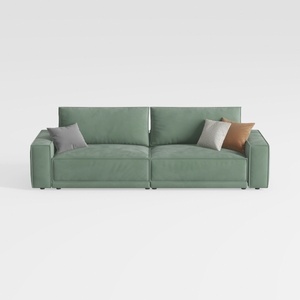
Minimalist Sage Green Fabric Sofa with Decorative Throw Pillows 3D Model
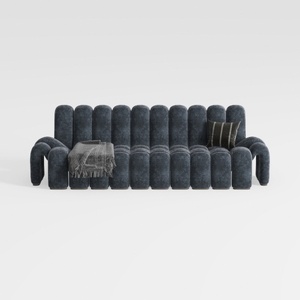

Modern Dark Blue Fabric Channel Tufted Oversized Sofa 3D Model

Bohemian Rattan Fabric Round Daybed with Decorative Throw Pillows 3D Model
Discover the joy of home designing with Homestyler! This user-friendly platform boasts a robust online design tool, stunning 3D renderings, and a rich collection of design projects and DIY video tutorials. Bring your creative vision to life effortlessly, no matter your experience level!
Design Now for FREE
































