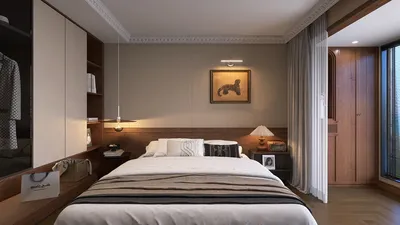


Designing a 2D floor plan in Homestyler is an easy-to-follow process that helps you effectively visualize and arrange your space. Whether you're in the midst of constructing a new house or updating an existing area, utilizing the right tools can truly enhance your experience. This guide will lead you through the fundamental steps of creating a 2D floor plan using Homestyler.
Step 1: Configure Your Design Environment
Prior to beginning your design, it's important to configure your Homestyler workspace appropriately:
Step 2: Initiate Your Floor Plan Drawing
With your workspace set up, you can now begin to draw your layout:
Step 3: Incorporate Windows and Doors
Adding windows and doors is crucial for a lifelike floor plan:
Step 4: Measure Your Floor Plan
Precise dimensions are essential for any successful floor plan:
Step 5: Save and Share Your Floor Plan
After finalizing your floor plan, it’s the right moment to save it:
Conclusion
Sketching a 2D floor plan in Homestyler can be a fulfilling endeavor, empowering you to turn your design concepts into reality. By adhering to these steps, you'll be able to establish a clear, comprehensive layout for your surroundings.
FAQ
Q: Is there a free version of Homestyler available? A: Yes, Homestyler provides a free version with limited features that are adequate for simple projects.
Q: How can I enhance my Homestyler skills? A: There are a variety of online tutorials and courses that can assist you in sharpening your skills.
Welcome to the Top 2D Floor Planner
Design jetzt kostenlos
































