


Selecting the ideal home laptop for use with Microsoft Office hinges on your specific needs regarding performance, design, and budget. A well-rounded home laptop should achieve a balance of speed, a user-friendly display, robust construction, and smooth integration with Microsoft Office. Popular choices such as the Dell XPS 13, HP Pavilion x360, and Lenovo Yoga Slim series stand out due to their portability, reliability, and full compatibility with Microsoft Office's suite. Generally, new Windows laptops, whether on the budget end or more premium, often come equipped with a trial version or bundled offer of Microsoft Office—just remember to activate the appropriate subscription for continuous use.
When choosing a home laptop equipped for Office tasks, consider vital features like a minimum of 8GB of RAM, a recent Intel or AMD processor (such as Intel Core i5/i7 or AMD Ryzen 5/7), and a full HD (1080p) screen for clear document viewing and editing. It's crucial to pay attention to battery life for added flexibility, and opting for solid-state drives (SSD) can significantly speed up startup and file access. Convertible 2-in-1 laptops provide added versatility for both typing and touch navigation, making them excellent choices for creative activities, children's homework, or leisurely streaming at home.
As an interior designer, I often highlight the significance of crafting workspaces that foster productivity and balance. Just as a meticulously designed home office can enhance your workflow and comfort, having the appropriate digital tools is equally vital. Ensuring your laptop is equipped with Microsoft Office is akin to selecting the ideal layout and lighting for a room—it plays a crucial role in efficiency. For those aspiring to instill a similar intentionality in their digital workspace, I highly recommend trying out a home office layout planner: it can help transform both your physical and digital environments into inspiring spaces that encourage creativity and support productivity, much like how Homestyler assists in planning spaces.
Tips 1:
Consider the ergonomics of your laptop. A thoughtfully designed keyboard and a responsive trackpad, combined with a well-thought-out desk arrangement in your home, can significantly alleviate strain during extended Office use.
FAQ
Q: Which laptop brand is optimal for running Microsoft Office from home?
A: Brands such as Dell, HP, Lenovo, and ASUS have models specifically optimized for Office utilization. Look for series like the Dell Inspiron/XPS, HP Pavilion/Envy, or Lenovo Yoga/IdeaPad within your price range.
Q: Do new laptops typically include Microsoft Office pre-installed?
A: Most Windows laptops are offered with Office 365 as a trial version; however, a complete license often requires a separate purchase.
Q: What specifications should I look for to ensure smooth Office performance?
A: It's advisable to have at least 8GB of RAM, a modern Intel or AMD CPU, and SSD storage for optimal performance.
Q: Is a MacBook a suitable option for using Office at home?
A: Absolutely. Microsoft Office functions seamlessly on macOS, though some advanced features may perform better on Windows systems.
Q: Do touchscreens enhance the experience of using Microsoft Office at home?
A: Yes, touchscreen and pen capabilities (featured in 2-in-1 laptops) can be quite useful for inking and quick navigation, particularly within applications like OneNote or PowerPoint.


Modern Solid Wood Metal Frame Office Desk With Cable Management 3D Model

Modern Minimalist Dark Walnut Fabric Double Dining Chair Bench 3D Model
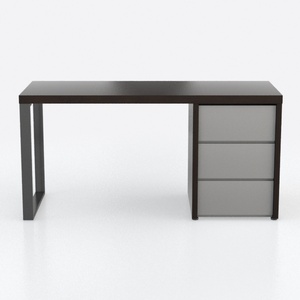
Modern Minimalist Two Tone Wood Office Desk with Storage Drawers 3D Model
Homestyler is your go-to online platform for home design! Enjoy an intuitive design tool, stunning 3D renderings, and a wealth of DIY video tutorials. Whether you're a beginner or looking to enhance your space, Homestyler makes it easy to turn your vision into reality.
Design Now for FREE
































