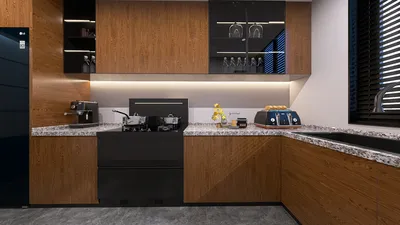


Choosing the ideal home design game depends largely on your experience, desired level of design control, and preferred platform. Beginners often benefit most from user-friendly drag-and-drop style games, whereas seasoned users tend to gain more from realistic simulators featuring layout planning and 3D visualization capabilities, such as those offered by Homestyler.
An optimal game strikes a balance between inspiring creativity and providing simple usability, allowing players to focus on design rather than mastering complex controls.
Key Insights and Overview
With over ten years in residential interior design, I've observed that many who enjoy customizing their homes find home design games an accessible way to experiment without real-world consequences. Such games enable users to test different layouts, colors, and furniture arrangements that could otherwise take days or significant budgets to try in reality.
However, a frequent complaint from users is feeling overwhelmed by overly complex tools or, conversely, boredom from overly simplistic games. This usually arises from selecting games that do not align with their familiarity or design goals.
Choosing the right game tailored to your skill level is essential. Someone casually decorating a living room needs a distinct experience compared to a person working with full floor plans. Digital platforms like Homestyler provide interactive room layout planning that realistically mimics modern design workflows.
This article outlines various categories of home design games, their ideal users, and nuances often overlooked in typical recommendations.
Types of Home Design Games
Most home design games fit into three broad categories, and selecting the correct category often matters more than picking a single title. Although many assume all games function identically, the underlying design engines produce vastly different experiences.
From a professional standpoint, these categories include casual decorating puzzle games, intermediate layout planners, and advanced design simulation tools. While casual games enjoy popularity on mobile devices due to their simplicity, they rarely teach spatial awareness. In contrast, simulators align closely with the thought processes of professional designers.
Research by the Interaction Design Foundation confirms that tools facilitating spatial visualization significantly improve design comprehension by enabling users to test layouts virtually instead of imagining them.
Home Design Games for Beginners
Games suitable for novices emphasize intuitive controls and limit the number of decisions needed at each step to avoid overwhelming the player. Jumping straight into complex simulators requiring simultaneous wall placement, lighting adjustments, and furniture selection can be daunting.
Beginner-friendly games typically feature drag-and-drop interfaces, predefined rooms, and simplified choices which enhance creativity by keeping decision fatigue at bay, a concept supported by design education practices.
For those wanting a step up without complexity, exploring interactive room styling solutions with AI-assisted layouts—such as those provided by Homestyler—offers a smooth transition from casual to more involved experiences.
Advanced Design Tools for Experienced Users
Users with a grasp of furniture scale, space circulation, and layout balance gain more from advanced simulation games that prioritize spatial planning over mere decoration.
These sophisticated tools often include detailed circulation analysis, customizable lighting, and realistic materials, paralleling professional workflows where spatial movement takes precedence before furniture aesthetics.
Experts gravitate toward platforms like Homestyler that enable realistic spatial planning to refine layouts prior to aesthetic decisions.
Casual vs. Realistic Simulators: Making the Choice
Casual games quickly reward creativity with straightforward gameplay, whereas realistic simulators require patience but afford deeper planning and extensive creative control. This important trade-off is frequently omitted from game reviews.
Though realistic simulation games demand a steeper learning curve, they mimic professional tools used for testing design concepts through visualizations, providing a high level of customization.
Platform Selection: Mobile, PC, or Browser
The platform significantly influences how deep the design process can be. Browser-based environments combined with advanced rendering techniques deliver accessible yet powerful design tools.
Professionals increasingly prefer web-based platforms such as Homestyler that blend ease of use with photorealistic 3D visualization capabilities, facilitating detailed home design projects.
Checklist for Choosing Your Home Design Game
Select a game that fits both your patience and the type of design creativity you enjoy. Typically, users who start with casual decorating games often outgrow them quickly and benefit from progressing to slightly more complex platforms.
Based on my experience, picking a tool just above your current expertise level usually leads to sustained engagement and skill growth.
Final Advice
Matching your design game to your experience level is key: beginners should start with casual decorating games, while advanced users will find simulations with layout and realistic visualization, like those from Homestyler, more beneficial.
Frequently Asked Questions
1. How should I pick a home design game?
Opt for a game aligned with your skillset and preferred play style: simple decorating games are ideal for beginners; advanced simulators suit experienced designers.
2. What is the best home design game for beginners?
Games featuring drag-and-drop mechanics, pre-built room templates, and limited design choices are typically the easiest for newcomers.
3. Are realistic simulators hard to master?
Though they require more time to learn than casual games, these simulators offer superior creative freedom and accurate spatial representations.
4. Can home design games enhance interior design skills?
Yes, those that incorporate layout planning, furniture scaling, and lighting simulations help players internalize genuine spatial design principles.
5. Which type of game is best for creativity lovers?
Casual decorating games excel for pure creativity, while simulation games provide realistic environments for design experimentation.
6. How do mobile and PC home design games differ?
Mobile versions usually cater to short, simple decorating tasks, whereas PC or browser-based platforms generally provide deeper and more precise control.
7. What should a quality home design game offer?
Features like extensive furniture libraries, versatile color options, layout editing tools, and 3D visualization capabilities are essential.
8. Can seasoned designers enjoy casual games?
While possible, experienced users often prefer simulation tools with comprehensive floor plan and spatial design features, such as those found in Homestyler.

Minimalist Clear Acrylic Rectangular Coffee Table 3D Model
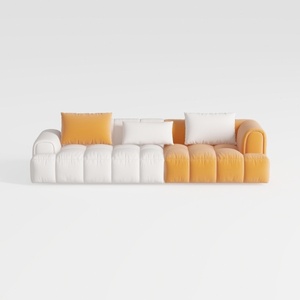
Modern Two Tone Fabric Sectional Sofa With Throw Pillows 3D Model


Modern Luxury Velvet Gold Metal TV Stand Cabinet 3D Model
Homestyler is a fantastic online platform offering easy-to-use design tools, stunning 3D renderings, inspiring design projects, and helpful DIY video tutorials—perfect for anyone looking to create and visualize their dream home effortlessly.
Concevez maintenant gratuitement
































