

Direct Answer
Homestyler distinguishes itself among free interior design applications by seamlessly integrating rapid 3D rendering, an extensive furniture catalog, and user-friendly planning features into one accessible platform. Compared to alternatives like SketchUp, Planner 5D, and Roomstyler, Homestyler generally delivers quicker visualizations and a more straightforward approach to creating home layouts.
Ultimately, the ideal choice depends on your specific objectives. Beginners often gravitate toward Homestyler or Planner 5D, whereas experienced modelers may prefer SketchUp for its advanced geometry capabilities.
Quick Takeaways
Introduction
With over a decade of experience in residential interior design, I have experimented with nearly every complimentary interior design tool available that clients or novice designers bring to projects. Some promise professional-grade results but fail to produce realistic renderings, while others are robust yet too slow for efficient planning.
The ongoing debate between Homestyler and other free design apps is frequent. Homeowners desire simplicity, designers seek precision, and students want tools that are quick to learn.
One compelling reason many beginners explore platforms featuring AI-enhanced visual workflows for room planning is the ability to transition from a blank floor plan to a fully realized 3D model within minutes.
However, does this imply Homestyler is always the superior choice? Not necessarily. Each software emphasizes different strengths, some excelling in modeling, others in conceptual visualization. This guide reviews the core distinctions among the most popular free interior design platforms to help you identify the one best suited for your needs.
save pin
Overview of Popular Free Interior Design Apps
Key Insight: Most free interior design apps fall into two categories—those emphasizing layout and planning versus those prioritizing advanced 3D modeling features.
Professionally, the crucial difference between these apps lies in their foundational approach. Some prioritize rapid room planning, while others derive from traditional 3D modeling software.
Below are some frequently compared platforms.
Industry trend: Educational programs in design and architecture increasingly prefer apps that blend planning with visualization over pure modeling tools during early design stages.
Key Features of Homestyler Compared to Competitors
Key Insight: Homestyler’s main advantage is its blend of swift rendering, lifelike materials, and a comprehensive ready-made furniture library.
In practical scenarios, most time is lost to asset creation since building every furniture piece manually can be extremely time-consuming.
Homestyler minimizes this hurdle by providing pre-modeled assets and automated rendering processes.
By contrast:
save pin
Ease of Use for Beginners vs Professionals
Key Insight: Novices typically master layout-based apps like Homestyler far more rapidly than geometry-focused modeling software.
In workshops I have conducted for homeowners, the majority complete their initial room design within 20 minutes using drag-and-drop planners. Meanwhile, SketchUp users often require several hours to grasp fundamental modeling techniques.
Typical learning trajectories resemble this pattern:
If your primary focus is arranging furniture or redesigning a living space, tools centered on visual room layouts generally feel more intuitive. Many users begin with platforms enabling easy drag-and-drop planning before advancing to more complex modeling software.
save pin
Rendering Quality and 3D Visualization Differences
Key Insight: Differences in rendering speed and realism are where the most significant variances between platforms surface.
Clients are usually less concerned about how a model is constructed and more interested in the final image’s appearance.
Rendering comparison:
For presentations or client previews, the quality of visualization can greatly influence how convincing a concept appears. Many designers prioritize platforms capable of creating photorealistic renders without requiring complex rendering setups.
save pin
Pricing Models and Free Plan Limitations
Key Insight: Almost all free interior design tools enforce usage restrictions, especially regarding render limits or asset access.
A common misconception is that "free" equates to unlimited functionality. Most platforms operate on a freemium basis.
The unrecognized cost can be time spent manually modeling absent objects or exporting scenes to other software.
Answer Box
For many homeowners and novice designers, Homestyler provides the optimal mix of usability, visualization quality, and speed among free interior design solutions. Advanced users might opt for SketchUp when detailed custom modeling is required, albeit with a steeper learning curve.
Which Tool Is Best for Different Design Goals
Key Insight: The most suitable interior design app hinges on your particular workflow rather than sheer popularity.
Typically, a combined workflow is preferred today: rapid layout design followed by intricate modeling if necessary.
Final Summary
FAQ
Is Homestyler better than Planner 5D?
Homestyler usually delivers faster rendering speeds and a more extensive furniture library, while Planner 5D may be marginally easier for complete beginners.
Is Homestyler free to use?
Yes, Homestyler offers a free tier with limitations on high-resolution rendering and some premium assets.
What is the best free interior design app for beginners?
Many novices choose Homestyler or Planner 5D for their intuitive drag-and-drop room planning features versus complex modeling demands.
Can Homestyler replace SketchUp?
For layout planning and visualization, Homestyler can be a great substitute. However, SketchUp remains superior for highly customized modeling.
Does Homestyler support realistic rendering?
Yes. One reason designers frequently compare Homestyler with other free interior design apps is its ability to produce fast, photorealistic renderings.
Which app is best for furniture layout planning?
Applications designed as room planners, including Homestyler, often provide the quickest environment for experimenting with furniture arrangements.
Do interior designers actually use free design apps?
Indeed, many professionals utilize free tools for initial concepts before transitioning to more advanced software environments.
Are free interior design apps accurate for real renovations?
They are effective for conceptual planning and visualization, but detailed construction drawings generally require professional CAD programs.
References
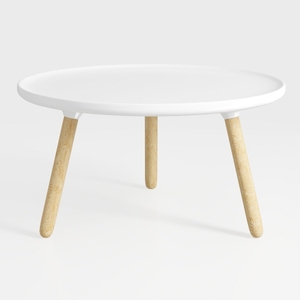

Minimalist White Solid Wood Round Coffee Table 3D Model

Minimalist White Solid Wood Square Coffee Table 3D Model

Minimalist White Fabric L Shaped Sectional Sofa With Side Table Floor Lamp 3D Model
Homestyler offers an easy-to-use online design tool, rich 3D renderings, inspiring interior projects, and helpful video tutorials. It's ideal for anyone looking to create and visualize beautiful home designs effortlessly. Give your space a fresh look with Homestyler today!
Design Now for FREE
































