

Building a 3D treehouse model offers an exciting and rewarding project for both beginners and experienced designers. Whether you're looking to enhance your architectural skills or fulfill a childhood dream, let’s explore how to turn this vision into reality using tools like Homestyler.
The first step is to envision what your ideal treehouse looks like. Do you prefer a cozy cabin vibe, or do you lean towards a modern architectural marvel? Clarifying your vision is crucial for creating an eye-catching 3D model. Use photos or sketches as references to guide your design process.
Gathering the Right Tools
To kick off your 3D treehouse project, you'll need some essential tools. Software like SketchUp, Blender, or even the intuitive design interface of Homestyler, will be perfect for beginners. These programs provide a user-friendly environment to create intricate models.
Familiarizing yourself with the software interface is vital if you're using modeling tools. Most applications offer tutorials to explore. Understanding how to add shapes, textures, and rendering options will significantly streamline your workflow.
Laying a Solid Foundation
Your treehouse requires a strong foundation. Start by designing the platform, which could be a sturdy surface nestled among branches. Utilize basic shapes like cubes or rectangles to form the base of your treehouse.
Don't forget to incorporate supports to realistically mimic the structure of a treehouse—use columns or beams to enhance the visual authenticity. Then, construct the walls to create a structure that can accommodate playful spaces.
Incorporating Windows and Doors
Windows and doors are essential elements of any treehouse. Be sure to consider the view from your treehouse; you want to maximize that panoramic experience! Search for features in your chosen software to insert window and door openings.
Consider how you'll access your treehouse. Will it be with a simple ladder, a spiral staircase, or perhaps a rope bridge? These details can add charm and personality to your design.
Adding Fun Details
Now that the foundation is set, it's time to add some personalized touch! Think about other elements you could incorporate—maybe a slide, a rope swing, or a tiny balcony. You can even paint the treehouse in fun colors or use textures to make it resemble wood. Use the texture mapping options in your software to enhance realism.
Lighting is also crucial! Consider how light will affect your model. Harness natural light to amplify the warm and magical aesthetic of your treehouse.
Final Adjustments and Rendering
Once all elements are in place, take a step back and evaluate your design. Make adjustments as necessary to ensure everything appears proportional and aligns with your vision.
Finally, render your model! This step will showcase the result of your hard work. Share your project on social media or seek valuable feedback on architectural forums.
Frequently Asked Questions
Q: What’s the best software for creating a 3D treehouse model?
A: Tools like SketchUp, Blender, and the flat design interface of Homestyler are excellent choices for both novices and seasoned designers.
Q: How long does it take to create a 3D treehouse model?
A: The time required varies based on your skill level and the complexity of your design, but beginners can expect to spend several hours on their first model.
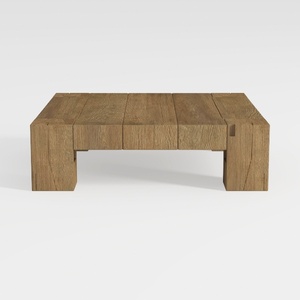
Rustic Solid Oak Wood Coffee Table Minimalist Living Room 3D Model
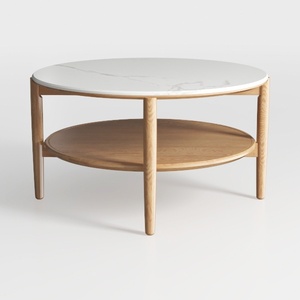
Minimalist Marble Top Solid Oak Round Two Tier Coffee Table 3D Model
Discover your dream space with Homestyler! This user-friendly online design platform offers an intuitive design tool, stunning 3D renderings, and a wealth of inspiring projects and video tutorials. Whether you're a novice or a pro, Homestyler makes home design effortless and enjoyable!
立即免费设计
































