

Building a 3D representation of the Globe Theatre can be a fulfilling endeavor for those passionate about history, theatre, education, or design. This iconic venue, well-known for its connection to William Shakespeare, features a unique polygonal shape, an open-air central yard, and remarkable timber craftsmanship, making it visually striking yet architecturally intricate to replicate. Whether you opt for physical materials or digital solutions, here’s a design-focused guide to assist you in the modeling process, integrating tools like Homestyler effectively.
Step 1: Collect Reference Materials
Begin by gathering comprehensive visuals, architectural sketches, and historical documentation of the Globe Theatre. As the original building (constructed in 1599) is no longer standing, lean on modern reconstructions such as "Shakespeare's Globe" in London, scholarly diagrams, and credible online resources. Pay particular attention to the theatre's 20-sided geometric shape, the three seating levels, the open stage, and the thatched roof—all critical aspects to note.
Step 2: Select Your Modeling Technique
Decide whether to construct a physical model or create a digital 3D version. For tangible projects, materials like balsa wood, foam board, and cardboard are excellent options. If you choose the digital route, a 3D modeling tool is recommended—while SketchUp and Blender are suitable, platforms like a 3D floor planner or Homestyler can simplify the process for novices and experienced designers alike, especially for architectural renditions.
Step 3: Define the Base Structure
Start with the foundational base of the theatre. Carefully sketch or build the 20-sided polygonal footprint. In digital models, importing a reference photo as a backdrop can assist in ensuring correct proportions. For physical models, utilize a protractor and ruler for exact angles.
Step 4: Construct the Walls and Stage Area
Build the three tiers of galleries, ensuring that each level reflects the timber-framed, open-balcony design characteristic of the Globe. For digital architecture, use grouping and layering functions to manage levels easily. In physical constructions, thin wood strips or cardboard should be employed to represent beams and railings. Be sure to create a thrust stage extending into the yard and the "heavens"—the overhead ceiling for accuracy.
Step 5: Incorporate Details and Final Touches
Remember to add elements like stairs, support columns, entryways, and the signature thatched roof. Special attention to detail can significantly enhance your project—from adding wall textures to simulate wattle-and-daub, to using color and shading in digital models to emphasize features. Designers frequently utilize rendering tools that can bring light and texture realism to your project, especially when using Homestyler.
Step 6: Evaluate and Refine
Inspect the model from various angles, making sure proportions and architectural integrity are upheld. It’s beneficial to analyze how light interacts with the theatre— an essential characteristic of the Globe— within both digital and physical frameworks. This assessment will offer insights into how the performance spaces were experienced. Make any necessary adjustments to faithfully capture the essence and structure of the original theatre.
Tip 1:
Accuracy is vital when recreating historical architecture, but sometimes you may need to creatively interpret discrepancies in reference materials. Utilizing a 3D floor planning tool not only streamlines your design process but also enables quick modifications, varying perspectives, and immersive simulations. These features can be particularly advantageous when presenting to clients, students, or fellow history buffs.
FAQ
Q: Which software is optimal for 3D modeling the Globe Theatre?
A: For architectural reconstructions, user-friendly software like Blender, SketchUp, and specialized platforms like 3D floor planners or Homestyler are excellent choices. Select according to your expertise and desired intricacies.
Q: Is it possible to create a 3D model of the Globe Theatre without prior technical skills?
A: Absolutely! Many contemporary 3D modeling and floor plan programs feature templates and drag-and-drop functionalities that make it beginner-friendly.
Q: How precise should my model be?
A: This largely depends on your objectives. For educational purposes, ensure representation of key architectural features; for professional designs, aim for historical and structural fidelity based on reliable references.
Q: What fundamental attributes should I include in my Globe Theatre model?
A: Concentrate on key features such as the 20-sided polygonal shape, three levels of seating, the open central yard, timber framing, the thrust stage, and its iconic thatched roof.
Q: How can I enhance the interactivity of my 3D model?
A: By utilizing advanced 3D software or VR-enabled design tools, you can incorporate navigation paths, vantage points, or even scripted tours to enrich the user experience.

Minimalist Fluted Solid Wood Round Coffee Table 3D Model


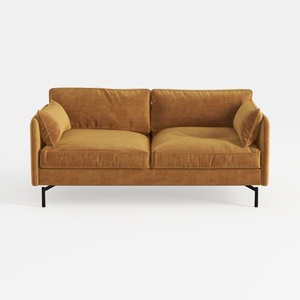
Modern Velvet Upholstered 2 Seater Sofa With Black Metal Legs 3D Model
Homestyler is your go-to online home design platform, perfect for bringing your creative visions to life! With its easy-to-use design tool, stunning 3D renderings, and a treasure trove of video tutorials and design projects, even those with no prior experience can unleash their inner designer.
Design jetzt kostenlos
































