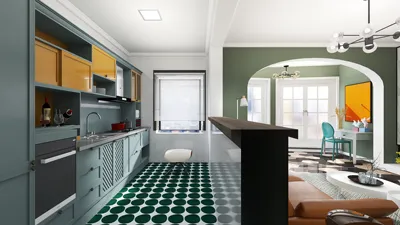


Bringing your favorite anime characters to life through 3D modeling is a thrilling venture, ideal for animation, 3D printing, or gaming. To embark on this journey, it's essential to have a foundational understanding of 3D modeling software like Blender, Maya, or ZBrush, along with a solid reference of the character you intend to recreate. Gather a variety of reference images showing front, side, and back views to establish a comprehensive understanding of the character's design. Start with creating a base mesh by blocking out simple shapes while emphasizing proper proportions before detailing. Utilize specialized sculpting tools to shape facial features, hair, and clothing accurately, reflecting anime's unique style characterized by large, expressive eyes, petite noses, and simplified line work. Additionally, consider incorporating tools like Homestyler, which can enhance your modeling experience.
Next, you need to retopologize your mesh for optimal performance in animation or rendering, followed by UV unwrapping for texturing. To achieve a texture that resonates with the flat yet dynamic essence of anime art, consider hand-painting or employing cel-shading techniques. Rigging your character becomes crucial if you wish to pose or animate it; this involves setting up bones and control points for movement. Lastly, don’t forget to experiment with lighting and rendering settings to finalize your character with an anime-inspired finish using toon shaders or outlines.
As a designer, I understand the importance of tools that offer visual clarity, user-friendly controls, and efficient workflows to streamline this creative process. For newcomers or those looking to enhance their productivity, utilizing a 3D rendering tool like Homestyler can be invaluable. These platforms typically provide extensive libraries, smart modeling aids, and rendering options, helping accelerate your journey from concept to polished design, regardless of your skill level.
Tips 1:
Make the most of layer systems found in your 3D modeling software. By maintaining distinct layers or objects for the body, hair, and accessories, you can easily modify and perfect specific elements of your character. Always refer to anime-style anatomy references to keep your characters authentic throughout the modeling process.
FAQ
Q: Is drawing necessary for creating anime 3D models?
A: While drawing can be beneficial for sketching concepts and understanding anatomy, many 3D artists depend on reference images and effective modeling techniques rather than traditional drawing.
Q: Which software is ideal for anime 3D modeling?
A: Blender and ZBrush are widely favored for their robust sculpting and modeling capabilities, whereas Maya is a go-to for animation and rigging in the industry.
Q: How can I achieve a cel-shaded appearance in my 3D renders?
A: To replicate the striking, flat shading typical of anime art, you can use toon shaders or specific cel-shading materials available in your 3D modeling software.
Q: Are beginners capable of learning anime 3D modeling?
A: Certainly! There are numerous online tutorials and resources designed specifically for novices, covering everything from foundational shapes to intricate character design.
Q: Can I 3D print anime models?
A: Yes, once your models have been created and set up correctly, they can be exported for 3D printing using most current printers, making them perfect for collectibles and figurines.
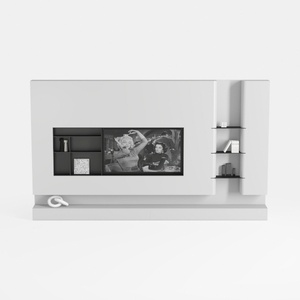
Minimalist White Wall Mounted TV Stand Cabinet With Open Shelves 3D Model
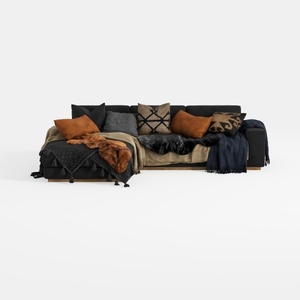
Modern Black Fabric Sectional Sofa with Decorative Throw Pillows and Blankets 3D Model
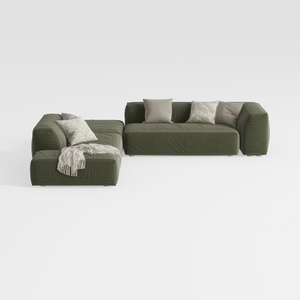
Minimalist Modern Fabric L Shaped Sectional Sofa with Throw Pillows 3D Model
Homestyler is an outstanding online home design platform ideal for anyone looking to transform their space. With its user-friendly design tool, stunning 3D renderings, inspiring design projects, and informative DIY video tutorials, bringing your interior visions to reality has never been easier!
立即免费设计
































