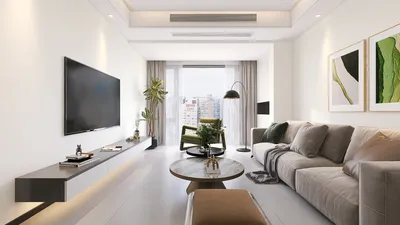


Establishing a home office equipped with multiple monitors can significantly boost your productivity and improve your overall work experience. Whether you are a remote employee or a freelancer, a dual or triple monitor configuration greatly enhances your ability to multitask efficiently. Picture this: one screen displays your emails, another hosts your video calls, and your primary work document is front and center. Let's explore some innovative home office layout ideas that will help you make the most of your workspace!
Selecting the Ideal Monitors for Your Workspace
When it comes to choosing the right monitors for your home office, it’s vital to take into account factors like screen size, resolution, and ergonomic design. Opting for larger monitors or two 27-inch screens can provide you with ample space to work, while 4K resolution can enhance detail and lessen eye fatigue. Remember to consider ergonomics; adjustable monitor stands can position your screens at eye level, promoting a healthier posture throughout your workday.
Innovative Layout Ideas for Your Monitors
The arrangement of your monitors can tremendously influence your workflow. One popular setup is to place your primary monitor directly in your line of sight with a secondary monitor alongside. Alternatively, a curved display with three monitors can create a more immersive visual experience. Utilizing monitor arms can also free up desk space and allow for flexible positioning of your screens.
Incorporating Accessories for an Enhanced Setup
Don’t forget to personalize your home office with accessories that enhance your monitor arrangement. A high-quality keyboard and mouse are crucial for comfort and productivity. Think about adding a reliable docking station to simplify your cable management. Moreover, effective lighting in your workspace can reduce eye strain and elevate your mood, creating a more enjoyable work environment.
Keeping Your Workspace Tidy
With multiple monitors in play, clutter can quickly accumulate on your desk. Implement cable management solutions to organize your cords neatly, and utilize storage options to decrease visible distractions. A tidy workspace not only looks better but also contributes to a clearer mind, allowing you to concentrate better on your tasks.
Final Thoughts
Creating a home office with multiple monitors goes beyond merely increasing screen real estate; it is about structuring an environment that enhances both productivity and creativity. By carefully choosing your monitors, arranging them thoughtfully, and incorporating useful accessories, you can transform your workspace into a productivity powerhouse. What has posed the greatest challenge in your home office setup? Share your thoughts in the comments!
Frequently Asked Questions
Experience the innovation of Homestyler in enhancing your workspace design.
Discover the ease of home design with Homestyler! This user-friendly platform offers an intuitive online design tool, stunning 3D renderings, and a wealth of inspiring design projects and video tutorials. Bring your creative vision to life effortlessly, whether you're a beginner or an experienced designer!
立即免费设计
































