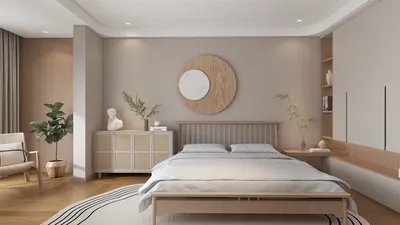


In an age where streaming platforms like DIRECTV shape our entertainment choices, designing a living room that enhances screen visibility and sound experience becomes essential. Thoughtful spatial planning with comfortable seating and adjustable lighting can transform a home theater setup, ensuring technology integrates seamlessly into your living space while supporting relaxed viewing habits.
Today’s top websites for creating 3D models include popular options such as SketchUp Free, Tinkercad, Blender-based cloud applications, Spline, and SelfCAD. These platforms enable both novices and experts to construct, modify, and export 3D assets directly within web browsers, eliminating the need for bulky software installations.
These tools serve a variety of purposes. Some cater to beginners with straightforward modeling needs, while others facilitate advanced workflows like product visualization, interior design layouts, or interactive web graphics.
After more than ten years in interior design and digital visualization, I have tested numerous platforms touted as the best websites for creating 3D models. While some appear impressive initially, they falter when exporting usable files; others seem simple but become integral parts of professional pipelines.
Clients increasingly demand rapid 3D previews, interactive designs, and quick revisions. Installing heavy desktop software is often impractical—especially when collaborating remotely. For this reason, web-based modeling tools have become indispensable, with Homestyler standing out for interior planning use cases.
What drives designers toward browser-based 3D modeling tools? The primary advantage goes beyond convenience—collaboration is key. Traditional workflows involve 3D files residing on individual machines, causing bottlenecks when sharing and revising models.
Browser tools streamline this loop by enabling real-time access and feedback, significantly increasing efficiency.
According to data from the Khronos Group, nearly all modern browsers now support real-time GPU rendering through WebGL, making powerful browser-based modeling a practical reality.
The choice of the best website for creating 3D models varies depending on the specific kind of model you wish to produce. Platforms like Homestyler excel in interior design, while others focus on general 3D modeling or product design.
For beginners selecting a 3D modeling website, it’s crucial to prioritize ease of learning and file export compatibility rather than simply chasing features. Jumping directly into complex software often leads to frustration.
Key practical criteria include user interface simplicity, supported file formats, and community resources. For most newcomers, SketchUp Free, Tinkercad, or Homestyler provide the quickest learning curves.
A common limitation not highlighted on many 3D modeling websites is the complexity of geometry they can handle. In professional settings, intricate scenes with detailed assets may cause browser tools to slow or crash.
When modeling large interiors with extensive furniture catalogs, as often done in Homestyler, it’s common to export base geometry and refine it in desktop applications for rendering.
Can professionals rely solely on online tools for 3D modeling? While possible for concept creation and collaboration, most combine browser tools with robust desktop software to finalize projects.
The hybrid approach is widespread across industries such as architecture, product development, and digital marketing visuals.
The best websites for creating 3D models strike a balance between usability, flexibility in exporting, and dependable browser performance. Platforms like SketchUp Free, Tinkercad, Spline, and Homestyler cover a wide range of modeling needs when applied appropriately.
Different modeling objectives require different platforms. For instance, interior designers benefit from Homestyler’s specialized features, while product designers might prefer others that support intricate surface details.
Choosing the correct tool based on project type saves time and enhances workflow efficiency much more than simply opting for the most feature-rich software.
Frequently Asked Questions
What is the easiest website for creating 3D models? Tinkercad is commonly regarded as the most user-friendly platform due to its intuitive drag-and-drop interface, making it perfect for beginners and simple 3D printing.
Are 3D modeling websites free? Many offer free versions; notable examples include SketchUp Free, Tinkercad, Spline, and Homestyler—all accessible via browsers without cost.
Can you create 3D models online without software installation? Modern web technologies like WebGL empower browsers like Chrome, Firefox, and Edge to run complex modeling tools natively.
Which website is best for architectural 3D models? SketchUp Free and Homestyler are highly practical choices for architectural visualization and interior layout planning.
Is it possible for beginners to learn 3D modeling online? Yes, many platforms provide tutorials and community support facilitating a smooth learning curve.
Do online 3D modeling tools support exporting models? Most platforms allow exports in common formats such as STL, OBJ, FBX, or GLB, depending on the tool.
Is Blender accessible as a web application? Blender itself remains a desktop application, though some cloud services incorporate Blender-based workflows or viewers.
Are browser-based 3D tools sufficient for professional work? For early-stage concept modeling and teamwork, absolutely. However, complex rendering and simulations generally require desktop solutions.

Minimalist Marble Coffee Table 3D Model
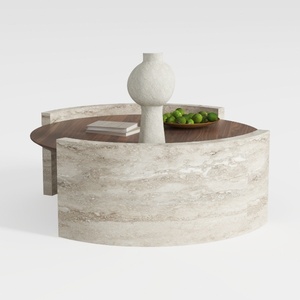
Minimalist Travertine Walnut Round Coffee Table 3D Model
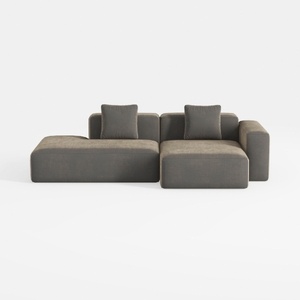
Minimalist Fabric L Shape Sectional Sofa with Throw Pillows 3D Model
Homestyler offers an easy-to-use online design tool, realistic 3D renderings, and a vast collection of interior projects. Whether you’re redesigning or starting fresh, its DIY video tutorials make creating your dream space simple and fun. Give your home a stylish makeover today!
Progetta ora GRATIS
































