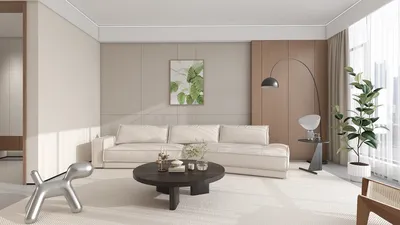


At one point, I painted an entire wall in a glossy white hue, inspired by a client's belief that it would transform our movie nights into something truly cinematic. However, the projector ended up creating multiple hotspots across the wall. After spending a full day sanding, repainting, and learning a humbling lesson, I realized how vital the right paint is for making a small living area feel like a personal cinema. To avoid past mistakes, I utilized a visual mockup for testing various wall colors before making a final decision.
Limited spaces enforce more clever decisions, which is the exciting aspect: small areas can spark substantial creativity. Here are five practical ideas that I leverage in actual projects, detailing their advantages, minor obstacles, and budget-friendly advice cultivated from my decade-long experience working with kitchens and apartments.
1. Specialized projector screen paint — a straightforward yet effective choice
There are paints specifically designed for projection purposes, offering a perfect balance of gain, color neutrality, and viewing angle. I prefer these paints since they enhance brightness without needing a distinct screen; however, they are pricier than regular paints and can be challenging to touch up for a seamless finish.
Tip: If you deal with some ambient light, opt for a mid-gain formula, and test a small swatch at night with your projector before committing to the entire wall.
save pin
2. Neutral gray (18-30% reflectance) — my preferred choice for well-balanced contrast
A neutral mid-gray shade can effectively conceal projector hotspots while enhancing contrast, often making colors appear more vibrant than a bright white. I generally select a gray free from warm or cool undertones to prevent color shifts. The downside is that darker grays reduce perceived brightness slightly, making them more suitable for projectors with decent lumens.
Budget tip: A single-gallon sample allows you to explore various RAL or Munsell-inspired grays under the lighting conditions in your space.
save pin
3. Accent panel with low-luster paint — introduce dimension without compromising the image
If painting the entire wall isn't ideal, consider a specific projection panel using flat or eggshell finish paint. This approach provides the contrast control of s projection surface while keeping the room lively and dynamic. It's an elegant compromise—subtler than a dedicated screen yet more forgiving than ordinary wall paint.
When determining the size and placement of the panel, I typically sketch out furniture arrangements and screen positioning while utilizing tools to create precise floor plans to ensure optimal sightlines and seating distances.
save pin
4. Textured or chalkboard-style finishes — innovative but requires adjustments
Using textured paints or matte chalkboard finishes can be effective if the texture remains fine and uniform, yet they tend to diffuse light and soften image details. I have successfully employed a very fine micro-texture on loft walls, allowing clients to jot notes around the projected image. While visually appealing for casual viewing, it demanded careful adjustments for the projector's keystone and focus settings.
Attention: Texture might become evident at close viewing distances, so it's wise to conduct tests from your usual seating area.
save pin
5. DIY blended tint and calibration — adaptable for multifunctional rooms
For living rooms that serve as both media environments and social spaces, I occasionally combine a subtle tint with standard matte paint, calibrating the projector's color settings accordingly. This approach is budget-friendly and allows the wall to be utilized for artwork or shelving. One of my favorite small-apartment arrangements involved a tinted wall creatively paired with an efficient kitchen layout nearby, ensuring that the projector never felt out of place.
Challenge: DIY tints necessitate additional testing to avoid unwanted color casts; always apply a large enough sample patch and view projected content with the projector turned on.
save pin
FAQ
Yes, white is indeed bright, but it may lead to hotspots and decreased contrast. If opting for white, I recommend using a matte finish and testing from your seating position under actual viewing light conditions.
Most of the time, yes—mid-gray enhances perceived contrast and conceals hotspots, especially advantageous in spaces with ambient light or when deeper blacks are a priority.
The best finishes are flat or eggshell, as they minimize glare. High-gloss paints tend to create reflections and uneven hotspots, which can degrade the viewing experience.
Matte wallpapers with light, uniform texture can be effective, but it's advisable to avoid shiny or patterned designs. Plain matte wallpapers generally provide a safer alternative, though paint enables easier testing and touch-ups.
Make a 1m x 1m sample patch, let it cure, then project usual content at night from your viewing distance. This practical test unveils hotspots, color shifts, and loss of detail.
They can definitely be beneficial if you desire optimized gain and color neutrality without requiring a separate installation of a screen; for casual viewing setups, a good neutral matte paint is often sufficient.
With a mid-gray paint, aim for a projector that's approximately 20-30% brighter than what you would need for white. Manufacturer specifications and room lighting should guide your ultimate choice, with 2000-3000 lumens generally being a suitable range for small living areas.
For comprehensive specifications and screen recommendations, refer to the support pages of projector manufacturers—Epson and BenQ provide extensive guidance on screen gain, viewing distances, and ambient light considerations (see Epson or BenQ official documentation for specifics).
save pin
Looking to transform your space? Homestyler is your go-to online home design platform! With its user-friendly design tool, stunning 3D renderings, a wealth of design projects, and helpful video tutorials, you can easily create your dream home with confidence and creativity.
Design Now for FREE
































