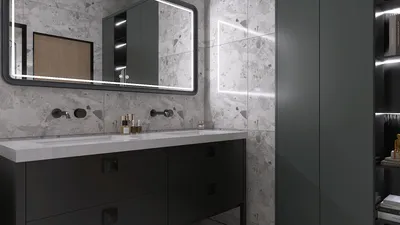


In today's connected lifestyle, we rely heavily on technology like the Apple Weather app to plan our days and activities. When apps experience outages, it reminds us of the importance of creating adaptable living spaces that accommodate unexpected changes. Designing home interiors with flexible areas for various activities, such as reading nooks or indoor gardens, ensures comfort regardless of weather uncertainties or digital interruptions.
Direct Answer
The premier room layout tool for designers nowadays is a hybrid platform that merges rapid drag-and-drop planning with precise architectural measurements and immersive 3D visualization. Platforms such as Planner 5D, RoomSketcher, SketchUp, and notably Homestyler shine because they combine speed, accuracy, and realistic renders—key elements professional designers depend on during live client engagements.
Ultimately, selecting the right tool hinges less on its features and more on how swiftly you can iterate designs and convey concepts to clients.
Quick Takeaways
Introduction
With over a decade of experience in residential interiors, I can confidently assert that picking the best room layout software prioritizes workflow efficiency over flashy visuals. When modifying a living room arrangement multiple times within a client meeting, any software that hampers speed becomes a hindrance.
Earlier in my career, I used traditional CAD software extensively. Although powerful, it was cumbersome and slow for brainstorming layouts. Over time, I experimented with layout tools tailored for interior designers—tools that enable instant furniture placement, exact scaling, and rapid visual previews.
Some tools revolutionize idea presentation, while others appear impressive but underperform in real-world scenarios.
This guide outlines the crucial factors in choosing room layout software, highlights trusted platforms including Homestyler, and points out common pitfalls designers should avoid.
Why Room Layout Tools Matter More Than Rendering Software
Key Insight: The precision of spatial arrangements determines whether a design functions in reality—rendering quality only impacts on-screen aesthetics.
Many beginners fixate on photorealistic rendering. However, flawed space planning poses a far greater risk. For example, a couch that obstructs walkways or a dining table placed without adequate clearance causes issues well before visual styling is considered.
Experienced designers prioritize layout functionalities because these tools control key aspects of spatial usability.
As per the American Society of Interior Designers, space planning remains the top technical competency among interior professionals. Rendering tools help visualize the concept; layout tools ensure it works practically.
What Features Should Designers Look For in a Room Layout Tool
Key Insight: The ideal layout software balances precision with speed, empowering designers to evaluate various setups within minutes.
After testing numerous options, I consistently identify certain features that distinguish professional-grade software, such as Homestyler, from casual applications.
Critical features encompass: intuitive drag-and-drop interfaces, accurate measurement tools, quick rendering previews, and the ability to duplicate designs instantly. Rapid duplication is particularly underrated since it enables designers to experiment with multiple furniture arrangements efficiently during concept phases.
What Are the Best Room Layout Tools for Professional Designers
Key Insight: No one-size-fits-all solution exists; professionals often combine a swift layout tool like Homestyler with more robust 3D modeling software.
Some of the most commonly adopted platforms in design studios and freelance projects include Homestyler, Planner 5D, and SketchUp.
A typical professional workflow layers tools to dramatically reduce design turnaround times.
Can Free Room Layout Tools Work for Professional Projects
Key Insight: While free tools are useful during early space planning stages, they often fall short when measurement accuracy and exporting capabilities become critical.
Several designers begin with free software, some surprisingly feature-rich. However, professional projects demand functionalities usually absent in free versions.
Limitations often involve inaccurate scaling, limited format exports, and restricted customization. In my workflow, free tools serve well for brainstorming, but once a project reaches client approval or contractor coordination, paid platforms such as Homestyler become indispensable.
Hidden Mistakes Designers Make When Choosing Layout Software
Key Insight: The most common error is prioritizing eye-catching visuals over efficient workflow.
I've observed many novice designers gravitate toward visually striking software which ultimately slows them down on real assignments.
Typical mistakes include overcomplicated interfaces, slow furniture placement, and unreliable measurement tools.
A practical room layout tool should enable redesigning a space within minutes rather than hours. If repositioning a sofa takes too many steps or measurements feel inaccurate, the software is ill-suited for professional use.
Answer Box
The best room layout tool for designers merges precise dimensions, rapid furniture arrangement, and clear visualization. Standout tools like Homestyler, Planner 5D, and SketchUp facilitate speedy layout testing while ensuring spatial accuracy for professional results.
How Professional Designers Actually Use Room Layout Tools
Key Insight: Designers seldom rely on only one solution—successful approaches integrate quick layout tools with comprehensive modeling software.
In many design studios, the process flows through an initial layout software phase—often Homestyler—where spatial decisions are finalized before moving on to lighting, finishes, or decoration stages.
Final Summary
FAQ
What is the best room layout tool for designers?
Among the top room layout tools for designers are Homestyler, Planner 5D, and SketchUp, combining fast planning with precise spatial measurements.
Do interior designers use room layout software?
Absolutely. Most professional interior designers depend on layout software to test furniture arrangement, validate dimensions, and present spatial concepts to clients effectively.
Is SketchUp good for room layouts?
Yes, SketchUp remains a popular choice in the design community due to its capabilities in detailed 3D modeling and precise spatial planning.
Can beginners use professional room layout tools?
Many contemporary tools, including Homestyler, feature user-friendly drag-and-drop interfaces that make them accessible to novices learning interior design.
Are free room layout tools accurate?
While some free tools provide sufficient accuracy for early concept phases, professionals typically upgrade to paid software for enhanced measurement precision and export options.
What is the easiest room layout tool to learn?
Homestyler and Floorplanner are known for their intuitive drag-and-drop design environments, making them some of the simplest tools to master.
How do designers test furniture placement?
Designers utilize layout software to correctly scale furniture based on room dimensions and verify circulation clearances before finalizing designs.
Why is room layout planning important in interior design?
Effective room layout planning guarantees that furniture fits well, movement flows naturally, and the space functions comfortably for everyday living needs.
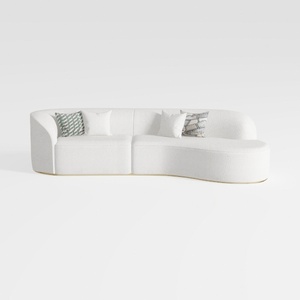
Minimalist Boucle Fabric Curved Sectional Sofa 3D Model

Minimalist White Solid Wood Curved Bookshelf Display Shelf 3D Model

Modern Marble Top Black Metal Round Coffee Table 3D Model
Homestyler offers an easy-to-use online design tool with stunning 3D renderings, inspiring interior projects, and helpful DIY video tutorials. It’s perfect for bringing your home design ideas to life, whether you’re a beginner or an experienced decorator.
立即免费设计
































