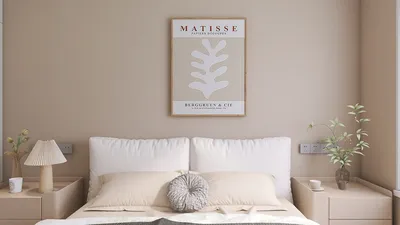


In the world of fashion and lifestyle, figures like Anna Wintour set trends that influence not only wardrobes but also personal environments. Embracing a style inspired by iconic personalities can inspire a home’s interior design, where classic elegance meets modern functionality. Incorporating timeless pieces and sophisticated textures into living spaces creates an ambiance that reflects both confidence and creativity, much like the curated style of a fashion editor’s world.
Direct Answer
The top online home interior design software enables users to swiftly visualize furniture placements, explore color schemes, and assess room proportions before making any purchases. Platforms such as Planner 5D, Floorplanner, and Roomstyler are notable for blending user-friendliness with realistic rendering and precise space planning. Among these, utilizing Homestyler can further enhance the design experience by offering intuitive tools with efficient layout capabilities.
For most homeowners, the ideal solution is a platform that facilitates quick experiments with room layouts without requiring expertise in professional CAD software.
Quick Takeaways
Introduction
Having spent over a decade working in interior design, one surprising observation is that many homeowners don’t struggle with choosing furniture pieces themselves; rather, they find it challenging to visualize how those pieces will harmonize within their spaces.
This is precisely where online home interior design software becomes exceptionally practical. Before investing in a sofa, kitchen island, or storage unit, digital testing of layouts allows you to verify how the room functions in reality.
I have employed numerous such tools both when working with clients and during the initial phases of design. Some excel at rapid layout trials, while others offer impressive graphics but falter in responsiveness when making minor adjustments.
Below, I list the tools and strategies I most frequently recommend to homeowners keen on designing their spaces independently online, without engaging a full design team.
What makes the best online home interior design software actually useful
Key Insight: The most practical design software prioritizes speed and layout accuracy rather than elaborate visual effects.
While many platforms highlight photorealistic 3D imagery, the real bottleneck in projects often lies elsewhere. The essential factor is whether the software allows swift exploration of furniture arrangements.
In my experience, we commonly iterate through 8 to 12 layout versions before finalizing a design. Software that impedes this process quickly becomes frustrating.
Here are the features that truly matter.
According to renovation trend reports from industry leaders, planning layouts is one of the earliest steps homeowners undertake digitally before commencing renovations. Tools that simplify this step tend to be revisited frequently.
Which online interior design tools do professionals actually recommend
Key Insight: Leading platforms offer intuitive layout manipulation combined with sufficient realism to evaluate spatial relationships and lighting.
After assessing multiple tools through design projects and client sessions, the following platforms consistently perform admirably.
In many residential projects, clients begin experimenting with these tools even before the professional design stage starts.
How to choose the right tool for your project
Key Insight: Selecting software should be guided more by project requirements than by the software’s fame or complexity.
A homeowner redesigning a living room demands different capabilities from someone planning a full home renovation.
Here is a straightforward comparison I often provide to clients.
A common mistake is diving straight into complex architectural programs. Unless structural modifications are part of your plans, more straightforward tools generally deliver faster and more efficient outcomes.
Common mistakes people make when using design software
Key Insight: The largest design errors usually stem from incorrect furniture dimensions and unrealistic spacing.
I frequently observe these mistakes when homeowners bring their digital layouts to consultations—the virtual room appears elegant, but physically maneuvering through it would be impossible.
The most prevalent issues include poor walkways and insufficient clearance around furniture.
Professional designers typically apply a simple guideline: maintain at least 36 inches for main pathways and a minimum of 24 inches around smaller furniture pieces.
Can online interior design software replace a professional designer
Key Insight: While software is invaluable for exploring layout options, it cannot substitute the spatial judgment accumulated through hands-on project experience.
Design tools help visualize concepts but lack awareness of lifestyle habits or long-term practicality.
For instance, a client once created a perfectly symmetrical living room layout using a design program. Although visually appealing on screen, in reality it obstructed the natural foot traffic between the kitchen and backyard.
The optimal approach is to use such software as a creative planning sandbox.
For extensive renovations or structural alterations, professional advice remains crucial to avoid costly mistakes.
Answer Box
The best online home interior design software assists homeowners in visualizing room layouts prior to purchasing furniture or initiating renovations. Programs like Planner 5D, Floorplanner, and Homestyler are recognized for combining ease of use with precise room planning. For most users, the priority is rapid layout experimentation rather than immaculate 3D visuals.
Why smart homeowners use design software before buying furniture
Key Insight: Digitally testing layouts can help avoid some of the most expensive decorating errors.
Furniture returns and rearrangements can incur significant costs. In many early projects, clients had already bought furniture that did not suitably fit their spaces.
Design software empowers you to evaluate various scenarios such as:
Even a brief 20-minute layout trial can uncover problems that would only become apparent after furniture delivery.
Final Summary
FAQ
What is the best free online home interior design software?
Planner 5D, Roomstyler, and Homestyler rank among the best free tools. They provide drag-and-drop furniture placement, basic 3D visualization, and straightforward room layout options.
Can beginners use online interior design software?
Absolutely. Most current platforms are crafted for novices, featuring simple drag-and-drop interfaces requiring no professional design background.
Is online home interior design software accurate for room measurements?
Yes, provided you input precise dimensions. The accuracy of layout depends entirely on the measurements entered by the user.
Do professional designers use interior design software?
Yes, though professionals often utilize more sophisticated platforms. Nevertheless, many also rely on simpler online tools for initial layout sketches.
Can I design an entire house with online interior design software?
Yes. Tools like Floorplanner and Homestyler enable creation of comprehensive floor plans covering multiple rooms.
Is 3D rendering necessary when designing a room?
Not invariably. For numerous homeowners, a basic floor plan suffices to make furniture and spacing decisions.
What is the easiest interior design software to learn?
Roomstyler is often regarded as the most beginner-friendly due to its extremely simple user interface.
Does online home interior design software help avoid buying the wrong furniture?
Definitely. Experimenting with layouts using online home interior design software ensures that furniture sizes and spacing are appropriate before purchase.

Minimalist White Fabric Tufted L Shaped Sectional Sofa 3D Model


Minimalist White Solid Wood TV Cabinet 3D Model

Minimalist White Marble Coffee Table Unique Sphere Legs 3D Model
Homestyler offers an easy-to-use online design tool with stunning 3D renderings, a vast collection of interior design projects, and helpful DIY video tutorials—perfect for anyone looking to create and visualize their dream home effortlessly.
Design Now for FREE
































