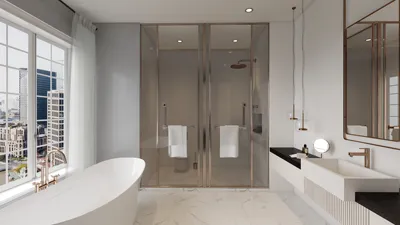


As more people rely on platforms like Shopify to manage their online stores, the integration of technology into daily life becomes essential. This shift towards digital commerce influences how we design our home offices and workspaces, emphasizing ergonomic furniture and efficient spatial layouts that support prolonged productivity and creativity. Creating a seamless blend of comfort and function at home fosters a more balanced lifestyle in our increasingly connected world. Incorporating tools like Homestyler helps in visualizing these ideal workspaces, bridging the gap between digital trends and home design.
Direct Answer
The top computer software choices for interior designers merge rapid layout creation, lifelike visualization, and effective client presentation capabilities. Industry favorites include SketchUp, AutoCAD, Revit, and AI-powered rendering platforms, all known for balancing accuracy with compelling visual storytelling.
In practice, many designers utilize a combination of two to four applications instead of depending exclusively on one software.
Quick Takeaways
Introduction
Over my decade-long experience as an interior designer, a commonly posed question from students, freelancers, and seasoned decorators is straightforward: which computer software stands as the best for interior designers?
Truthfully, no single program perfectly handles every aspect. For projects ranging from modest apartment refurbishments to comprehensive home makeovers, I typically integrate multiple tools—some for technical drawings, others for 3D modeling, and a few for generating photorealistic visuals that clients appreciate.
Recognizing the strengths of each software relative to specific tasks outweighs simply choosing the most popular. This article explores the most relied-upon programs among professionals, the scenarios where each excels, and the lesser-known drawbacks rarely highlighted in mainstream lists.
Why do professional interior designers rarely rely on only one software?
Insight: Optimized design processes adopt specialized tools, avoiding the pitfalls of forcing a single program to cover all steps.
Many beginners mistakenly believe the best interior design software should incorporate drafting, modeling, rendering, and presentations within one platform. However, this approach often hampers project speed and quality.
Our studio workflow segregates these responsibilities strategically:
This multi-layered method mirrors architectural firms' operations. Industry data from Autodesk indicates most design studios deploy a blend of at least two predominant software platforms throughout a project’s lifespan.
The advantage here is adaptability; when a superior rendering engine emerges, it can be integrated independently without overhauling the entire system.
What software is best for 3D modeling in interior design?
Insight: SketchUp remains the leading 3D modeling option due to its balance of speed, user-friendliness, and effective visualization tailored for interiors.
When initiating conceptual plans with clients, SketchUp is my preferred first choice. It facilitates rapid construction of walls, furniture arrangements, and spatial volumes without complicated setups.
Why SketchUp is suited for interior layouts:
An underrated feature is its extensive 3D Warehouse library, enabling designers to test numerous furniture options in minutes, greatly accelerating design iterations.
Nonetheless, SketchUp is not well-suited for highly detailed construction documentation, which is why pairing it with CAD software is common.
Is AutoCAD still a necessity for interior designers?
Insight: AutoCAD remains critical whenever exact construction blueprints and clear communication with contractors are required.
Despite the advent of modern design tools, AutoCAD continues to dominate the domain of construction documentation. Its format is understood universally by builders, architects, and engineers, making it the safest technical communication medium.
Common uses of AutoCAD in interior projects:
A frequent error among newer designers is relying only on visually appealing 3D renderings. While these are impressive, builders need precise measurements and technical plans to implement designs correctly.
Therefore, AutoCAD still holds an essential role.
Which software produces the most realistic interior renderings?
Insight: Specialized rendering engines outperform modeling tools in creating convincing, photorealistic imagery.
Clients often find floor plans difficult to interpret but grasp lifelike images immediately. Top-quality renders frequently influence client approval of design concepts.
Popular rendering solutions interior designers choose include:
These plugins typically connect to modeling software like SketchUp or Revit, transforming basic 3D forms into scenes with detailed lighting, materials, and reflections.
Visualization firms favor V-Ray for its unparalleled realism, whereas Enscape is recognized for providing interactive real-time walkthroughs during presentations.
What software do large interior design studios prefer?
Insight: Commercial and large-scale projects commonly implement BIM (Building Information Modeling) tools, such as Revit, for enhanced coordination and documentation.
When architects, engineers, and contractors collaborate simultaneously, BIM systems prove invaluable.
Revit advantages include:
For individual residential designers, Revit may be overly complex. However, in commercial ventures like hotels, offices, and medical centers, it significantly reduces mistakes during collaboration.
Hidden expenses seldom considered when selecting software
Insight: Time invested in mastering software and workflow integration often outweigh the cost of the software license itself.
Designers frequently fixate on subscription fees when choosing software, but this is only part of the financial picture.
Real hidden costs encompass:
High-end rendering software demands powerful graphics cards and hardware upgrades, which can be pricier than the applications themselves.
Successful studios evaluate software choices within the context of an entire workflow ecosystem, not isolated purchases.
Answer Box
The optimum computer software for interior designing varies by function: SketchUp excels at swift 3D modeling, AutoCAD caters to accurate construction plans, and rendering software like V-Ray or Enscape creates compelling client visuals. Many professionals combine multiple tools for efficient project management.
Final Summary
FAQ
What is the easiest interior design software for beginners?
SketchUp is the most accessible starting point due to its intuitive modeling features and vast library of furniture models.
Which software suits solo interior designers best?
Solo professionals often rely on SketchUp paired with rendering plugins like Enscape to quickly generate client-ready visuals.
Is AutoCAD still used by interior designers?
Yes, AutoCAD remains prevalent for drafting construction documents, floor plans, and facilitating communication with contractors.
Which software delivers the most realistic interior renderings?
V-Ray, Lumion, and D5 Render are leading engines renowned for photorealistic interior imagery.
Is Revit necessary for residential interior design?
Not always; Revit is predominantly utilized in large-scale or commercial projects requiring extensive collaboration.
Can beginners learn professional interior design software quickly?
Most users become proficient with SketchUp within weeks, though software like Revit necessitates longer training periods.
What computer specifications are recommended for interior design software?
A high-performance GPU, 16–32GB of RAM, and a fast SSD dramatically improve modeling and rendering efficiency.
Is there free interior design software available?
Yes, options such as SketchUp Free and various web-based tools offer basic features, though advanced capabilities typically require paid versions.


Homestyler is an easy-to-use online home design platform that lets you create stunning 3D renderings, explore a variety of design projects, and learn through helpful DIY video tutorials. It’s perfect for bringing your interior ideas to life effortlessly.
Design Now for FREE
































