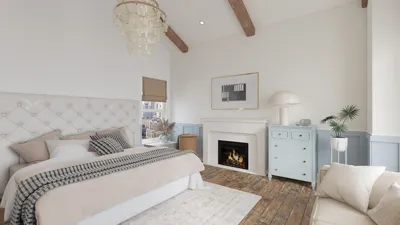


In an age where artificial intelligence shapes much of our digital interaction, tools like Claude are becoming part of our everyday tech landscape. Integrating such AI advancements into our lifestyle can inspire the design of home workspaces that enhance productivity and comfort. Thoughtful furniture arrangements that accommodate technology seamlessly can transform living areas into efficient, calming environments that support both creativity and relaxation.
Direct Answer
The leading home floor plan design software available today merges user-friendly drag-and-drop functionality with realistic 3D visualization. Among the top tools are Floorplanner, SketchUp, and Planner 5D, which enable homeowners and designers to experiment with room layouts, furniture positioning, and traffic flow before making construction decisions.
In practical scenarios, the appropriate software accelerates processes, avoids layout errors, and allows clients to visualize spaces well ahead of wall construction.
Quick Takeaways
Introduction
With over ten years of experience in residential interior design, I can confidently affirm that selecting the right home floor plan software can significantly influence project outcomes. I've collaborated with clients who began with mere sketches and others who brought detailed digital plans. The clarity provided by software-generated layouts is remarkable.
Effective floor plan software helps address crucial questions early on: Is the kitchen too compact? Is the hallway excessively long? Does the furniture actually fit? Discovering these issues during the digital planning phase saves expensive corrections during construction.
This guide reviews tools that consistently perform well in professional workflows and details where each excels.
Why Floor Plan Software Matters More Than Most People Think
Key Insight: Most design errors occur during initial planning, and software is the quickest means to identify them.
A common misconception is that floor plan tools serve only architects. In truth, they are invaluable for homeowners, renovation experts, and real estate developers alike.
At the project's outset, I seldom depend on a single layout concept. Instead, I produce rapid alternatives within a digital floor plan tool to test circulation, window placements, and furniture clearances.
Typical layout problems that software reveals include inadequate flow and mismatched furniture sizing.
Based on data from the National Association of Home Builders, mid-construction design modifications can elevate costs by 10–20%. Digital layout planning dramatically minimizes these unexpected expenses.
What Is the Best Home Floor Plan Design Software for Beginners
Key Insight: Simplicity and immediate visual feedback trump advanced modeling features for novices.
I often observe homeowners begin with overly complex software. Professional architectural tools can overwhelm first-time users quickly.
User-friendly options that reliably yield results include intuitive drag-and-drop platforms.
These applications enable users to test space planning effortlessly.
For individuals planning renovations or home additions, these tools usually suffice.
Which Floor Plan Tools Do Professional Designers Actually Use
Key Insight: Professionals select software emphasizing accuracy and seamless integration with architectural workflows.
In design studios, speed is important but precision and export capabilities are paramount.
Commonly employed software in professional contexts includes SketchUp, among others.
Personally, I find SketchUp efficient for quickly exploring layout ideas before progressing to detailed documentation.
Professional-grade software benefits feature enhanced accuracy and compatibility with other design tools.
However, these tools often have steep learning curves unsuitable for casual users.
Hidden Mistakes People Make When Using Floor Plan Software
Key Insight: Many users err by designing rooms without considering furniture scale, leading to overly large or small spaces.
Focusing solely on wall placement while neglecting the furniture that occupies the space is a common pitfall.
Typical errors include improper room sizing and insufficient circulation space.
A helpful guideline is to incorporate furniture libraries early in the design process to maintain realistic dimensions.
Can Free Floor Plan Software Produce Professional Results
Key Insight: When design principles are followed, free software can absolutely generate professional-quality layouts.
There’s a misconception that good floor plans require costly applications. In fact, several free home floor plan design software provide robust features.
Popular free tools that deliver reliable results include well-known platforms with drag-and-drop capabilities.
Nevertheless, limitations such as fewer export options or advanced modeling features sometimes exist.
Despite these, free versions typically meet the core needs of layout planning.
Answer Box
The optimal home floor plan design software depends on your objectives. New users benefit from intuitive options like Planner 5D or Floorplanner, while designers favor SketchUp or similar programs for detailed modeling and documentation.
How to Choose the Right Floor Plan Software for Your Project
Key Insight: Selecting a software tool should be guided by the specific project type rather than the tool's popularity.
It’s advisable to clarify your primary objective before selecting software.
If speed is the priority, drag-and-drop tools like Homestyler are ideal; if precision is essential, modeling software is preferable.
Final Summary
FAQ
What is the easiest home floor plan design software to use?
Planner 5D and Floorplanner are among the most accessible for beginners due to their drag-and-drop interfaces that allow rapid plan creation.
Is free home floor plan design software good enough?
Yes. Free tools often include strong layout design features. When measurement accuracy and furniture scaling are properly employed, these applications produce reliable floor plans.
Do professional designers use floor plan software?
Certainly. Designers rely on platforms such as SketchUp, AutoCAD, and others to build precise layouts and 3D models.
Can floor plan software create 3D house designs?
Most current tools support 3D visualization to help users better understand lighting, furniture arrangement, and spatial flow.
What is the difference between 2D and 3D floor plans?
2D plans illustrate layouts and measurements from a bird's-eye view, while 3D plans provide a realistic perspective of how spaces look and feel.
Is SketchUp good for home floor plans?
Yes. SketchUp is favored among designers because it offers a balance between powerful features and usability.
How accurate is home floor plan design software?
Accuracy hinges on the correct input of dimensions. Properly measured, most software yields highly dependable layouts.
What features should I look for in home floor plan design software?
Important features include drag-and-drop interfaces, furniture libraries, 3D visualization capabilities, precise measurements, and export options.
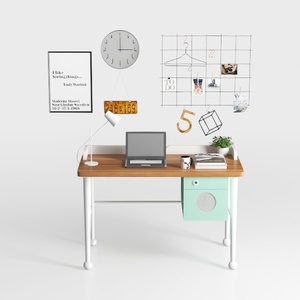

Modern Solid Wood Metal Office Desk With Storage Cabinet 3D Model

Minimalist White Electric Standing Desk 3D Model

Modern Black Metal Solid Wood Mobile Computer Desk 3D Model
Homestyler is a user-friendly online platform offering powerful home design tools, stunning 3D renderings, inspiring design projects, and helpful DIY video tutorials to easily create and visualize your perfect interior space. Perfect for all skill levels!
立即免费设计
































