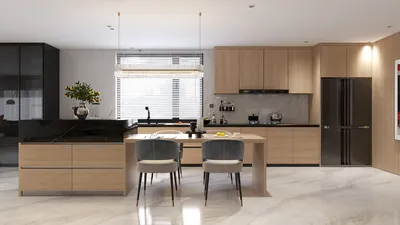


Direct Answer
Homestyler distinguishes itself among free interior design applications by integrating rapid 3D rendering, an extensive furniture catalog, and user-friendly planning tools into one comprehensive platform. Compared to alternatives like SketchUp, Planner 5D, and Roomstyler, it generally delivers quicker visualizations and more straightforward layout creation for residential design projects.
Selecting the ideal tool ultimately depends on your specific objectives. Those new to interior design often gravitate toward Homestyler or Planner 5D, whereas experienced modelers may lean toward SketchUp for crafting custom geometries.
Quick Takeaways
Introduction
With over a decade of experience in residential interior design, I've evaluated nearly every free design app that clients or junior designers bring up in projects. Some promise professional results but falter when generating realistic living room renders, while others are powerful but cumbersome for swift planning sessions.
Discussions comparing Homestyler and other free interior design apps frequently arise. Homeowners seek simplicity, designers demand accuracy, and students prefer tools that don't require weeks to master.
One reason beginners explore platforms featuring visual AI-powered room planning is the ability to transform an empty floor plan into a full 3D scene within minutes.
However, does that imply Homestyler is always the best choice? Not necessarily. Some applications excel in modeling, others shine in concept visualization. This guide explores the genuine differences among popular free interior design platforms to help you pick the best one for your needs.
save pin
Overview of Popular Free Interior Design Apps
Key Insight: Most free interior design tools fall into two main groups: those focused on layout-driven planning and those geared toward advanced 3D modeling.
From a professional perspective, the core distinction lies in their fundamental approach—some prioritize quick room setups, while others have evolved from comprehensive 3D modeling software.
Below are the most frequently compared design platforms.
Industry Trend: Educational programs in design and architecture indicate that hybrid tools combining planning and visualization are increasingly replacing pure modeling software during early design phases.
Key Features of Homestyler Compared to Competitors
Key Insight: Homestyler's primary edge lies in combining swift rendering speeds, lifelike materials, and an extensive ready-made furniture library.
In practical projects, the largest time-consuming factor is often creating assets, as manually modeling each piece of furniture can take substantial hours.
Homestyler reduces this challenge through prebuilt assets and automated rendering capabilities.
By comparison:
save pin
Ease of Use for Beginners vs Professionals
Key Insight: Beginners generally master layout-driven apps like Homestyler much faster than geometry-centric modeling tools.
In workshops I've conducted for homeowners, most participants complete their first room layout within 20 minutes using drag-and-drop planners, whereas SketchUp users often require several hours to grasp basic modeling functions.
Typical learning curves resemble the following:
If your primary goal is arranging furniture or redesigning a space, visually oriented room planning tools feel more intuitive. Many users begin with platforms that support simple drag-and-drop room layouts before progressing to more advanced modeling software.
save pin
Rendering Quality and 3D Visualization Differences
Key Insight: The most noticeable differences among design platforms involve rendering speed and realistic visual output.
Clients seldom concern themselves with how a model is constructed; instead, they focus on the quality of the final image.
Rendering comparison:
For presentations or client reviews, high-quality visualization can determine if a concept is convincing. Many designers prefer platforms capable of generating photorealistic home renders suitable for client presentations without complex rendering setups.
save pin
Pricing Models and Free Plan Limitations
Key Insight: Almost all free interior design apps impose usage restrictions, especially regarding rendering capability and access to asset libraries.
A common misconception is that "free" implies unlimited use, but most platforms operate on a freemium model.
Hidden costs often manifest as time lost on modeling missing objects or converting scenes for other software rather than monetary expense.
Answer Box
For many homeowners and novice designers, Homestyler provides the best mix of ease, visualization quality, and speed within free interior design applications. Advanced users might still prefer SketchUp for complex custom geometry, but it demands greater technical prowess.
Which Tool Is Best for Different Design Goals
Key Insight: Choosing the best interior design app hinges on your specific workflow instead of just popularity.
Here is how I typically recommend design tools based on project requirements.
A modern common workflow involves combining tools: rapid layout planning followed by detailed modeling as required.
Final Summary
FAQ
Is Homestyler better than Planner 5D?
Homestyler generally offers quicker rendering and a larger furniture library, though Planner 5D might be marginally easier for absolute beginners.
Is Homestyler free to use?
Yes, Homestyler has a free tier with limitations on high-resolution rendering and some premium assets.
What is the best free interior design app for beginners?
Many newcomers select Homestyler or Planner 5D because of their intuitive drag-and-drop room planning features instead of complicated modeling tasks.
Can Homestyler replace SketchUp?
For straightforward layout planning and visualization, yes. But SketchUp remains preferable for detailed, custom modeling, requiring more advanced skills.
Does Homestyler support realistic rendering?
Absolutely. One reason designers compare Homestyler with other free interior design apps is its ability to perform rapid photorealistic rendering.
Which app is best for furniture layout planning?
Room planning apps, including Homestyler, tend to be the fastest for experimenting with furniture arrangements.
Do interior designers actually use free design apps?
Yes, numerous professionals utilize free platforms for initial concept development before transitioning to advanced software.
Are free interior design apps accurate for real renovations?
They serve well for planning and visualization, though detailed construction documentation usually requires specialized CAD programs.
References

Minimalist White Solid Wood Square Coffee Table 3D Model
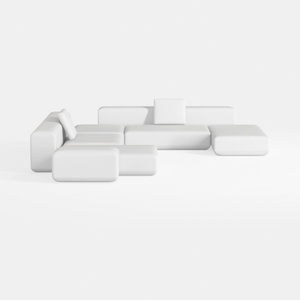

Minimalist Modern White Fabric Modular Sectional Sofa 3D Model
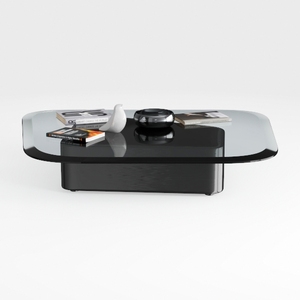
Modern Black Glass Top Solid Wood Base Coffee Table 3D Model
Homestyler offers an easy-to-use online design tool packed with stunning 3D renderings, inspiring design projects, and helpful DIY video tutorials. It’s perfect for anyone looking to create and visualize beautiful home interiors effortlessly. Give your space a fresh new look today!
Design Now for FREE
































