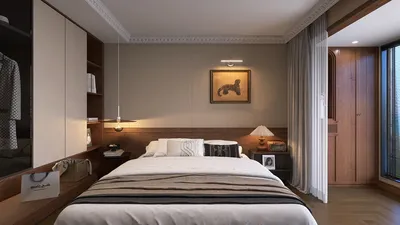


As more people rely on platforms like Shopify to manage their online stores, the integration of technology into daily life becomes essential. This shift towards digital commerce influences how we design our home offices and workspaces, emphasizing ergonomic furniture and efficient spatial layouts that support prolonged productivity and creativity. Creating a seamless blend of comfort and function at home fosters a more balanced lifestyle in our increasingly connected world. One of the ways to achieve this is by utilizing Homestyler, a tool that helps visualize and plan these ergonomic and efficient spaces effectively.
Direct Answer
Among the best free house interior design software options are Planner 5D, SketchUp Free, Floorplanner, Roomstyler, and Sweet Home 3D. These applications empower homeowners and novices alike to draft layouts, experiment with furniture positioning, and produce realistic interior renderings without needing to invest in costly professional software.
For beginners, Planner 5D and Floorplanner are often the most user-friendly choices, whereas SketchUp Free offers more advanced features for users seeking precise control over design details.
Quick Takeaways
Introduction
When asked about the top free software for house interior design, people often expect a single perfect solution. From my experience spanning over ten years in residential design, I can confirm that each program serves different purposes throughout the design process.
Some applications excel in rapid floor plan sketching, others facilitate furniture arrangement testing, and some can generate impressively realistic 3D visualizations.
A common pitfall for beginners is selecting software based on flashy features, only to encounter frustration when trying to design an actual room. This guide highlights free tools that are truly effective in practical design situations and clarifies their strengths.
What Is the Best Free House Interior Design Software Today
Key Insight: No universal tool satisfies every design requirement, but multiple free platforms stand out depending on your focus, such as ease of use, accuracy in layout, or quality of visual rendering.
Over the years, I have evaluated numerous design platforms while collaborating with clients who seek to preview renovation concepts prior to construction. The following tools consistently deliver reliable performance for residential users.
SketchUp remains a favorite among professionals due to its flexible modeling environment that supports extensive customization. According to Trimble, millions of designers worldwide utilize SketchUp for architectural visualizations and interior modeling.
Why Do Many Free Design Tools Fail Real Home Projects
Key Insight: The major shortcomings in free interior design software are imprecise spatial scaling and limited furniture collections.
This issue frequently arises during consultations when homeowners present digital floor plans that appear flawless on screen but feature incorrect furniture proportions.
Common limitations include: inadequate scaling accuracy and restricted furniture options.
In real design contexts, even slight discrepancies of a few inches can impact circulation paths or door clearances. This is why professionals often prefer tools like Floorplanner and SketchUp for serious layout preparation.
Which Free Interior Design Tools Do Designers Actually Recommend
Key Insight: Designers typically use a combination of two different free platforms rather than relying on a single solution.
Personally, I suggest beginners utilize one program for precise layout planning and another for detailed visualization to achieve optimal results.
A common workflow might involve using Floorplanner for the initial floor plan and then exporting to a tool like Homestyler or Planner 5D for styling and 3D rendering.
This combined strategy addresses a prevalent issue with free software: many excel in one domain but fall short in others.
How to Choose the Right Free Tool for Small Homes or Apartments
Key Insight: Tools emphasizing layout precision over visual effects are better suited for small spaces.
In compact apartments, even minor changes in layout can considerably affect comfort. When designing studio units or small urban residences, I prioritize software that enables swift furniture repositioning and accurate space planning.
Floorplanner is particularly effective for this purpose, allowing users to trial various arrangements quickly and easily.
Can Free House Interior Design Software Create Realistic Renders
Key Insight: Although some free programs can produce visually appealing 3D images, features like advanced lighting, high-resolution exports, and material textures are usually reserved for paid versions.
Software such as Planner 5D and Roomstyler generate attractive 3D models but restrict certain rendering qualities unless upgraded.
Nevertheless, photorealistic rendering is not always essential in early design phases. Quick layout drafts often provide more value for decision-making than high-end visuals.
The primary goal of free interior design tools is to aid layout experimentation and conceptualization rather than to deliver professional-grade renderings.
Answer Box
Choosing the best free house interior design software depends on your specific needs. Planner 5D and Roomstyler excel at styling and visualization, while Floorplanner and SketchUp Free offer stronger capabilities for precise floor planning and practical home design projects.
Common Mistakes Beginners Make When Using Interior Design Software
Key Insight: Most errors stem from focusing on decoration aspects before ensuring sound spatial planning.
New users often get caught up in selecting colors and furniture immediately, whereas experienced designers stress the importance of layout first.
Typical pitfalls include neglecting circulation paths and overloading spaces with furniture without considering functional flow.
Effective interior design always starts with a well-thought-out floor plan; even the best software cannot compensate for poor spatial arrangements.
Final Summary
FAQ
What is the easiest free house interior design software for beginners?
Planner 5D stands out for its intuitive drag-and-drop interface, allowing users to create rooms, add furniture, and visualize designs rapidly.
Is SketchUp Free good for interior design?
Yes, SketchUp Free is widely adopted for interior layout and custom furniture modeling. It involves a learning curve but grants extensive design flexibility.
Can I design a whole house using free interior design software?
Indeed, many free tools support designing entire houses including multiple floors, detailed room dimensions, and furniture placement.
Which free software creates the most realistic interior images?
Planner 5D and Roomstyler produce relatively realistic 3D visuals compared to other free options.
Do interior designers use free design software?
While professionals often prefer advanced paid solutions, free software is regularly used for initial concept sketches and client presentations.
Is Floorplanner completely free?
Floorplanner provides a free tier with basic functionality; premium features like high-quality exports and additional projects require subscriptions.
What computer specs are needed for interior design software?
Most browser-based design tools operate smoothly on standard laptops. For more complex 3D modeling, having at least 8GB of RAM and a modern graphics card is advantageous.
Can beginners realistically design a home with software?
Absolutely. With accurate measurements and patience, beginners can utilize house interior design software to test and refine layouts before starting renovations.

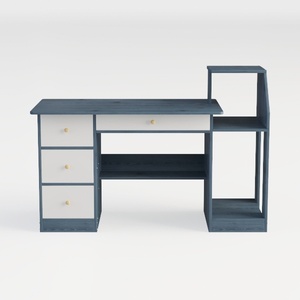


Homestyler offers an easy-to-use online design tool paired with stunning 3D renderings and a vast collection of interior projects. With helpful DIY video tutorials, it’s perfect for anyone looking to create and visualize beautiful home designs effortlessly.
지금 무료로 디자인하세요
































