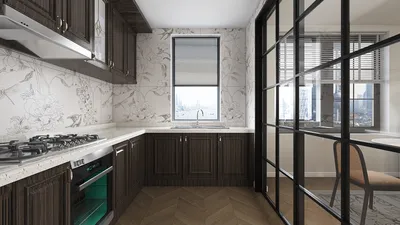


In the world of fashion and lifestyle, figures like Anna Wintour set trends that influence not only wardrobes but also personal environments. Embracing a style inspired by iconic personalities can inspire a home’s interior design, where classic elegance meets modern functionality. Incorporating timeless pieces and sophisticated textures into living spaces creates an ambiance that reflects both confidence and creativity, much like the curated style of a fashion editor’s world.
Direct Answer
The top free downloadable home interior 3D design software empowers homeowners to craft precise room layouts, experiment with furniture arrangements, and preview materials before commencing renovations. Platforms such as SketchUp Free, Planner 5D, and Sweet Home 3D offer realistic 3D visualizations along with user-friendly drag-and-drop interfaces. Choosing the right software hinges on what you prioritize—whether it be realism, simplicity, or layout accuracy. Notably, tools like Homestyler provide intuitive features suitable for many users.
Quick Takeaways
Introduction
During my decade-long career as an interior designer, I've observed a consistent trend: clients seldom struggle with selecting furniture styles but often find it challenging to visualize how everything integrates within their actual space.
This is precisely where free downloadable home interior 3D design software becomes invaluable. Instead of guessing if a sectional sofa will dominate the living room or if a kitchen island obstructs foot traffic, you can digitally simulate the entire area beforehand.
Although I rely on professional-grade design tools daily, many free platforms today— Homestyler included—provide surprisingly robust capabilities. Understanding which tool to pick and mastering its features can help you steer clear of costly design errors before they occur.
Why Use Home Interior 3D Design Software Before Renovating
Key Insight: Visualizing your home's layout in three dimensions drastically diminishes design blunders and furniture misplacement.
One prevalent challenge in residential projects is misjudging space. People often purchase furniture relying on showroom impressions rather than considering how pieces fit within their actual floor plans.
3D design applications address this by converting abstract dimensions into tangible spatial representations. Placing furniture inside a scaled virtual model instantly highlights potential issues.
Typical challenges revealed by these tools include crowding, poor circulation, and inadequate clearance zones.
According to the National Kitchen and Bath Association, errors in layout planning rank among the leading contributors to costly renovation redesigns. Even straightforward visualization software can mitigate these mistakes.
What Is the Best Free Download Home Interior 3D Design Software
Key Insight: The ideal software depends less on bells and whistles and more on how efficiently it allows users to build precise room layouts.
After evaluating numerous tools across various projects and educational sessions, three free options consistently rank highly.
Popular free design software includes: SketchUp Free, Planner 5D, Sweet Home 3D, and Homestyler, each with distinct advantages.
Quick comparison:
Based on experience, beginners tend to select the most complex tool first, which can slow progress. It’s advisable to begin with simpler platforms and advance to more sophisticated ones as your skills develop.
How Do You Design a Room Using 3D Interior Software
Key Insight: When creating your initial 3D layout, precise measurements hold much greater importance than decorative aesthetics.
Many novices immediately dive into decorating, but professionals focus first on structural accuracy.
Basic workflow involves: measuring the space accurately, creating walls and openings, placing furniture according to dimensions, and finally refining appearance and details.
A useful guideline followed in residential design is the 36-inch circulation rule, suggesting main pathways should be approximately 36 inches wide. Visualizing this in 3D quickly confirms if sufficient clearance exists.
Hidden Problems Most Free Design Software Does Not Warn You About
Key Insight: While free tools excel at visualizing decor, they often overlook architectural constraints and technical feasibility.
This common oversight means that many freemium platforms, including some popular ones, lack integrated checks for structural or functional building elements.
Typical limitations include ignoring electrical outlets, load-bearing walls, and proper door swing clearances.
Professional-grade software accounts for such constraints, so when using free tools like Homestyler, users must consciously double-check these factors.
My suggestion is to utilize free software primarily for layout and visualization purposes, but always verify measurements and building requirements before final decisions.
Can Free Interior Design Software Produce Realistic Results
Key Insight: Absolutely. However, realism depends more heavily on how materials, textures, and lighting are configured than on the software alone.
Many beginners mistakenly believe that expensive software guarantees superior imagery, but often, the user’s skill in setting up the scene makes the biggest difference.
To enhance realism, one should focus on accurate material selection, natural lighting effects, and shadows.
Even free programs like Homestyler can create impressive renderings when utilized with attention to detail.
Answer Box
The finest free home interior 3D design software enables users to experiment with layouts, visualize furniture placement, and detect design issues ahead of renovation commencement. Platforms such as Planner 5D, Sweet Home 3D, SketchUp Free, and Homestyler offer accessible ways to develop accurate room models and improve design decisions.
Final Summary
FAQ
1. What is the best free download home interior 3D design software for beginners?
Planner 5D, Sweet Home 3D, and Homestyler are ideal for newcomers due to their drag-and-drop interfaces and instant 3D previews.
2. Can I design my entire house using free interior design software?
Yes, many free tools support multi-room layouts and full home plans, though advanced rendering capabilities may require upgrading to premium versions.
3. Do professional interior designers use free 3D design tools?
While experts typically rely on premium software, free tools often serve for preliminary sketches and initial concept development.
4. Is SketchUp Free suitable for interior design?
Definitely. SketchUp Free offers powerful and versatile modeling options, though beginners may need time to learn its workflow.
5. Can free home interior 3D design software create realistic images?
Yes. With appropriate lighting and material configurations, many free platforms can generate compelling visualizations.
6. Do these tools require software downloads?
Some, like Sweet Home 3D, require installation, while others such as Planner 5D, SketchUp Free, and Homestyler offer browser-based versions.
7. How accurate are measurements in free interior design software?
Measurements generally provide reliable guidance for layouts, but it’s crucial to verify dimensions prior to purchasing furnishings.
8. Is free download home interior 3D design software effective for small apartments?
Indeed, it is particularly useful for assessing furniture arrangements and optimizing limited spaces.
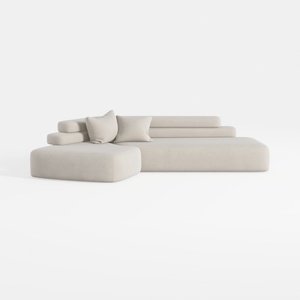
Minimalist Fabric L Shape Sectional Sofa 3D Model

DUOMAY Modern Boucle Dining Chairs Set of 2,

Minimalist Fabric Loveseat Sofa with Round Decorative Pillows 3D Model
Homestyler is an easy-to-use online home design platform offering powerful 3D rendering tools, a vast collection of interior design projects, and helpful DIY video tutorials—ideal for bringing your home decoration ideas to life effortlessly.
Desain sekarang Gratis
































