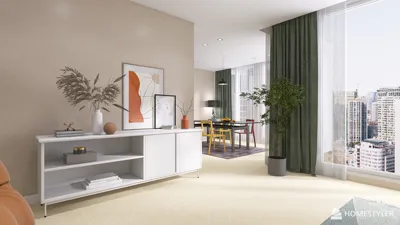


Designing a floor plan might feel overwhelming, particularly without the right software. Luckily, there are various free options available for PCs that enable you to effortlessly create your ideal space. Whether you’re just starting out or you have some design experience, these applications provide the necessary tools and features to bring your ideas into reality. In this article, we will highlight some of the top free floor plan creators you can utilize on your PC, including the innovative designs offered by Homestyler.
Sweet Home 3D is one of the most sought-after free tools for creating floor plans. This open-source software is intuitive, allowing you to design intricate floor plans with ease. You can drag and drop furniture, establish walls, and customize your designs with diverse textures and colors. The 3D visualization feature is particularly useful in showing a realistic view of how your space will appear, making it a favorite tool among DIY home decorators.
RoomSketcher is another fantastic option for anyone looking to design floor plans. Although it comes with both free and premium versions, the free version is equipped with several features that enable you to create effective floor plans and visualize them in 3D. You can generate professional-quality designs, incorporate furnishings, and experiment with various layouts free of charge. Its user-friendly interface also makes it perfect for those new to design.
If you desire a more sophisticated tool, Planner 5D may be your answer. It allows users to create both 2D and 3D designs. The free version, while limited, still offers essential features for crafting impressive floor plans. The platform is also available as a mobile application, providing the convenience of designing wherever you are.
For individuals who prefer a cloud-based design tool, Floorplanner is an excellent choice. This platform lets you build detailed floor plans and access them anytime, from any location. Despite having premium features, its free version is already quite thorough, facilitating fundamental design tasks such as creating 2D plans and furnishing your virtual area with various items.
SketchUp Free appeals to those who favor simplicity. Primarily known for its 3D modeling capabilities, it can also serve as a floor plan creator. The drag-and-drop interface, coupled with a vast model library, makes the design process enjoyable and straightforward.
In summary, whether you’re planning a home renovation or exploring new design concepts, free floor plan creators can greatly enhance your creative process and save time. Each mentioned tool has unique benefits; ultimately, the best choice aligns with your individual needs and design preferences. Be sure to explore each option and find the perfect fit for your style, including the inspiring designs available through Homestyler. Happy designing!
Tips 1:
Always begin with a rough sketch of your concept prior to using software like Homestyler. This approach will improve your ability to visualize the space effectively.
FAQ
Q: Can I use these tools for commercial projects? A: Most free tools are intended for personal use; however, it’s important to check each software's license for specific commercial use permissions.
Q: Do I need previous design experience to use these tools? A: No, the majority of these tools are designed to be user-friendly and accessible for beginners.
Q: Are there limitations associated with the free versions? A: Indeed, many free versions may lack certain features compared to their premium counterparts.
welcome to Homestyler
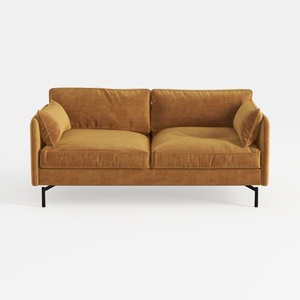
Modern Velvet Upholstered 2 Seater Sofa With Black Metal Legs 3D Model

Fluted Storage Cabinet, 31.5“ Wooden Sideboards
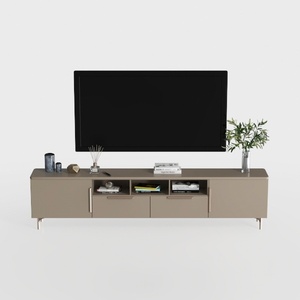
Modern Minimalist Solid Wood TV Stand Cabinet with Storage 3D Model
Homestyler is your go-to online home design platform! With its easy-to-use design tool, stunning 3D renderings, and a wealth of design projects and DIY video tutorials, you can effortlessly turn your home design visions into reality—perfect for both novices and seasoned decorators alike!
Projete agora para LIVRE
































