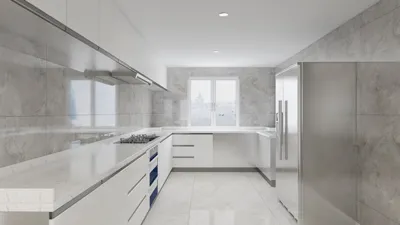


As we look ahead to May 2026, the evolving landscape of technology, including services like PS Plus, continues to shape how we integrate digital entertainment into our daily routines. Creating a dedicated gaming nook with ergonomic furniture and optimized lighting can enhance the immersive experience, making your living space a perfect blend of comfort and high-tech enjoyment. Thoughtful spatial planning ensures that technology and home design coexist seamlessly, supporting both relaxation and connectivity.
Direct Answer
Free floor plan designer tools empower homeowners to swiftly craft room layouts, experiment with furniture arrangements, and visualize remodeling projects without needing specialized software. The top solutions marry intuitive drag‑and‑drop features with precise room dimensions and offer both 2D and 3D previews.
For many DIY renovators and homeowners, platforms such as Planner 5D, Floorplanner, and Homestyler deliver sufficient capabilities to develop realistic designs without resorting to costly architectural CAD programs.
Quick Takeaways
Introduction
With over a decade of experience in interior design, I've noticed a significant rise in homeowners using free floor plan designer tools before consulting professionals. I fully support this approach since clients bringing in self-created rough drafts help make design discussions far more fruitful.
However, a common issue is that users either pick inappropriate apps or anticipate these tools to function like advanced architectural software, leading to quick frustration.
The truth is straightforward: the proper free floor plan tool helps you grasp room dimensions, furniture proportions, and flow of movement well before construction starts. When utilized correctly, it can save thousands by reducing costly redesigns.
Having worked with hundreds of residential designs and tested various tools alongside clients, certain platforms consistently excel for beginners and home planners.
What are the best free floor plan designer tools available today
Key Insight: The most effective free tools strike a balance between ease of use and sufficient visualization power to conceptualize a room's layout prior to moving furniture or renovating.
Most homeowners don’t require comprehensive architectural CAD suites; their needs revolve around quickly drawing walls, adding doors and windows, placing furniture, and verifying fit.
These platforms are especially user-friendly for novices:
Statistics from the National Kitchen & Bath Association reveal that visual layout planning significantly reduces revision cycles during renovations, encouraging more homeowners to experiment with digital floor plans earlier.
How accurate are free floor plan designer tools
Key Insight: Such free tools can be highly precise, provided the input measurements are accurate.
Usually, the software isn’t at fault; errors stem from incorrect measurement entry.
Typical mistakes I observe include:
A handy measurement checklist before beginning:
When followed, digital layouts often correspond within a few inches of the actual rooms, which suffices for effective planning.
Why most people misuse floor plan tools when designing a room
Key Insight: Designing for aesthetics over function and flow is the most frequent error.
Users often concentrate on filling space with furniture rather than understanding how occupants will navigate the area.
In practical home environments, movement and accessibility trump décor.
Essential spacing guidelines I implement include:
Most free design apps let you quickly assess these clearances, which is where their value for early-stage planning shines.
Can free tools replace professional interior design software
Key Insight: While great for conceptual layouts, free tools fall short for detailed construction documentation.
Industry professionals typically rely on software such as AutoCAD, Revit, or SketchUp Pro to produce intricate plans including lighting and electrical schematics.
Conversely, free floor plan designer tools concentrate on visualization aspects.
The primary distinctions are:
Practically, many homeowners start with these free apps before engaging architects or designers for detailed steps.
Hidden limitations of free floor planning apps
Key Insight: Limited furniture libraries and export capabilities represent the most overlooked constraints.
These downsides often go unmentioned in tutorials.
Typical restrictions in “free” versions include:
However, for basic layout planning, these limitations rarely impair usefulness.
The fundamental function—drafting walls and testing furniture placement—remains accessible at no cost on most platforms.
How I recommend homeowners use floor planning tools
Key Insight: The most efficient workflow involves sketching ideas first, moving to digital tools second, and finalizing furniture placement last.
Years of experience working with clients have shown this approach yields optimal room layouts:
This sequence prevents the common novice pitfall of decorating before ensuring the layout functions properly.
Answer Box
Top free floor plan designer tools assist homeowners in experimenting with layouts, visualizing furniture arrangements, and avoiding costly renovation errors. They excel in early-stage planning but are not substitutes for technical architectural software.
Final Summary
FAQ
What is the best free floor plan designer tool for beginners?
Homestyler and Planner 5D rank among the easiest for novices due to their straightforward interfaces and quick 3D visualization features.
Are free floor plan designer tools accurate enough for renovations?
Yes, accuracy depends on correct measurements. They suit layout design well but are unsuitable for precise construction documentation.
Can I design an entire house with a free floor plan designer?
Most tools support complete house layouts, although free versions may impose project size limits.
Do these tools work on mobile devices?
Many platforms have mobile apps; however, desktop versions usually offer greater control for detailed design work.
Is SketchUp free good for floor plans?
SketchUp Free functions adequately but has a steeper learning curve compared to purpose-built floor planning applications.
Can I add real furniture dimensions in these tools?
Yes, most free floor plan designer tools enable custom furniture sizing to ensure accurate spatial testing.
Do interior designers use free planning tools?
Professionals prefer advanced programs but often utilize free tools during early concept development stages.
How long does it take to design a room layout?
With measurements prepared, creating a simple room layout using free floor plan designer software usually takes 10–20 minutes.
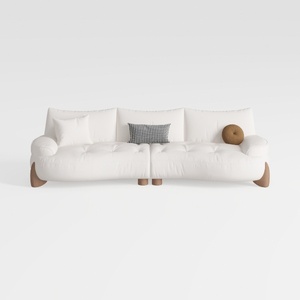
Minimalist White Fabric Curved Sofa With Decorative Throw Pillows 3D Model
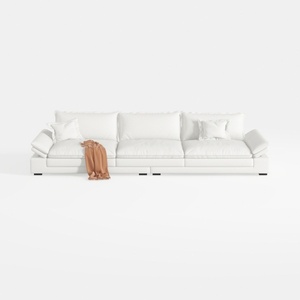

Minimalist White Leather Extra Large Sofa 3D Model
Homestyler offers an easy-to-use online design tool with stunning 3D renderings, a vast collection of interior projects, and helpful DIY video tutorials—perfect for bringing your home design ideas to life quickly and creatively.
Design Now for FREE
































