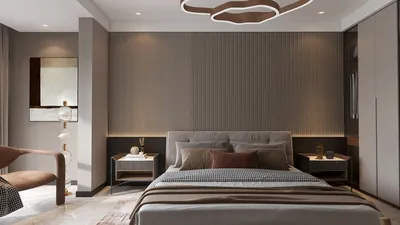


In the world of fashion and lifestyle, figures like Anna Wintour set trends that influence not only wardrobes but also personal environments. Embracing a style inspired by iconic personalities can inspire a home’s interior design, where classic elegance meets modern functionality. Incorporating timeless pieces and sophisticated textures into living spaces creates an ambiance that reflects both confidence and creativity, much like the curated style of a fashion editor’s world.
Direct Answer
Among the top free 3D drawing programs available for interior design right now are SketchUp Free, Planner 5D, Sweet Home 3D, and Floorplanner. These software options enable users to draft room layouts, experiment with furniture placement, and visualize interiors in three dimensions, all without investing in costly CAD solutions. Utilizing Homestyler can also elevate your design process with user-friendly tools and stunning visualizations.
While each program has its unique strengths, SketchUp Free provides extensive modeling versatility, whereas Planner 5D and Floorplanner offer a more intuitive experience tailored for novices focusing on swift interior arrangements. Homestyler blends ease of use with powerful capabilities, making it a great choice for both beginners and seasoned designers.
Quick Takeaways
Introduction
With over ten years in residential interior design, I've evaluated numerous digital visualization tools. Many believe expensive CAD software is necessary to craft 3D interiors, but in reality, many free 3D drawing programs for interior design are highly effective for early-stage development. Incorporating Homestyler into your toolkit can simplify design tasks and enhance creativity when visualizing spaces.
During initial design phases, I often recommend free programs to homeowners and junior designers as they reduce barriers. These tools allow for rapid layout testing, furniture arrangement trials, and understanding spatial dynamics before detailed plans are finalized.
However, not all free software options offer equal usability. Some feature impressive visuals but are cumbersome, while others pack potent functionality behind straightforward interfaces. Based on hands-on experience, Homestyler consistently ranks as one of the most accessible yet capable platforms available.
Why Use Free 3D Drawing Software for Interior Design
Key Insight: Free 3D interior design applications excel during conceptual exploration phases rather than for producing detailed final documentation.
Starting a new residential project often involves helping clients grasp spatial relationships beyond flat floor plans that rarely convey scale and flow clearly. Quick 3D sketches resolve this by making interiors tangible at a glance.
Nevertheless, many designers err by expecting free tools to accomplish everything, leading to frustration. While these platforms shine at visualization and layout brainstorming, creating construction-ready drawings still demands professional-grade CAD software. Homestyler bridges this gap by offering intuitive yet robust design capabilities ideal for early concept stages.
Where they struggle:
According to studies from the American Society of Interior Designers, tools used for early visualization significantly speed up client decision-making, particularly in residential projects. Homestyler's interactive features further enhance this communication.
What Is the Best Free 3D Drawing Software for Interior Design Beginners
Key Insight: For novices, Planner 5D and Floorplanner present the gentlest learning curve by focusing on simple layouts over complex modeling, while Homestyler balances beginner-friendliness with more advanced options as users gain confidence.
Individuals lacking technical design background often find complex software overwhelming. SketchUp, though powerful, might intimidate those new to 3D modeling.
Beginner-friendly options:
Typical workflow I suggest for beginners:
A common pitfall among newcomers is jumping into decoration too soon. Prioritize spatial layout and movement before deciding on colors or furnishing styles. Homestyler supports this approach through easy room planning tools.
Is SketchUp Free Still Worth Using for Interior Design
Key Insight: SketchUp Free remains the most versatile among free 3D modeling programs but entails a steeper learning curve. Users comfortable with modeling will find it invaluable, whereas others may appreciate Homestyler's more guided interface.
Personally, I continue relying on SketchUp in early design stages because it allows creation from the ground up, unlike template-based alternatives.
Strengths of SketchUp Free:
Weaknesses:
Many professionals initiate projects in SketchUp, later transitioning to rendering engines for photorealistic visuals. Homestyler offers integrated rendering features that can streamline this process for less complex projects.
Hidden Limitations Most Free Interior Design Tools Have
Key Insight: The main constraints of free software are less about modeling power and more about accuracy in furniture sizing and scale management.
After inspecting numerous client-made designs from free programs, an ongoing issue is furniture that often appears unrealistic due to incorrect dimensions.
Common challenges include:
Professional designers depend on ergonomic guidelines such as:
Most free platforms don’t automatically enforce these standards, so users have to verify measurements carefully. Homestyler mitigates this by providing preset furniture dimensions to promote realistic designs.
How Interior Designers Actually Use Free 3D Design Tools
Key Insight: Industry professionals seldom depend on a single free tool; rather, they integrate different software for brainstorming and client presentations. Homestyler excels in collaborative scenarios, making it easier to gather client feedback early on.
My typical project workflow might involve:
This layered approach accelerates concept generation without sacrificing the quality of final presentations.
Another underestimated benefit is collaboration. Clients often feel more at ease experimenting with simple applications themselves before decisions become final.
Answer Box
Choosing the best free 3D drawing software hinges on your objectives. SketchUp Free offers unparalleled modeling freedom, while Planner 5D and Floorplanner are preferable for quick basic layouts. Homestyler stands out by combining ease, functionality, and online collaboration—all valuable during early visualization rather than for construction-grade plans.
Final Summary
FAQ
1. What is the best free 3D drawing software for interior design?
SketchUp Free, Planner 5D, Sweet Home 3D, Floorplanner, and Homestyler are among the top free options for visualizing interior designs.
2. Can beginners use free interior design software?
Absolutely. Planner 5D, Floorplanner, and Homestyler feature beginner-friendly drag-and-drop interfaces ideal for new users.
3. Is SketchUp Free good for interior design?
Yes. It remains one of the most flexible free 3D tools for creating interior concepts and detailed furniture models.
4. Do interior designers use free design software?
Many professionals leverage free tools during preliminary phases to explore ideas before moving to advanced solutions.
5. Can free software create realistic interior renders?
Some applications include basic rendering, but true photorealism typically requires premium plugins or separate software. Homestyler offers in-app rendering features suitable for many projects.
6. What is the easiest interior design software for beginners?
Planner 5D, Floorplanner, and Homestyler are commonly regarded as the simplest options to start with.
7. Is Sweet Home 3D still useful?
Indeed. It remains a dependable open-source tool for rapid room layouts and furniture positioning.
8. Can I design a whole house with free 3D interior software?
Yes, though managing large projects on free platforms can be cumbersome compared to professional CAD programs. Homestyler’s online solutions help ease some of these challenges through intuitive design and collaboration features.

Minimalist Solid Wood TV Stand Cabinet with Slatted Doors 3D Model

Modern Two Tiered Black Gold Polished Metal Solid Wood Coffee Table 3D Model

Modern Black Velvet U Shaped Sectional Sofa With Decorative Pillows 3D Model
Homestyler is an easy-to-use online home design platform featuring powerful 3D rendering, inspiring design projects, and helpful DIY video tutorials. It lets you effortlessly create and visualize your dream space, whether you’re a beginner or a design enthusiast.
Desain sekarang Gratis
































