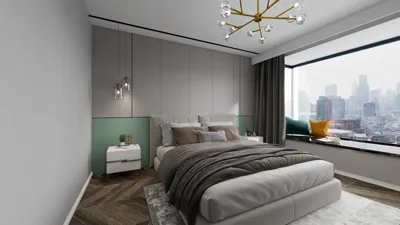


As more people rely on platforms like Shopify to manage their online stores, the integration of technology into daily life becomes essential. This shift towards digital commerce influences how we design our home offices and workspaces, emphasizing ergonomic furniture and efficient spatial layouts that support prolonged productivity and creativity. Creating a seamless blend of comfort and function at home fosters a more balanced lifestyle in our increasingly connected world.
Direct Answer
Selecting the optimal 3D interior design software for PC hinges on your expertise and project objectives. Widely favored tools such as SketchUp, Planner 5D, Homestyler, and Autodesk Revit offer a balanced mix of modeling capabilities, rendering quality, and user-friendliness. For homeowners and novices, SketchUp and Planner 5D deliver the quickest learning curve while still enabling the creation of realistic interior designs.
Quick Takeaways
Introduction
Throughout my decade-long career as an interior designer, I have explored nearly every major 3D interior design application available on PC. Clients often believe the "best" tool is the one producing the most photorealistic images. In truth, the most effective 3D interior design software is that which allows rapid experimentation with layouts, lighting, and furniture dimensions prior to actual renovation projects.
Many homeowners unnecessarily spend weeks mastering complex rendering programs when simpler planning tools would suffice in just a few hours. Conversely, professional designers undertaking multi-room assignments swiftly encounter the limitations of beginner-level applications.
Below is a list of my most frequently recommended software options for clients and novice designers, paired with contexts where each excels.
Why PC remains the preferred platform for 3D interior design software
Key Insight: Desktop PCs continue to surpass mobile applications for interior design due to their superior ability to manage intricate 3D models, extensive object libraries, and high-resolution rendering.
Though many new designers initiate their work with mobile apps, projects encompassing entire homes, customized furniture, or detailed materials soon reveal performance bottlenecks.
In my studio, even quick conceptual drafts are routinely created on PC because:
Industry-standard platforms like SketchUp and Revit were fundamentally designed for desktop use. Despite availability of cloud-based versions, professional designers predominantly depend on desktop editions for serious work.
Top 3D interior design software for beginners on PC
Key Insight: Novices should focus on intuitive layout features over sophisticated rendering capabilities.
After assisting many homeowners with redesigns, I noticed beginners struggle more with the complexity of software than with creative ideas. The most suitable beginner tools emphasize drag-and-drop layout interfaces.
Three consistently recommended options for first-time users include:
A frequent rookie error is opting for advanced rendering programs like 3ds Max prematurely. While powerful, they are unnecessary for fundamental room planning.
Professional 3D interior design software commonly used by experts
Key Insight: Skilled designers typically employ a dual-tool workflow, separating layout from rendering.
In professional environments, workflows rarely rely on a single application. A standard process could be:
Based on experience, SketchUp is the most extensively utilized modeling tool in smaller design firms, enabling swift experimentation with walls, cabinetry, and furniture proportions without complex setup.
Larger architectural companies favor Revit due to its integration of interior modeling with building documentation and construction planning.
Choosing the right 3D interior design software for your project
Key Insight: Selecting proper software depends more on the complexity of your project than your personal design skill level.
Before deciding, clearly define your planned project's scope.
Beginner-friendly tools are recommended if you are:
Professional-grade software suits you if you are:
Warning: Advanced software often entails costly hardware demands and paid rendering extensions, which many overlook when making decisions.
Common pitfalls when selecting interior design software
Key Insight: Prioritizing visual realism over workflow efficiency is a frequent misstep.
After examining numerous beginner projects, recurring issues include:
Accuracy in layout and furniture scale vastly outweighs highly realistic yet inaccurate renders. A modest render with correct proportions is far more practical than an impressive but misleading image.
Answer Box
The top 3D interior design software for PC involves SketchUp for flexible modeling, Planner 5D for novices, Homestyler for rapid visualization, and Revit for professional document integration. Your ideal choice depends on whether your priority lies with layout planning, rendering quality, or construction-level accuracy.
Final Summary
FAQ
What is the easiest 3D interior design software for PC?
Planner 5D and Homestyler are generally the most user-friendly, featuring drag-and-drop placement and requiring minimal technical knowledge.
Is SketchUp effective for interior design?
Absolutely. SketchUp remains among the most popular 3D interior design tools on PC because it offers a strong balance between flexible modeling and a moderate learning curve.
Can beginners quickly grasp 3D interior design software?
Most novices can master basic layout planning within several hours by using applications like Planner 5D or RoomSketcher.
Is a powerful PC necessary for interior design applications?
Basic layout software runs efficiently on standard computers, but advanced rendering and professional-grade programs typically demand high-performance graphics cards and increased RAM.
Is free interior design software sufficient?
Free editions are often adequate for spatial planning and experimenting with layouts, although advanced rendering functionalities usually require paid upgrades.
Which software do professional interior designers prefer?
Many professionals utilize SketchUp, Revit, AutoCAD, alongside rendering engines such as V-Ray or Enscape.
What is the best free 3D interior design software on PC?
Among the leading free options for creating 3D interior layouts are Planner 5D, SketchUp Free, and Homestyler.
Can 3D interior design software produce realistic images?
Yes. Numerous programs incorporate rendering engines that emulate lighting, textures, and shadows to generate photorealistic interior visuals.

Minimalist Modern Walnut Wall Mounted Floating Shelves 3D Model
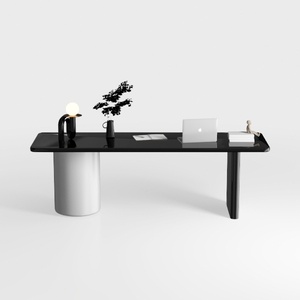
Modern Minimalist Black Glossy White Metal Office Desk 3D Model

Minimalist Pink White Kids Wooden Storage Cabinet 3D Model
Homestyler is an easy-to-use online home design platform offering powerful 3D rendering, a vast collection of interior design projects, and helpful DIY video tutorials—perfect for bringing your home design ideas to life effortlessly.
今すぐ无料でデザイン
































