


In the world of fashion and lifestyle, figures like Anna Wintour set trends that influence not only wardrobes but also personal environments. Embracing a style inspired by iconic personalities can inspire a home’s interior design, where classic elegance meets modern functionality. Incorporating timeless pieces and sophisticated textures into living spaces creates an ambiance that reflects both confidence and creativity, much like the curated style of a fashion editor’s world.
Direct Answer
The optimal software for 3D interior design varies depending on your workflow preferences, but professionals generally favor SketchUp, Blender, AutoCAD, and 3ds Max. SketchUp excels for rapid interior modeling, whereas Blender and 3ds Max provide advanced rendering capabilities. Beginners often start with SketchUp or Planner 5D due to their balance of functionality and ease of use, alongside tools like Homestyler that cater to simple room designs.
Quick Takeaways
Introduction
With over a decade of experience in interior design, a common question I receive from novices and homeowners alike is: what is the best 3D interior design software? Given the abundance of tools promising photorealistic images, drag-and-drop templates, and AI-assisted designs, it’s unsurprising that confusion arises.
In practical scenarios, the software chosen influences the speed of layout revisions, the professionalism of client presentations, and even the accuracy of the finished build by contractors.
Throughout my career, I have evaluated most key interior design applications across various projects like residential renovations, apartment staging, and full home visualizations. Some perform well in demonstrations but falter in real-world workflows, while others appear simple yet are extremely powerful once mastered.
This guide unpacks the software genuinely effective for interior design projects and clarifies the appropriate use case for each.
save pin
What defines effective 3D interior design software
Key Insight: The most suitable 3D interior design software is not necessarily the one with the most features, but the one that aligns with how designers develop spaces from initial floor plans to final renderings.
Many novices concentrate solely on rendering quality. However, interior designers require three integrated capabilities to work harmoniously.
Most tools excel only in one area, which is why professional firms often integrate several platforms throughout their workflow.
For instance, a conventional residential design pipeline might be composed as follows:
This multi-step approach is common in professional environments as it enables rapid modeling while delivering impressive presentation visuals.
Best 3D interior design software for beginners
Key Insight: Beginners should lean towards software that simplifies modeling rather than prioritizing photorealistic rendering early on, since rapid layout changes are crucial at the start of projects.
A frequent mistake beginners make is opting for highly complex software prematurely. Tools like 3ds Max are powerful but can hinder learning during initial spatial design exploration.
These beginner-friendly applications have proven effective consistently:
SketchUp deserves special recognition. Many professionals continue to use it due to its ability to facilitate quick spatial experimentation.
save pin
Which professional programs deliver the most lifelike interior visualizations
Key Insight: Achieving realistic interior renders often hinges more on the rendering engine than the 3D modeling software itself.
For magazine-quality interior visuals, the quality of rendering is paramount.
The commonly used tools for high realism include:
In professional studios, 3ds Max combined with V-Ray remains the gold standard for architectural visualization.
Blender is gaining traction as a free alternative, with its Cycles engine producing notably realistic lighting effects.
Lighting simulation is an often underestimated element. Interiors are challenging to render accurately because indirect light bounces across surfaces, which sophisticated renderers simulate with greater precision.
save pin
Should interior designers combine multiple software tools
Key Insight: Most efficient interior design workflows integrate drafting software with 3D modeling and rendering applications.
Relying on a sole program might appear efficient but typically causes workflow bottlenecks.
A standard professional workflow usually appears like this:
Separating technical drafting from visualization accelerates the entire design process.
Designers working on substantial residential or hospitality projects seldom depend on only one tool.
Common pitfalls when selecting design software
Key Insight: The highest hidden cost of interior design software lies in workflow friction rather than subscription expenses.
Through consulting with multiple design teams, I have observed recurring mistakes.
For example, photorealistic renderers often require powerful GPUs, and many laptops struggle with smooth rendering of complex interiors.
Another crucial but overlooked factor is the availability of extensive asset libraries. Software with rich collections of furniture and materials drastically reduces modeling time.
Answer Box
The best 3D interior design software depends on your experience and project requirements. SketchUp is ideal for rapid modeling, AutoCAD provides precision for technical drawings, and Blender or 3ds Max produce highly realistic interior visualizations.
How to select the appropriate 3D interior design software
Key Insight: The ideal tool varies based on whether your priority is conceptual layouts, photorealistic rendering, or accuracy for construction.
Consider the following practical considerations when making your choice:
A simple decision framework can facilitate the process:
save pin
Final Summary
FAQ
What is the easiest 3D interior design software to learn?
SketchUp is widely regarded as the simplest professional-grade tool. Additionally, Planner 5D and Homestyler serve as beginner-friendly platforms for straightforward room design tasks.
Is SketchUp suitable for interior design?
Absolutely. SketchUp is one of the most favored 3D interior design software due to its rapid modeling capabilities and extensive furniture library.
Which software delivers the most realistic interior renders?
3ds Max paired with V-Ray and Blender paired with Cycles are renowned for producing interior imagery with highly realistic lighting and materials.
Can beginners effectively learn 3D interior design?
Yes. Many novices start with SketchUp or Planner 5D because these tools simplify modeling and come loaded with prebuilt furniture assets.
Is AutoCAD essential for interior designers?
AutoCAD is not strictly necessary but is very beneficial for detailed floor plans and construction documentation.
What hardware specifications are required for rendering interiors?
Rendering applications typically benefit from robust GPUs, a minimum of 16GB RAM, and modern multi-core processors.
Are free interior design tools worthwhile?
Certainly. Blender is a powerful, no-cost option, and several browser-based solutions enable fast concept visualization.
Which software is overall the best for 3D interior design?
For many designers, combining SketchUp with a rendering engine such as V-Ray offers an excellent balance between speed and photorealism.

Modern Two Tone Fabric Leather U Shaped Sectional Sofa with Side Table 3D Model
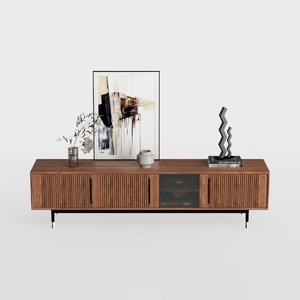

Modern Minimalist Walnut Fluted Door TV Cabinet 3D Model

55.1" Modern Dining Table for 4 6 Rectangle Tables
Homestyler offers an easy-to-use online design tool packed with 3D renderings, inspiring projects, and helpful video tutorials. It’s perfect for anyone looking to create and visualize stunning home interiors effortlessly. Start designing your dream space today!
Progetta ora GRATIS
































