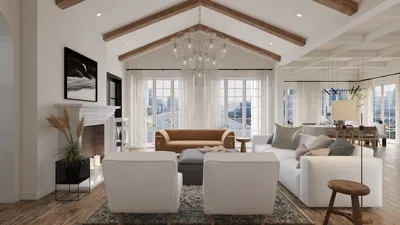


When creating 3D models in Blender, overlapping geometry can result in rendering issues, shading problems, and challenges during the texturing or animation stages. If you've experienced z-fighting or adjacent mesh penetration, it's likely due to multiple surfaces existing in the same spatial area. To achieve clean topology and ensure your scenes are rendered beautifully with precision, here are some crucial strategies and steps to avoid overlaps in your Blender projects, including the use of a design tool like Homestyler for better layout visualization.
Tips 1:
1. Activate X-Ray or Wireframe View
By switching to wireframe mode (press ‘Z’ and choose Wireframe), or enabling X-ray visibility, you can see through your models to identify hidden overlaps more easily. This technique proves essential when working with intricate interiors or architectural designs.
2. Utilize Snap Tools for Precision
Engage the snapping tool (‘Shift+Tab’ or click the magnet icon) and set it to either 'Vertex' or 'Face' to align objects precisely. This method ensures that vertices connect neatly without unwanted overlapping.
3. Merge by Distance & Eliminate Doubles
In Edit Mode, with vertices selected, utilize ‘M’ → ‘Merge by Distance’ to consolidate overlapping vertices and prevent internal mesh issues. This step is especially useful after importing models or extensive modifications.
4. Strategically Plan Your Layout
Adopt a designer's mindset: before placing items, think about spatial planning. For instance, when positioning furniture in a digitized room, evaluate distances and functional flow to prevent both visual and functional collisions. Tools like Homestyler can facilitate the visualization and arrangement of objects without unnecessary overlaps.
5. Use Boolean Operations Judiciously
Be cautious with Booleans, as they can often create overlapping geometry. Always ensure you apply and clean up after performing boolean tasks; utilize ‘Limited Dissolve’ and ‘Delete Loose’ to eliminate debris or inner faces that may cause overlap issues.
6. Inspect Using the Intersect Tool
Blender’s Intersect feature (Edit mode → Mesh → Faces → Intersect) allows you to identify areas where meshes intersect, simplifying the detection and rectification of overlapping issues.
7. Organize Object Hierarchies
Maintain a tidy scene: utilize collections, logical naming, and object parenting. This organization minimizes the chances of accidentally placing duplicate objects or misaligning your layout.
8. Regularly Check for Duplicate Objects
Select all by hitting ‘A’ and then ‘Shift+D’ to duplicate—if overlapping instances of the same object occur, it may indicate unintended duplicates already present in your scene!
FAQ
Q: What typically causes overlapping in Blender models?
A: Overlapping usually arises from duplicated meshes, misaligned vertices, or hasty arrangements when merging multiple objects or during import/export processes with other software.
Q: How can I quickly identify overlapping faces in Blender?
A: Activate wireframe or X-ray modes, or select vertices to use the "Merge by Distance" feature for spotting and correcting overlaps within a mesh.
Q: Does overlapping affect UV mapping and texturing processes?
A: Indeed, overlapping geometry can lead to unpredictable seams, stretching, or z-fighting in renders, complicating texture applications.
Q: What strategy do designers use to prevent object collisions in virtual spaces?
A: Thoughtful planning of the room layout, allowing clear functional space around furniture, is essential. Digital room planner tools like Homestyler can help you simulate arrangements before final implementation.
Q: Is there an automated method to fix overlaps in Blender?
A: While some addons or scripts exist that assist in this regard, a proactive approach involving regular topology checks and the snapping feature yields the best outcomes for complex designs.
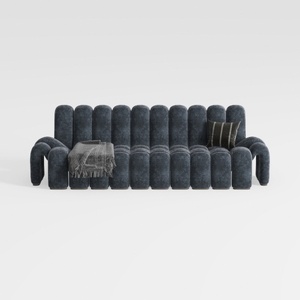

Modern Dark Blue Fabric Channel Tufted Oversized Sofa 3D Model
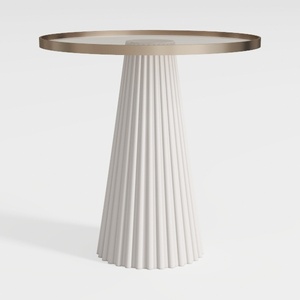
Modern Minimalist Fluted Base Glass Top Side Table 3D Model
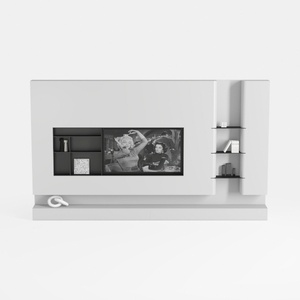
Minimalist White Wall Mounted TV Stand Cabinet With Open Shelves 3D Model
Homestyler is the ultimate online home design platform for anyone looking to create stunning spaces. With its user-friendly design tool, impressive 3D rendering, diverse design projects, and helpful video tutorials, transforming your home has never been easier or more inspiring. Start designing today!
Design Now for FREE
































