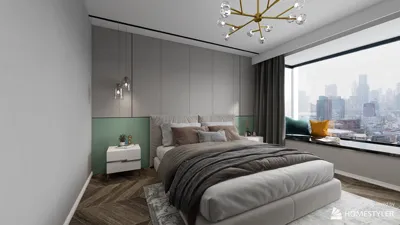


If you are a student in architecture, civil engineering, or design, the Autodesk Student program offers one of the most valuable benefits available. It provides free access to AutoCAD, Revit, 3ds Max, and the entire Autodesk suite that normally costs thousands of dollars annually, simply by verifying your student status. This is no small offer.
However, before considering the Autodesk Student program as a one-stop solution for all your home design needs, it's essential to understand some key points — especially if your goal is to design and visualize interior spaces rather than create professional construction drawings.
What Is the Autodesk Student Program and Who Qualifies?
The Autodesk Student program, also known as the Autodesk Education Plan, is an initiative that grants free access to nearly all their software products for students and educators enrolled in accredited educational institutions. Access lasts for one year and can be renewed as long as you remain an active student or educator.
To sign up, you'll need a valid educational institution email or documentation proving your active student status. The process is straightforward via the Autodesk Education Community website. Software downloaded through this program is labeled "Education" and the outputs — drawings, files, renders — technically cannot be used commercially, though personal use is rarely strictly enforced.
Most Relevant Autodesk Software for Home Design
AutoCAD is the most widely used 2D technical drawing software in Indonesia's construction and architectural industries. With student access, you can fully explore AutoCAD — including basic 3D features, all layers, annotation tools, and exporting in various formats. AutoCAD remains the universally accepted standard for creating construction documentation required by contractors or for permit submissions.
Revit is a Building Information Modeling (BIM) software growing as a standard in large architecture and construction firms. Unlike AutoCAD’s drawing-based approach, Revit works with building models — each element like walls, doors, and windows contains embedded data. While highly powerful for large-scale projects, it also has the steepest learning curve among Autodesk programs.
3ds Max is a professional 3D modeling and rendering tool used by premium architectural visualization studios. It produces highly photorealistic renders with support for plugins such as V-Ray and Corona. However, mastering 3ds Max requires a substantial investment in learning time and computer resources.
Fusion 360 is more product and engineering design oriented but can be used for precise 3D modeling of custom furniture components or detailed architectural elements.
Important Limitations of the Autodesk Student Program
Files created with Autodesk Student software are officially prohibited from commercial use — though this is generally not an issue for personal learning. More importantly, these programs may not be practical for quick and accessible interior home design.
AutoCAD and Revit demand significant time investment to become productive, often requiring hundreds of hours of practice before effectively producing useful drawings. 3ds Max is even more complex. None of these Autodesk tools include organized furniture catalogs tailored for interior design. Creating photorealistic renders from AutoCAD or Revit requires complicated setups and additional plugins.
Comparing Autodesk Student Software and Homestyler for Home Design
Optimal Strategy: Leveraging Each Tool for Different Purposes
For architecture or design students utilizing the Autodesk Student program, the ideal approach is to use each software for its strengths. AutoCAD or Revit should be applied to develop technical construction drawings needed for academic assignments, building permits, and formal contractor communication. Meanwhile, Homestyler excels at quick interior design exploration, furniture and material visualization, and creating photorealistic 4K renders ideal for presentations to clients or family.
This blend offers the best of both worlds — the technical precision from Autodesk's ecosystem combined with the accessibility and visual clarity provided by Homestyler, accessible via browser or desktop applications on Windows and macOS.
For Non-Students Seeking Free Design Tools
If you are not a student and cannot access the Autodesk Student program, Homestyler represents the most comprehensive free solution for interior home design. Its basic package includes essential features such as 2D and 3D floor plans, a vast furniture catalog, AI-assisted layout, and 3D rendering — all without requiring student status or an institutional email.
Conclusion
The Autodesk Student program is an invaluable resource for learners aiming to build technical proficiency in industry-standard software. However, for the specific purpose of designing and visualizing home interiors quickly and accessibly, Homestyler offers a far more efficient experience with high-quality visuals — freely available to anyone regardless of student status.
Try Homestyler today — free through your browser or the Windows and macOS desktop applications. Experience Homestyler Free Now
FAQ
1. Who is eligible to enroll in the Autodesk Student program?
Active students and educators at accredited educational institutions can register through the Autodesk Education Community by verifying their status with a school email or official documentation.
2. Can Autodesk Student files be used for commercial projects?
Officially, no — the student license prohibits commercial use and files produced carry an "Educational Version" watermark. Paid licenses are required for commercial projects.
3. Which Autodesk software is most useful for interior home design?
For interior visualization, 3ds Max combined with V-Ray plugin produces top-tier render quality but requires extensive learning time. For faster productivity with excellent results, Homestyler is a far more accessible alternative.
4. Can Homestyler replace AutoCAD for technical drawings?
For technical drawings required for construction permits and formal building processes, AutoCAD remains the indispensable standard. Homestyler provides useful 2D plans suitable for planning and communication but does not replace professional technical construction documentation.
5. Are there free alternatives to Autodesk Student for non-students?
Yes, Homestyler offers a free package without requiring student status that includes 2D and 3D floor plans, a catalog of over 600,000 furniture models, AI layout assistance, and 3D rendering, accessible via browser and desktop apps for Windows and macOS.
6. How long does Autodesk Student access last?
Access lasts one year and can be extended as long as the user remains an active student or accredited educator.
7. Is Revit better than AutoCAD for architecture students?
Both are important but serve different purposes. AutoCAD is widely used for traditional 2D technical drawings accepted by many Indonesian contractors. Revit, a BIM tool, is increasingly adopted by modern architectural firms. Ideally, students should learn both during their studies.
8. Is Homestyler available on smartphones?
Homestyler is accessible via browser on laptops or desktops and through desktop applications for Windows and macOS. For full features and best 4K renders, using a laptop or computer is highly recommended.


Homestyler is a user-friendly online platform offering powerful home design tools, stunning 3D renderings, and a vast collection of interior projects. With easy-to-follow video tutorials, it’s perfect for creating and visualizing your dream space effortlessly.
Дизайн сейчас бесплатно
































