


In today's smart homes, seamless integration of technology like the Nest app is key to managing comfort and security effortlessly. When the Nest app faces interruptions, it reminds us how crucial a reliable tech setup is in our living spaces. Designing furniture that accommodates smart devices while maintaining aesthetic harmony can enhance the overall functionality and atmosphere of any room, making technology a natural part of our home environment.
Executive Overview
Architectural design presentations have always marked critical moments in interior projects. A blurry visualization or a misinterpreted layout plan can halt progress on a promising concept. However, AI-driven design presentation tools revolutionize this process by enabling the compilation of layouts, photorealistic renderings, material samples, and before-and-after visuals into fully cohesive client-ready packages—often delivered during the very meeting where ideas first emerge. This guide outlines a hands-on, stepwise method for constructing an AI-enhanced design presentation that helps clients grasp, trust, and commit to concepts without prolonged revision cycles. Topics include preparing inputs, assembling concept boards, validating render quality, fostering collaboration, and acknowledging AI’s current limits. The goal is not to replace professional expertise but to augment it with clearer, faster, and more persuasive visuals, a workflow easily managed through platforms like Homestyler.
Why AI is Transforming Client Design Presentations
Traditional interior design relies heavily on a client's ability to mentally reconstruct three-dimensional spaces from two-dimensional plans. While mood boards, floor plans, and material samples are powerful in expert hands, they demand a significant imaginative leap from clients. When that bridge falters, projects stall due to repeated revisions, deferred decisions, and extended timelines—often because clients can't visualize what the designer envisions.
AI-powered presentation workflows close this gap by showing rather than telling. Instead of just talking about a room, you present it visually. Materials are rendered with realistic lighting from multiple viewpoints, and several layout options can be displayed side by side. This not only accelerates decision-making but also empowers clients by giving them authentic creative control, fostering trust and co-creation. Using tools like Homestyler enables scalable implementation of this approach.
Critical Inputs: Preparing Before AI Generation
AI-generated outputs depend heavily on the quality of inputs. Diving into generation without well-prepared source files produces impressive yet often inaccurate visuals. Before engaging any AI design platform, gather and finalize: clean floor plans, defined style guidelines, material palettes, and functional requirements. Investing 20 to 30 minutes upfront in organizing these inputs can save hours downstream, transforming a presentation from a mere collection of pretty but irrelevant images into a professional client-facing asset.
The AI Presentation Process: From Base Data to Client-Ready Deck
A reliable seven-step process facilitates creating an AI-aided client presentation. While steps can be adapted or omitted depending on project scope, it forms the structural backbone:
Start by uploading your finalized floor plans to an AI-capable platform that interprets plans and generates diverse layouts. Set desired style and function criteria, then create at least three distinct arrangements: a faithful recreation of the existing footprint, a subtly modified iteration, and a bold reimagining exploring a different spatial organization.
This variety serves to reassure (through familiarity), demonstrate thoughtful consideration (modest change), and stimulate creativity (bold option) during client discussions, even if the most daring layout is ultimately rejected.
For every vetted layout, generate photorealistic renderings from two to three strategic viewpoints—such as the main entrance, key functional areas like living room seating or kitchen workspace, and any standout architectural features. Consistency in lighting, camera angles, and material scale ensures clients can perform direct comparisons without distractions from technical disparities.
Presenting side-by-side comparisons harnesses persuasive power. Align photos of the client's current spaces with AI-generated renders from comparable perspectives. Additionally, include a plan view of the AI layout to anchor visual changes in a spatial narrative the client can follow. This approach, readily facilitated through Homestyler, enhances client comprehension.
Utilize AI-driven concept board creation or manually compile a one-page summary of proposed materials, finishes, and colors grouped by surfaces like flooring, walls, cabinetry, and upholstery. Where possible, show material swatches contextually within renders rather than isolated samples. Clients more readily connect materials to actual spaces this way.
Synthesizing steps one through four into a unified presentation deck streamlines communication. When platforms support real-time editing, conduct interactive sessions. For example, upon client requests such as changing flooring tones, generate revisions on the spot. This immediacy eliminates lag times caused by post-meeting updates and transforms presentations into collaborative workshops. Platforms like Homestyler facilitate such dynamic iteration.
For stakeholders absent during live sessions, export all visual materials—including renderings, boards, and annotated plans—within a neatly packaged PDF or shareable gallery link. Incorporate structured feedback tools prompting clients to rate preferences, request alternative materials, or express confidence levels to maintain momentum and clarity.
Quality Assurance Before Presentations
Despite their sophistication, AI-generated images may harbor subtle inaccuracies that can undermine client confidence if left unaddressed. Before presenting, rigorously verify all visuals. Follow the principle that if a render wouldn't confidently be sent to contractors without caveats, it should be qualified when shown to clients. Remember, these outputs support planning and visualization but do not substitute technical specifications, engineering validations, or legal reviews.
Effective Collaboration and Client Engagement Techniques
The manner in which presentations are delivered affects their success as much as the content itself. Approach AI visuals as design accelerators rather than replacements. Clearly communicate to clients that AI tools generate multiple options quickly, yet all outcomes are meticulously curated by you to ensure quality and relevance. This clarifies the designer's central role and fosters trust.
Strategically limit presented options. Offering three well-differentiated layouts avoids overwhelming clients, mitigating decision fatigue. Use AI-generated concept boards as conversation catalysts rather than finalizations, inviting clients to express what resonates with them in terms of color, texture, or spatial feel. Document approvals and requested changes live during meetings to prevent revision cycles and retain project momentum.
AI Presentation Strengths and Limitations
Understanding where AI excels and where it falls short reinforces professional credibility. AI excels at rapid ideation, visualization, and providing diverse design directions but requires human oversight to verify practical constraints such as building codes, structural feasibility, and legal compliance. Designers using AI as an augmentative tool—carefully reviewing and adapting outputs—gain the greatest benefit.
Choosing the Ideal AI Platform for Design Presentations
Not all AI solutions fit seamlessly into client-facing workflows. Prioritize integrated platforms combining floor plan interpretation, AI-powered 3D visualization, photorealistic rendering, and extensive material libraries. Such comprehensive tools streamline the journey from initial input to polished presentation within a single environment, saving valuable project time. Homestyler exemplifies this streamlined approach, enabling a consistent visual language across all project phases without juggling multiple disparate tools.
Pro Tips for Efficient and Impactful Presentations
Frequently Asked Questions
Q: Can AI replace the designer during presentations? A: Absolutely not. While AI assists in generating visual content, designers remain indispensable for curating, interpreting, and validating those outputs. The human elements of judgment, empathy, and contextual knowledge are irreplaceable; AI serves to amplify—not substitute—these qualities.
Q: How much time is needed to prepare an AI-assisted presentation? A: With well-organized inputs, producing multiple layouts, renders, and concept boards generally takes between one and three hours—significantly faster than traditional methods which may span one to two full days. Most time savings manifest during revisions, as AI-enabled regeneration is nearly instantaneous.
Q: What floor plan formats are best supported by AI tools? A: Clean, dimensionally accurate 2D plans in PDF, CAD formats (DWG/DXF), or high-resolution photographs with measurements are ideal. Accuracy is essential because distorted inputs result in flawed outputs.
Q: Are AI-generated renderings suitable for contractor handoff? A: No. AI renderings are design and visualization tools, not technical construction documents. They lack the detailed specifications, engineering calculations, and code compliance information required for building contractors. Proper technical drawings must supplement AI visuals in contractor workflows.
Q: How many design options should be presented at once? A: Three distinct alternatives offer an optimal balance. Fewer options limit client engagement; too many provoke indecision. Additional designs can be reserved for subsequent discussions if needed.
Q: Can AI workflows be used similarly for commercial spaces? A: The general workflow applies; however, commercial projects require extra validation steps for regulations such as occupancy limits, accessibility, equipment clearances, and branding guidelines that are not yet modeled by AI. Designers should use AI primarily for spatial visualization and layout exploration while manually ensuring all outputs meet relevant standards.

Black Stainless Steel Espresso Coffee Machine 3D Model
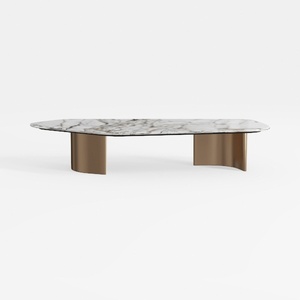
Modern Marble Top Brass Base Coffee Table 3D Model

Modern Marble Top Gold Metal Frame Round Coffee Table 3D Model
Homestyler offers an easy-to-use online home design tool with stunning 3D renderings, inspiring design projects, and helpful DIY video tutorials. It’s perfect for anyone wanting to create and visualize beautiful interior spaces quickly and confidently.
Design Now for FREE
































