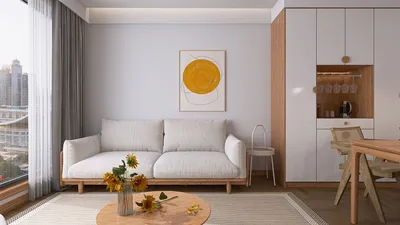


In today's smart homes, seamless integration of technology like the Nest app is key to managing comfort and security effortlessly. When the Nest app faces interruptions, it reminds us how crucial a reliable tech setup is in our living spaces. Designing furniture that accommodates smart devices while maintaining aesthetic harmony can enhance the overall functionality and atmosphere of any room, making technology a natural part of our home environment.
Executive Summary
Crafting an efficient office environment extends far beyond simply aligning desks. Contemporary workplaces require a thoughtful balance between workstations, meeting areas, collaboration zones, quiet spaces, reception lounges, and traffic flow paths—all while showcasing a unified brand image. AI-powered office design solutions have become invaluable tools that assist facility managers, interior decorators, and business proprietors in exploring layout options, evaluating spatial arrangements, and creating photorealistic renderings much faster than traditional methods. This guide explores how AI workspace planners function, the office zones they optimize, and their limitations. Whether you're outfitting a new commercial space or remodeling an existing floor plan, AI tools integrated within platforms like Homestyler can accelerate your design process while ensuring practical feasibility.
How AI Office Design Tools Operate
At their essence, AI office design programs analyze spatial information such as room size, window location, door placements, and column positions to produce layout suggestions that honor circulation routes, ergonomic spacing, and functional relationships between zones. Unlike general room planners, AI platforms tailored for offices comprehend commercial requirements; they differentiate between open workstations, private offices, phone booths, touchdown desks, and formal meeting rooms.
Typically, these platforms function through a three-stage process:
What distinguishes an AI workspace planner from a basic drafting tool is its capability to simulate hundreds of spatial combinations against predetermined constraints—a task that could take a human planner several days to accomplish manually.
Key Office Areas AI Helps Organize
Workstation configuration forms the core of any office design. AI-driven tools determine desk spacing based on ergonomic standards, aisle widths, and visual lines. They can arrange bench-style desks for dense teams, cluster pods for collaborative groups, or perimeter offices for managers needing sound privacy. Usually, the AI enforces minimum clearance distances—like 42 to 48 inches between desk rows—to ensure smooth circulation, highlighting layouts that might cause bottlenecks.
Accurately sizing meeting rooms is frequently mishandled in manual planning. A room described as seating six on paper could feel cramped once furniture, AV equipment, and presentation screens are included. AI office design solutions utilize occupancy-based sizing rules: a room suited for four occupants may need about 80 to 100 square feet, while a boardroom for twelve with AV gear might require 250 to 350 square feet. The AI also assesses furniture layouts—rectangular, boat-shaped, or U-shaped tables—and ensures sightlines to presentation screens remain unobstructed.
Informal collaboration spaces such as lounge clusters, café-style seating, and cozy nooks are becoming integral to office culture. AI layout generators can recommend positioning these areas strategically—near main corridors, kitchenettes, and busy walkways—to encourage use. The goal is to locate collaborative zones near coffee stations, away from deep-focus environments, and along natural pathways rather than tucked into unused corners.
Not all sections of the office should promote interaction. AI can designate quiet zones—individual focus rooms, library-like seats, or sound-isolated phone booths—and position them away from noisy collaboration spaces. Effective AI tools consider acoustic adjacencies, avoiding placing phone booths adjacent to lively lounges and buffering quiet areas from high-traffic corridors.
The reception area serves as the intersection of brand identity and spatial design. AI tools enable visualization of reception desk locations, seating plans, signage walls, and accent lighting within the context of the office space. Through photorealistic renderings, stakeholders can evaluate how brand colors, materials, and illumination schemes appear from the visitor’s perspective. This feature is especially valuable for client-facing companies where the office itself acts as a branding asset.
Circulation often consumes 25 to 35 percent of typical office floor area, and inefficient pathways can significantly reduce usable space. AI models primary and secondary passageways, checks ADA-compliant routes, and ensures emergency exit paths remain clear. They also analyze door swing clearances and wheelchair turning radii—elements easily overlooked during manual drafting.
Comparing AI Office Design Tools: Feature Overview
A Streamlined AI Office Design Process
Below is a sequential approach to employing AI planning tools in an actual office project:
Quality Assurance Prior to Implementation
Limitations: What AI Office Design Cannot Accomplish
While AI office design solutions greatly expedite planning and visualization, they have inherent limitations:
Optimal Scenarios for AI Office Design Application
AI excels most in the following contexts:
AI's Role Within the Broader Design Framework
AI office design tools function best when integrated into expansive AI-driven home and commercial design platforms like Homestyler that support floor plan creation, 3D modeling, real-time rendering, and furniture catalog management. The spatial intelligence applied in residential kitchen layouts seamlessly scales up to assist facility managers in planning comprehensive office floors.
Frequently Asked Questions
Can AI office design tools substitute interior designers or architects? No. These tools speed up planning and visualization but cannot replace professional judgment, regulatory knowledge, material expertise, and project management provided by licensed designers and architects. Consider AI as an advanced assistant rather than a substitute.
How precise are AI-generated office layouts? When provided with accurate measurements, AI-generated layouts typically meet visualization and planning needs. Nevertheless, they require verification against real-world site data, building codes, and expert reviews prior to procurement or construction.
What types of input files do AI office design tools accept? Most accept PDF floor plans, JPEG or PNG images of existing spaces, hand sketches, and, on advanced platforms, DWG or DXF CAD files. The richer the input data, the more precise the output.
Can AI accommodate hybrid office models? Yes, many AI workspace planners can simulate hybrid arrangements incorporating assigned desks, hot-desking zones, touchdown areas, and collaborative spaces. Users specify desk-sharing ratios, allowing the AI to adjust density accordingly.
Do AI tools address accessibility requirements? AI can model clear floor space, turning radii, and accessible path widths based on standards like ADA and UK Part M. However, ensuring compliance still necessitates professional human assessment.
Are AI office design tools suitable for large corporate projects? They are ideal for initial planning, test fitting, and visualization phases. Complex projects involving mechanical, electrical, plumbing, structural, and life safety considerations require licensed professionals for final documentation.
What is the cost of AI office design software? Pricing varies widely: simple AI room planners may offer free or low-cost plans under $10 monthly, whereas comprehensive commercial platforms range from $30 to over $300 per month depending on rendering quality, collaboration features, and user seats. Many platforms, including Homestyler, provide free tiers adequate for initial exploration and layout trials.
Homestyler offers an easy-to-use online design tool with stunning 3D renderings, inspiring design projects, and helpful video tutorials—perfect for anyone looking to create and visualize beautiful home interiors effortlessly.
تصميم الآن مجانا
































