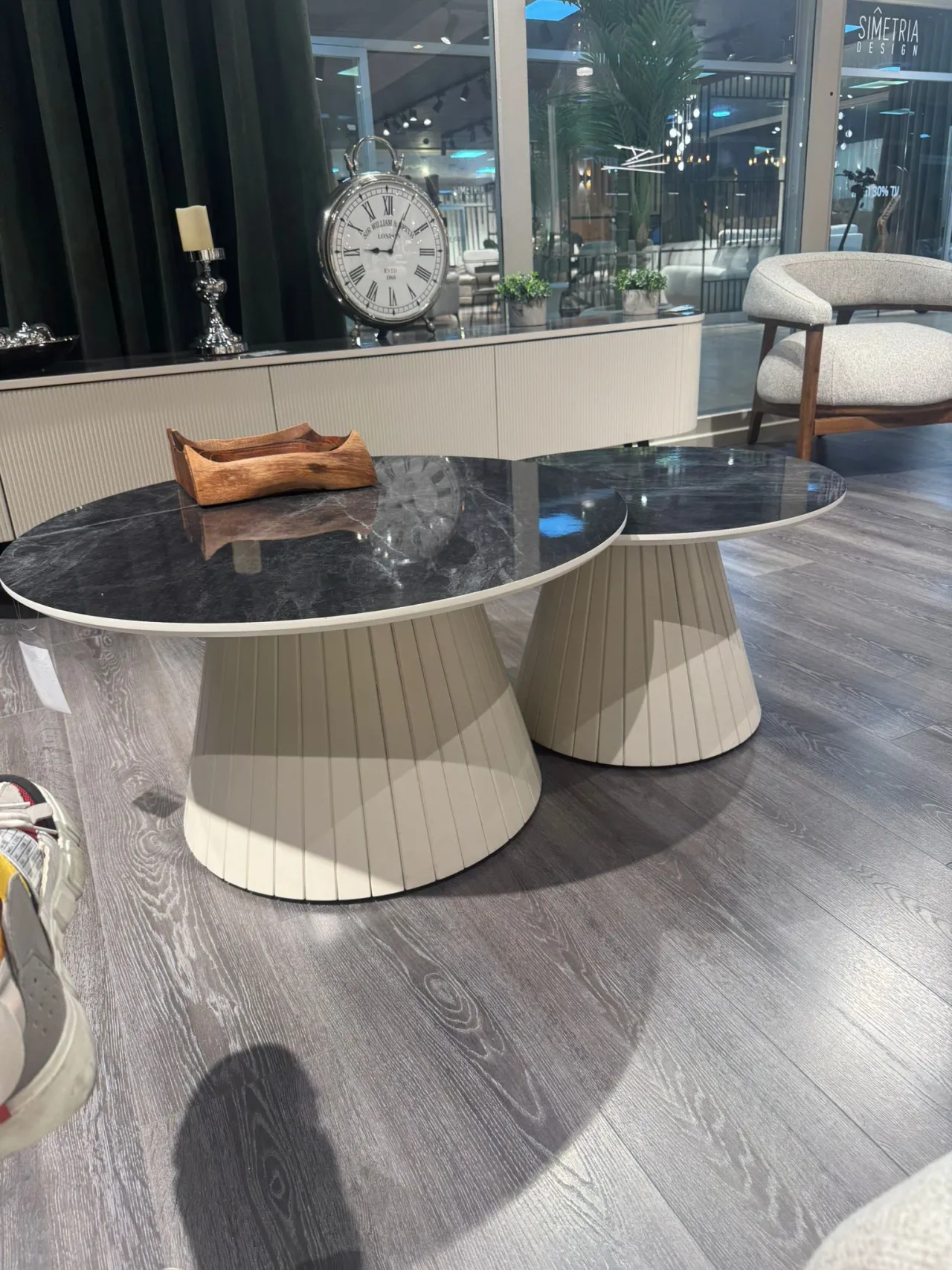
how to draw base of these tables/ I can make only sphere, but i can't make lines to be pushed a bit. inwards. PLease explain how would you do those legs
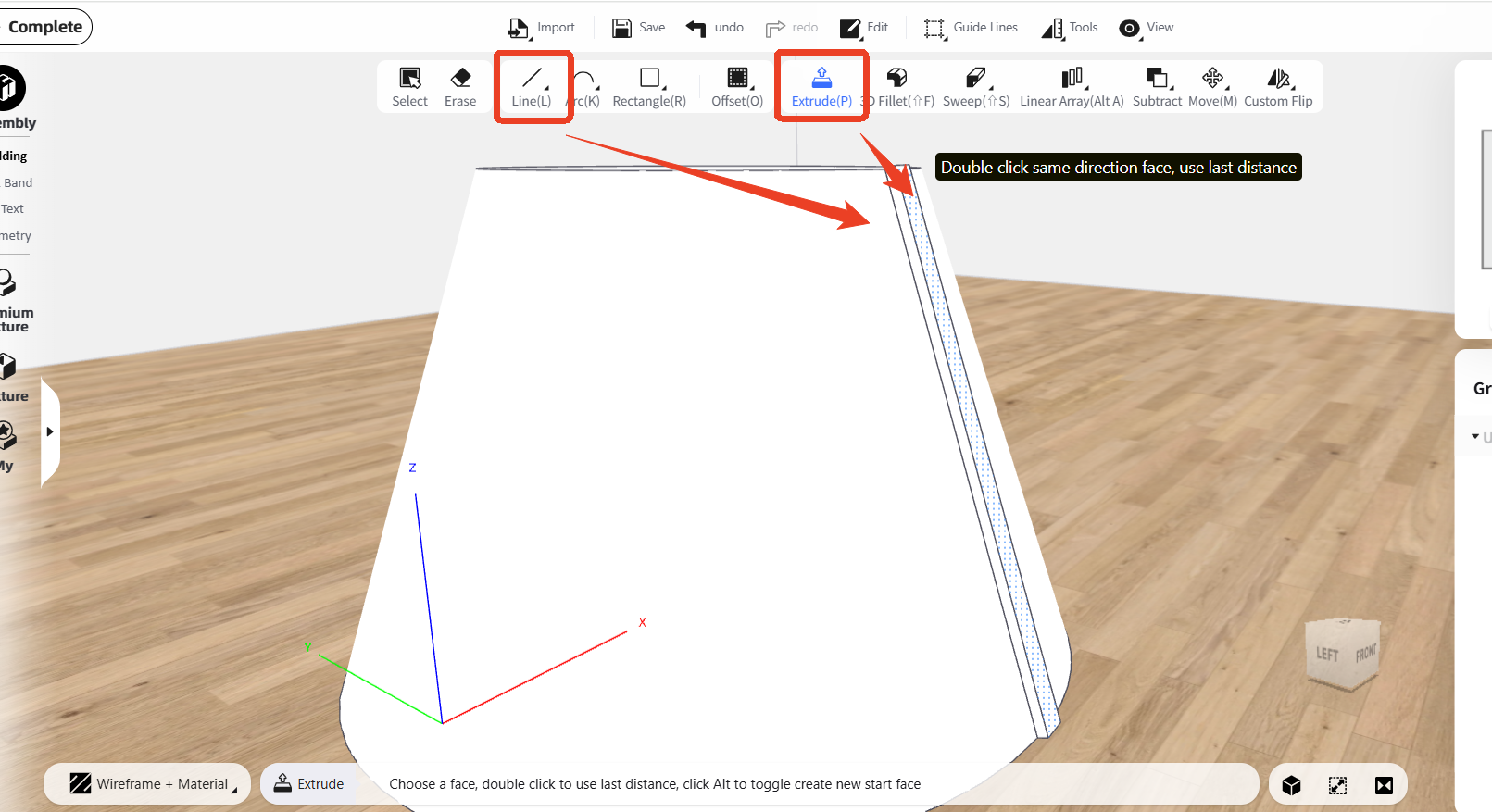
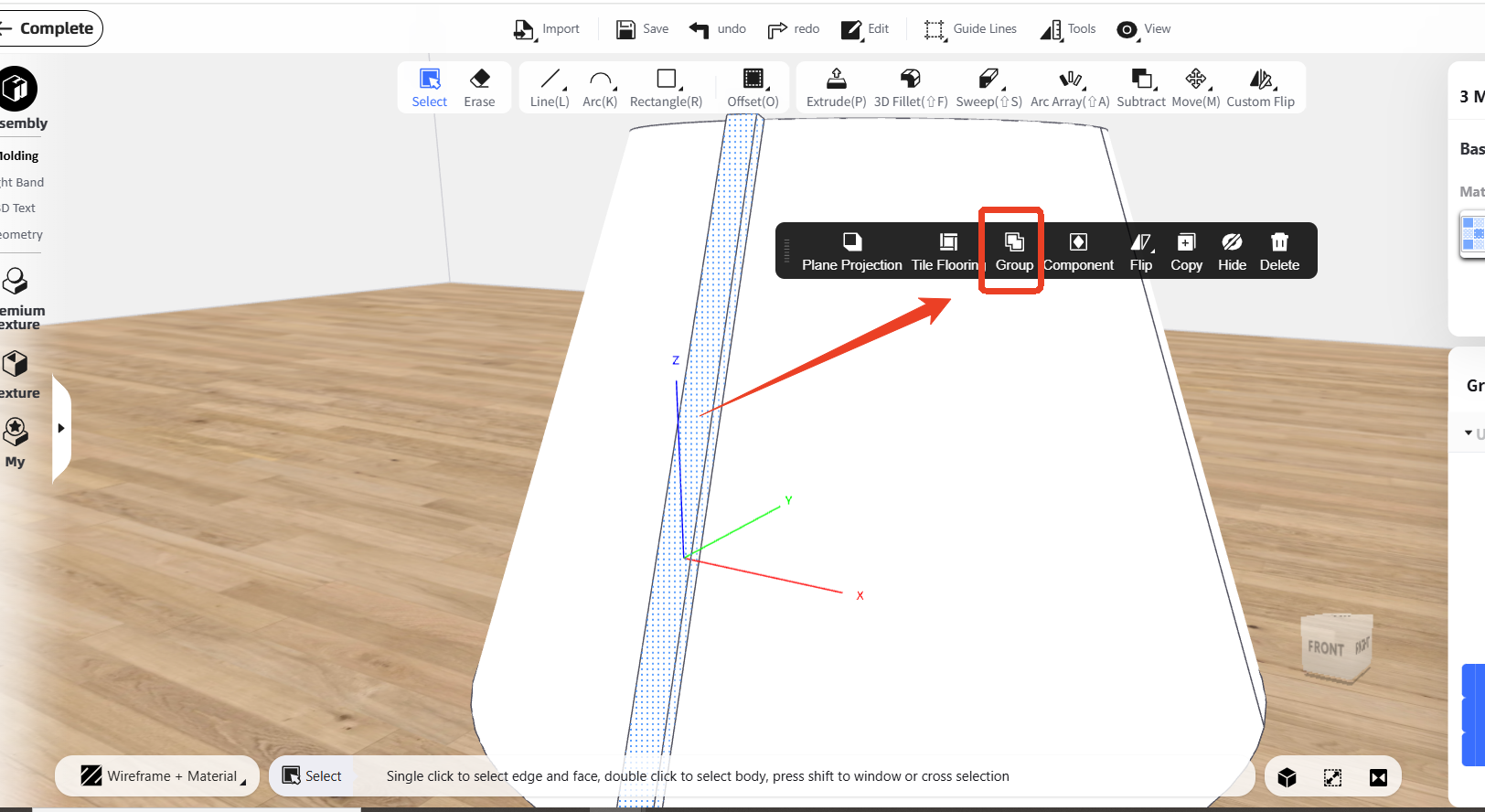
Sure, you can firstly draw one stick on the base by using 'Line' function and 'Extrude' function, using the 'Line' function to draw the shape, and using 'Extrude' function to add thickness:
@ alja.kisik
Thank you, but I already know how to model a cylindrical base. However, I am struggling to create the vertical slats on the cylinder — specifically the type that are not straight flat slats, but slightly convex / rounded outward, like on the attached reference image. My main difficulties are:
• How to correctly draw evenly spaced slats around a cylindrical surface
• How to give each slat a convex profile instead of a flat rectangular shape
• How to make sure the spacing and curvature stay consistent around the whole cylinder
• Which tools (Extrude, Spineline, Follow Path, etc.) are best
Thank you, but I already know how to model a cylindrical base. However, I am struggling to create the vertical slats on the cylinder — specifically the type that are not straight flat slats, but slightly convex / rounded outward, like on the attached reference image. My main difficulties are:
• How to correctly draw evenly spaced slats around a cylindrical surface
• How to give each slat a convex profile instead of a flat rectangular shape
• How to make sure the spacing and curvature stay consistent around the whole cylinder
• Which tools (Extrude, Spineline, Follow Path, etc.) are best
@ Homestyler support
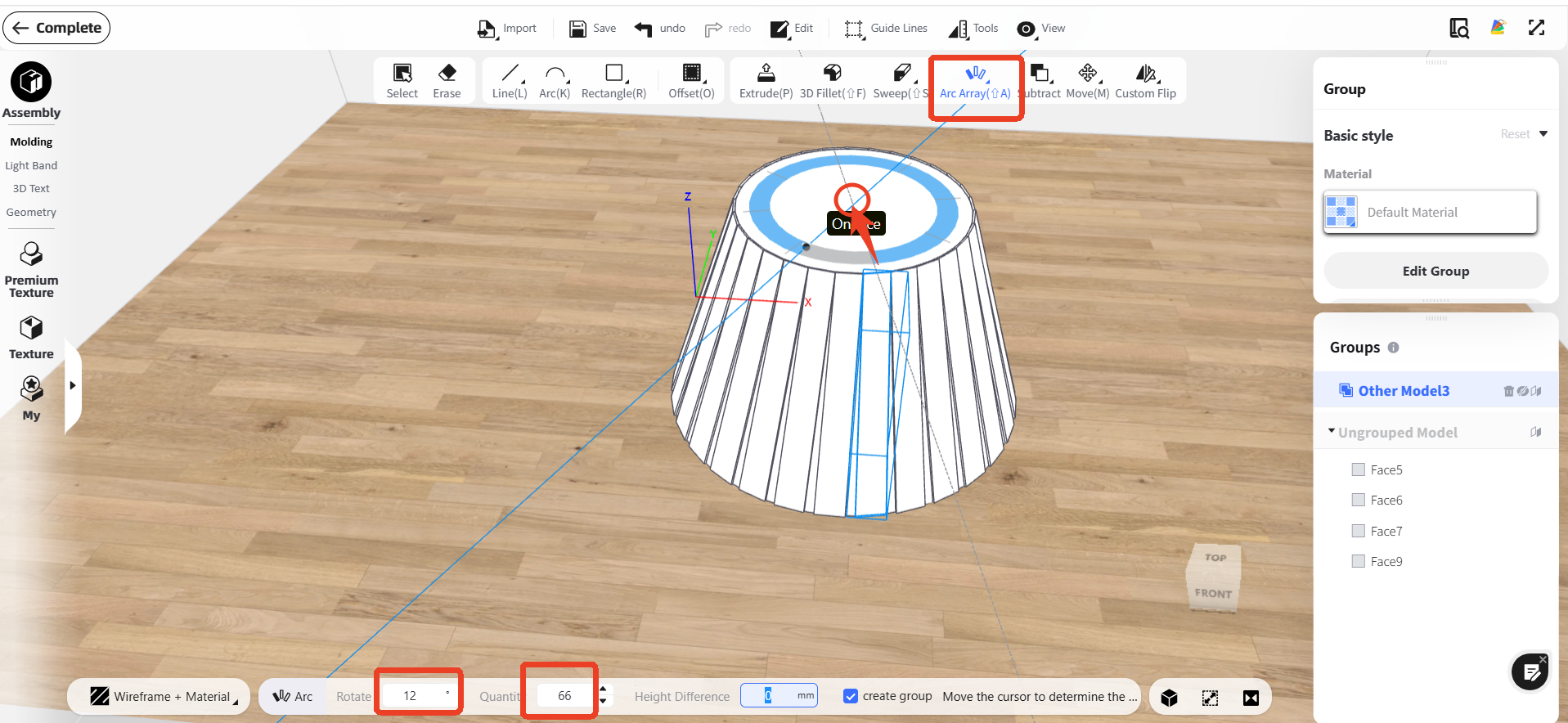
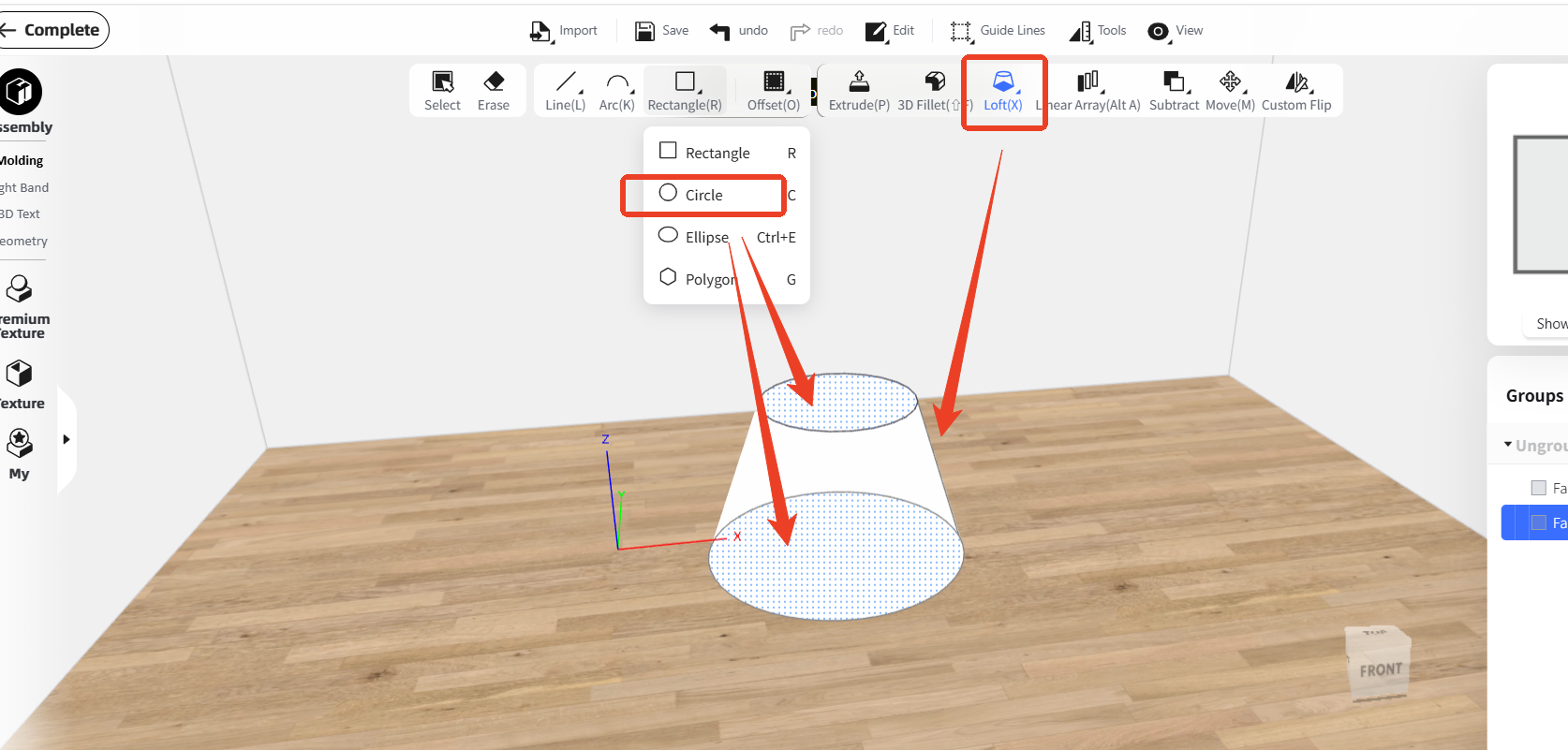
Hello, please enter the 'Interior Modeling' first, and you can use 'Circle' function to draw two circles, then use ' Loft' function to connect them: