
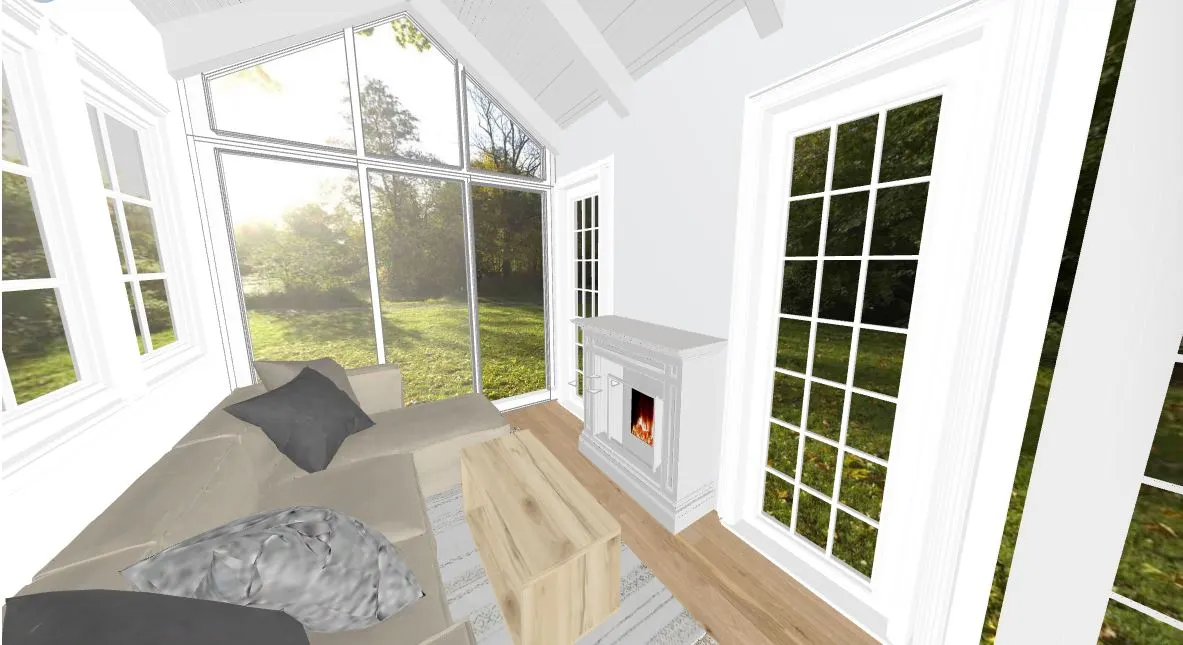
Hi, I've just started, and found out a lot of things, but can't find out why my glass appears black in my render. Before I complete the render it looks good, but on the finished render it's totally black. I couldn't find another way to extrude, so I made 2 walls, the same flipped, but as you can see, I fixed the material to glass from both sides. On the right hand side of the big glass wall I used White Glass 11 (up and down), for the rest of the big wall I used Clear Glass 18 just to see, maybe it's because of the material. But both look black. Any idea, what to do? On the pictures, the black wall is the finished render, the other one is the setting in render before pushing the render button. Hope someone can help. Thanks.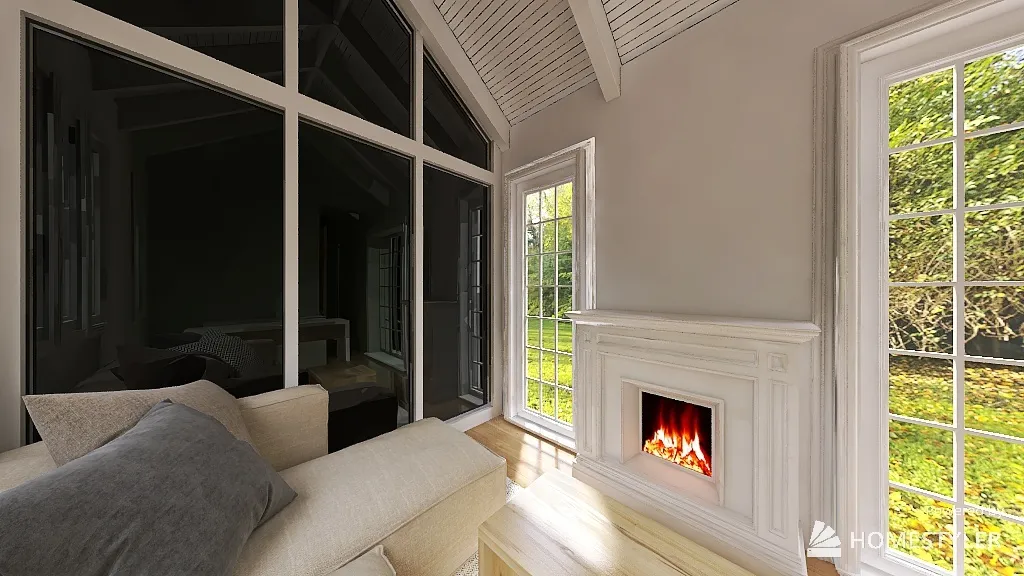

I always use 'Clear Glass 25' when this happens-for custom modeling AND any HS model that doesn't render correctly. Some HS models/skp/or 3DS models dont render properly. If this is a custom model, make sure that you apply material to both sides or make sure that there is only 1 plane.