

Direct Answer
Room measurement applications tend to become inaccurate when the phone's camera loses its spatial tracking, an incorrect starting reference point is set, or when poor lighting and reflective surfaces interfere with AR sensors. Most problems can be resolved by recalibrating the app, enhancing lighting, scanning walls at a slower pace, and double-checking measurements using an alternative method.
Quick Takeaways
Introduction
During my decade-long experience as an interior designer, I have experimented with nearly all types of digital measuring tools on the market. Mobile room measurement apps offer great convenience but can yield surprisingly imprecise measurements if not operated correctly.
I frequently encounter this issue in renovation consultations. Homeowners often bring room dimensions gathered from phone scans, only to find that the actual space differs by several inches or sometimes an entire foot. Such discrepancies are critical when planning furniture arrangements or cabinetry installation.
Many assume the technology itself is flawed. However, most inaccuracies stem from improper scanning techniques. With the correct approach, mobile apps like Homestyler can deliver measurements that closely approximate reality, making them useful for preliminary design planning. In fact, when clients want to quickly visualize potential layouts, I often suggest using digital room planners that help experiment with furniture placement after confirming measurements.
This article will explore why room measurement apps occasionally fail, common user mistakes, and practical tips to enhance accuracy before these figures impact your design choices.
save pin
Why Room Measurement Apps Sometimes Provide Inaccurate Results
Key Insight: Most errors occur because AR tracking loses spatial reference during scanning.
Mobile measuring apps depend on augmented reality frameworks like Apple’s ARKit or Google’s ARCore. These estimate distances by integrating camera data, motion sensors, and depth perception. When any element in this tracking process becomes unstable, measurement errors appear.
From my projects, the top three causes are:
In one Los Angeles apartment, a client scanned their living room and reported it as 13 feet wide, but tape measurements showed it was actually 12 feet 4 inches. The AR scan drifted due to plain white walls lacking visual texture.
Testing from ARKit’s developer materials also confirms that measurements vary by several centimeters based on lighting conditions, scanning speed, and surface contrast.
This doesn’t render the apps useless—it means that careful scanning technique is essential.
Typical User Errors When Using Phone Apps to Measure Rooms
Key Insight: Most users either move their phones too fast or fail to set a stable starting location.
After observing dozens of homeowners, I noticed recurring mistakes.
Common scanning errors include:
A simple technique that greatly improves accuracy is pausing for 3 to 5 seconds before starting a scan. This pause lets the app calibrate and stabilize its spatial awareness.
Another overlooked factor is maintaining a consistent height during scanning. Moving the phone up and down causes slight distortion in the AR model, impacting wall length measurements.
Professionally, I recommend scanning at chest height with a smooth, horizontal motion.
save pin
Lighting, Surface Texture, and Camera Factors Affecting Measurement Precision
Key Insight: AR measurement accuracy heavily depends on visual texture and lighting.
Unlike laser tools, phone apps rely on camera visuals. Therefore, the environment itself can influence results.
Conditions that commonly lead to errors include:
Surprisingly, minimalist interiors pose more challenges for AR scanning. Rooms with textured walls, furniture edges, or shelving provide better tracking references.
To improve reliability, try these adjustments:
These tweaks create more visual landmarks for the AR system, stabilizing measurements.
save pin
Calibration Recommendations for AR Measurement Software
Key Insight: Proper calibration before scanning greatly reduces errors.
Although many users skip calibration, it is among the easiest ways to enhance accuracy.
Before measuring, follow this quick routine:
A professional tip is to measure a known reference distance first, like a door width (around 32 to 36 inches). If the app reports a different number, recalibrate before scanning the entire room.
Once accurate data is obtained, applications like Homestyler simplify turning rough measurements into clear digital floor plans to visualize layouts and verify proportions.
Answer Box
The best approach to fix inaccurate room measurements involves stabilizing AR tracking, improving lighting conditions, scanning at a slower pace, and verifying crucial dimensions manually. While AR tools are convenient, their results should be validated before making final design decisions.
Verification of Measurements via Multiple Methods
Key Insight: Cross-checking with alternate measurement methods helps avoid costly design errors.
In professional interior design, relying on a single measurement tool is rare. Even with advanced scanners, key dimensions are manually confirmed.
A reliable verification workflow includes:
If differences exceed 2 to 3 inches, rescanning is recommended.
After confirmation, designers often import measurements into 3D visualization programs such as Homestyler to create scaled room layouts and test furniture placements. This quickly uncovers unrealistic dimensions.
save pin
When to Opt for a Laser Distance Meter
Key Insight: Laser distance meters remain the most precise option for exact renovation measurements.
Although AR measuring apps offer convenience, there are cases where they fall short in reliability.
Consider using a laser meter if:
Professional laser tools typically provide accuracy within ±1/16 inch, outperforming mobile AR apps which can drift centimeters depending on conditions.
In my workflow, I usually initiate layout ideas with quick phone scans, then confirm critical measurements using a laser device before producing final design drawings.
Final Summary
FAQ
Why do room measurement apps produce inaccurate results?
Most inaccuracies arise from AR tracking drifting or the camera failing to detect clear edges on walls and floors.
How precise are AR room measurement apps?
Under ideal conditions, many apps measure accurately within a few centimeters, but results fluctuate depending on lighting, movement speed, and surface textures.
How can I improve mobile room measurement accuracy?
Scan slowly, keep the phone stable, enhance lighting, and calibrate with known objects like a door width.
Do iPhone measurement apps perform better than Android?
Phones equipped with LiDAR sensors, like certain iPhones, generally yield better depth detection than devices relying solely on visual tracking.
Can AR apps replace traditional tape measures?
They are suitable for quick layout planning, but exact measurements for construction still require manual tools.
What most commonly causes errors in AR measurement apps?
Rapid camera movement, insufficient lighting, and featureless walls are primary factors causing inaccuracies.
Are room measurement apps dependable for furniture layouts?
Yes, particularly if at least one wall dimension is verified manually before proceeding with layout plans.
What is the best way to correct inaccurate room measurements from a phone app?
Rescan with improved lighting, calibrate the app first, and cross-verify measurements using a tape or laser meter.
Homestyler's roots trace back to Autodesk, the global leader in design and engineering software. That heritage lives on in every feature we build. Today, with a community of more than 18 million users worldwide, Homestyler continues to make professional-quality interior design accessible to everyone — from first-time decorators to seasoned architects.

Minimalist Off White Fabric Large Sofa 3D Model
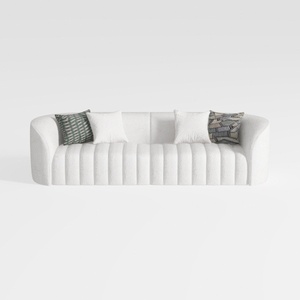
Minimalist Boucle Fabric Channel Tufted Sofa 3D Model
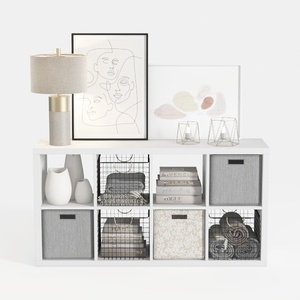
Modern Minimalist White Fabric Solid Wood Storage Cabinet 3D Model
Homestyler offers an easy-to-use online design tool, stunning 3D renderings, and a vast collection of interior projects. With helpful DIY video tutorials, it's perfect for anyone looking to create and visualize beautiful home designs effortlessly.
Desain sekarang Gratis
































