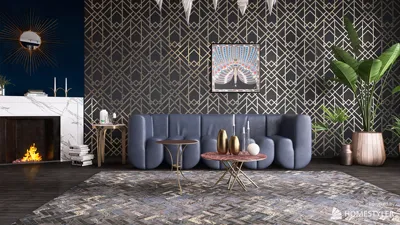


Unity is widely recognized as a premier game development platform, but it also provides extensive functionalities for crafting impressive 3D models, making it a great option for those passionate about interior design. While it might not be the first tool that comes to mind, Unity's features have significantly advanced, enabling designers to effortlessly build immersive environments. Thanks to its robust asset management system, users can import 3D models from various platforms, including popular applications like Blender, 3ds Max, and Maya. After import, these models can be adjusted, textured, and illuminated to achieve the desired aesthetic. Among Unity's remarkable attributes is its real-time rendering feature, which allows designers to see instant changes as they modify their designs. This capability is particularly beneficial when dealing with interior layouts, facilitating experiments with furniture arrangement, color palettes, and lighting without the need for prolonged rendering periods. Additionally, Unity allows for the use of high-quality materials and shaders, enabling designers to craft realistic textures that resemble wood, metal, glass, and more, thereby elevating the authenticity of their work. For those exploring virtual reality (VR) and augmented reality (AR), Unity truly excels. Its compatibility with VR headsets empowers designers to create virtual walkthroughs, providing clients with a unique opportunity to experience their designs before any physical alterations are made. Beyond modeling and rendering, Unity also delivers scripting functionalities, allowing designers to incorporate interactivity into their projects. This is particularly valuable for creating walkthroughs that enable users to navigate spaces independently or engage with various design elements. To embark on your 3D modeling journey in Unity, consider browsing its Asset Store, which features a wide array of pre-made models and resources ready for your projects. This can streamline your workflow and spark inspiration for your designs. In summary, while Unity may not traditionally be seen as the go-to solution for 3D modeling, its comprehensive features make it a formidable option for interior designers aiming to create captivating and interactive environments. Whether you’re a casual enthusiast or a seasoned professional, Unity can truly transform your design initiatives.
Tips 1:
To enhance your 3D modeling experience with Unity, think about integrating assets from various modeling platforms and leverage real-time rendering for immediate feedback on your designs.
FAQ
1. Can I import 3D models from other software into Unity? Yes, Unity supports the import of models from various software such as Blender, 3ds Max, and Maya. 2. Is Unity suitable for architectural visualization? Certainly! Unity's real-time rendering and VR functionalities make it an excellent choice for architectural visualization initiatives. 3. Do I need coding skills to use Unity for interior design? While a basic understanding of scripting can improve your projects, Unity is accessible and effective even without extensive coding knowledge.
Welcome to Homestyler

Minimalist Velvet L Shaped Sectional Sofa with Throw Pillows 3D Model
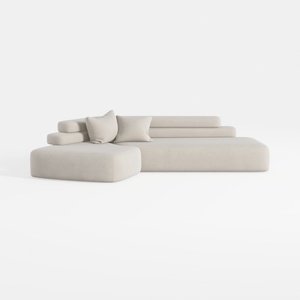
Minimalist Fabric L Shape Sectional Sofa 3D Model
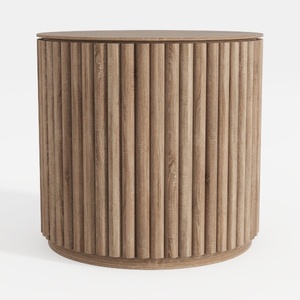
Minimalist Fluted Solid Wood Round Side Table 3D Model
Homestyler is your go-to online design platform for creating stunning spaces effortlessly. With an easy-to-use design tool, impressive 3D renderings, and a wealth of DIY video tutorials and projects, you can turn your home design dreams into reality, no matter your skill level!
Design Now for FREE
































