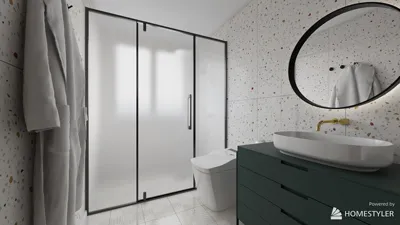


Analyzing 3D models through Virtual Reality (VR) offers a groundbreaking approach to grasping complex designs. In this guide, I will take you through the necessary steps to explore and examine these models in a fully immersive setting using innovative tools like Homestyler.
Consider the experience of navigating the detailed features of a building or product design without the limitations of a tangible model. With the capabilities of VR, you can physically move around and engage with your model, greatly enhancing your spatial understanding and knowledge.
Preparing Your VR Environment
To begin, confirm that you possess the appropriate VR apparatus. High-quality headsets such as the Oculus Rift or HTC Vive will provide the most immersive experiences for examining 3D models. Additionally, you will require software that supports 3D models, such as Homestyler for fantastic visualization and interaction with your designs.
After setting up your VR environment, the next step is to import your 3D model into the application. Most VR tools will allow you to visualize your model in a digital space, enabling you to rotate, resize, and examine it from multiple viewpoints. This foundational interaction prepares you for a more in-depth exploration of the model.
Step-by-Step Model Dissection
Dissecting a model entails a thorough comprehension of its individual components. One effective approach is to deconstruct the model layer by layer. Utilize tools available in your VR software, such as slicing features, to reveal the inner workings and detailed parts of your model that may not be visible externally.
While inspecting each layer, jot down any intriguing findings or insights. This practice can enhance your knowledge and inform your forthcoming design projects. Think critically by asking yourself: What role does each component play? How could the design be optimized?
Maximizing Interactive Features
Numerous VR applications include interactive elements that can boost your analytical experience. Some platforms allow you to emphasize or isolate specific sections of the model, which can aid in concentrating on certain aspects. Make the most of these features to better discern how different components collaborate within the model.
Additionally, think about partnering with others in the VR environment. Collaborating with fellow designers or architects can offer fresh insights and creative strategies for effectively analyzing and deconstructing 3D models.
Final Thoughts
Exploring 3D models in VR transcends mere visualization; it provides a thorough educational experience. Immersing yourself in a virtual realm enables you to gain invaluable insights that can dramatically enhance your design methodology. Are you prepared to embark on your next creative venture? Unleash the vast potential of 3D model analysis in VR today, particularly by integrating tools like Homestyler.
Frequently Asked Questions
Q: What tools are required to analyze 3D models in VR? A: You will need a suitable VR headset, such as the Oculus Rift or HTC Vive, alongside software that allows you to import 3D models, like Homestyler.
Q: Is collaboration possible when analyzing 3D models in VR? A: Absolutely! Many VR platforms provide multi-user environments where real-time collaboration can occur.

Minimalist Off White Fabric Large Sofa 3D Model


Contemporary Brass Glass Acrylic Side Table 3D Model
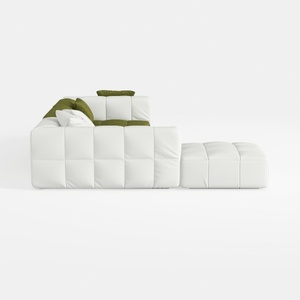
Minimalist White Fabric Tufted L Shape Sectional Sofa with Ottoman 3D Model
Homestyler is your go-to online home design platform that transforms your ideas into reality. With its user-friendly design tool, stunning 3D renderings, and a wealth of DIY video tutorials, you can effortlessly explore stylish decor options and create your dream space. Discover your inner designer today!
Design jetzt kostenlos
































