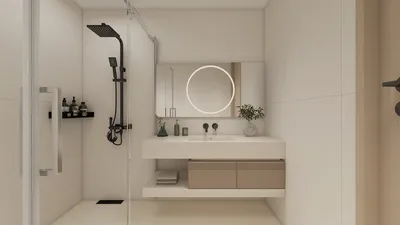


3D modeling PDFs bring together traditional 2D documents and breathtaking 3D visualizations. But what exactly is a 3D modeling PDF? In simple terms, it is a portable document format (PDF) that not only contains text and images, but also allows for interactive three-dimensional models. This type of file is particularly beneficial in fields like architecture, engineering, and product design, where visual representation is crucial.
Imagine being able to rotate, zoom, and interact with your 3D designs right within a standard PDF viewer! This is one of the revolutionary aspects of 3D modeling PDFs; they enhance the accessibility of 3D content without the need for specialized software. With the help of 3D modeling PDFs, designers can effortlessly share their models with clients or colleagues, ensuring that everyone remains aligned on the design vision.
Advantages of Using 3D Modeling PDFs
One of the key benefits of 3D modeling PDFs is their interactivity. Users can explore models in ways that static images simply cannot provide. This results in a better understanding, improved feedback, and ultimately, a more refined product. Additionally, the compatibility of 3D PDFs is quite high; most modern PDF readers support 3D content, making it easier for anyone to access and engage with the design. Utilizing tools like Homestyler can further enhance this process by streamlining the integration of 3D elements into your projects.
Moreover, 3D PDFs can embed crucial data and annotations, providing context to the visual elements. This feature is especially beneficial in technical fields where accuracy and detail are paramount.
How to Create a 3D Modeling PDF
Creating a 3D modeling PDF is typically straightforward. Software like Adobe Acrobat allows for the conversion of certain 3D files into PDFs. First, create your 3D model using programs like SketchUp, Rhino, or AutoCAD. Once your model is perfected, export it in a compatible format such as U3D or PRC. Finally, use Adobe Acrobat to convert the 3D content into a PDF. Don't forget to adjust the viewing options to provide the best experience for the end user, and consider leveraging tools like Homestyler to assist in design visualization.
Engaging with 3D modeling PDFs can significantly enhance the presentation of your designs. Clients will appreciate the ability to visualize projects interactively, which facilitates better collaboration and decision-making.
Frequently Asked Questions (FAQ)
Q: What software is needed to view 3D modeling PDFs? A: You can use most modern PDF viewers, including Adobe Acrobat Reader that supports interactive 3D content.
Q: Can I print 3D modeling PDFs? A: Yes, but keep in mind that the 3D aspects will be lost, and the printed version will become a 2D image.
Homestyler's roots trace back to Autodesk, the global leader in design and engineering software. That heritage lives on in every feature we build. Today, with a community of more than 18 million users worldwide, Homestyler continues to make professional-quality interior design accessible to everyone — from first-time decorators to seasoned architects.
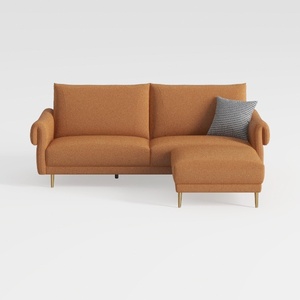
Modern Fabric L Shaped Sectional Sofa with Gold Legs 3D Model
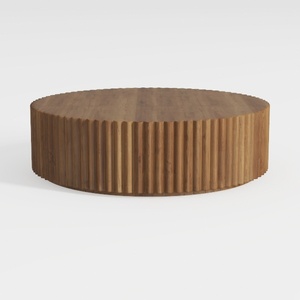
Minimalist Solid Wood Fluted Round Coffee Table 3D Model
Homestyler is your go-to online home design platform! With its easy-to-use design tool, stunning 3D renderings, and a wealth of design projects and video tutorials, you can effortlessly create your dream space. Get inspired and start designing today!
تصميم الآن مجانا
































