


Embarking on the adventure of 3D modeling with 3ds Max can be truly exhilarating. If you're ready to jump into the realm of 3D design, this comprehensive guide is tailored for you. Whether you're just starting out or aiming to polish your existing skills, let's delve into the essential steps for creating your custom models while developing a solid grasp of techniques and industry best practices.
Getting Started with 3ds Max
The initial step in your journey with 3D modeling in 3ds Max involves getting acquainted with the user interface. Launch the software and take some time to explore its layout. Here, you'll discover a variety of tools designed for crafting shapes, manipulating objects, and rendering your artistic visions. What aspect of 3ds Max excites you the most? Gaining a strong understanding of its configuration will significantly enhance your learning curve and improve your modeling capabilities.
Once you feel at ease, begin by constructing basic geometric forms. Employ primitive shapes such as cubes, spheres, and cylinders to lay the groundwork of your model. Keep in mind, all intricate models stem from simple shapes. Can you picture the final design you want to create? This foundational exercise will enable you to build complex structures as you add layers of sophistication to your initial designs.
Modeling Techniques in 3ds Max
As you advance, apply various modeling techniques to refine your geometric figures. Explore methods like extrusion, lofting, and bending, which allow for intricate manipulation of your models' shapes. For instance, extrusion can elevate a basic form into a more sophisticated piece. What kind of 3D model are you eager to develop using these techniques? Mastery of these approaches will transform your designs, leading them from rudimentary forms to striking visual masterpieces.
As your skills develop, don't overlook the usefulness of the edit poly modifier. This feature grants precise control over vertices, edges, and faces, allowing you to fine-tune your creations. The more you practice, the more adept you'll become. Do you have particular modeling aspirations? Setting definitive goals for your projects can sharpen your focus and boost your expertise over time.
Texturing and Rendering your Model
After finalizing your model, it's time to incorporate textures, which add realism to your creations. Leverage the Material Editor to infuse colors, patterns, and details into your design. Enjoy experimenting with various textures—what type of finish do you envision for your model? Effective texturing not only enhances visual appeal but also contributes depth to your 3D representations.
Finally, do not overlook the significance of the rendering phase. Rendering is the moment when all your efforts culminate into lifelike visuals. Try out different lighting arrangements and camera perspectives to achieve the ideal appearance for your model. Have you considered the environment you'd like for your final render? This step is essential as it displays your skills while setting your design within the most appealing context, much like how Homestyler positions elements in beautifully rendered scenes.
Conclusion
By this point, you should grasp the basic principles of creating, refining, and rendering a 3D model using 3ds Max. Remember, consistent practice is vital to mastering 3D design. Don't hesitate to seek out new methodologies and tools as you progress in your 3D modeling journey. Embrace your creativity and push yourself to explore beyond conventional boundaries!
FAQ
Consider leveraging online tutorials, formal courses, or engaging with the 3D design community for additional guidance and resources.
The level of proficiency can vary based on how frequently you practice, but typically, it requires several months of persistent effort to achieve significant advancement.
Make use of viewport shortcuts, save your custom views for commonly used angles, and play around with keyboard shortcuts for various tools to streamline your workflow.
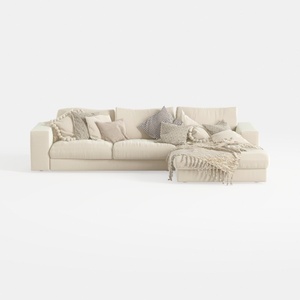
Oversized Modular Sofa, Extra Deep Cloud Chenille
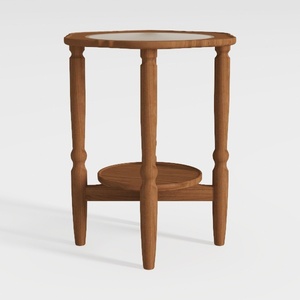

HOOBRO Small Round Side Table with Charging

LONYKE 2-Piece Boho Farmhouse Nesting Table with
Transform your home with Homestyler, the ultimate online design platform! Utilize its intuitive design tool and stunning 3D renderings to visualize your dream spaces. With a wealth of design projects and helpful video tutorials, you’ll effortlessly create beautiful interiors that reflect your style.
立即免费设计
































