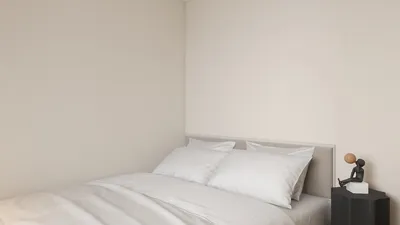


Don't worry if you're struggling to visualize 3D models within your CAD software! We're here to assist you in exploring a vast selection of free 3D models that can elevate your design projects with the help of tools like Homestyler.
Finding Free 3D Models Made Easy
The first step to accessing free 3D models is identifying where to look. Well-established platforms such as Thingiverse, GrabCAD, and TurboSquid offer a wide variety of models that are compatible with various CAD applications. Are you searching for a specific kind of model? Each of these sources has its own unique benefits, making it worthwhile to explore them and find what best meets your needs.
Once you've found a model that captures your interest, ensure it is compatible with your CAD software. Checking the supported file formats is critical; common formats like STL, OBJ, and 3DS tend to be widely accepted. Have you verified if these formats correspond with those your CAD software can handle?
Importing and Viewing Models Effectively
If you've downloaded a model and it seems to be absent from your CAD application, there's no need to panic—solutions are available. Start by confirming that you have imported the model correctly. Look for the 'import' function in your software and direct it to the file you downloaded. Did you manage to complete this step? Overlooking it might lead to the model failing to appear in your working environment.
If you're still having trouble viewing the model after importing, take a closer look at your software's visibility settings. The model may be hidden or placed on a different layer. What adjustments do you typically make when addressing visibility issues?
Best Practices for Successful Design with Homestyler
To prevent future complications, it's a good idea to create a checklist that includes compatible file formats and necessary settings tailored for your CAD software. This proactive measure can save you precious time and help you avoid unnecessary stress. Are you leveraging any tools or resources to systematically monitor your design criteria?
FAQ
Q: Where can I find the best sources for free CAD models? A: Websites like Thingiverse, GrabCAD, and TurboSquid are fantastic options offering a broad range of free CAD models favored by designers.
Q: Why isn't my imported 3D model visible in my CAD application? A: Visibility problems can stem from improper file formats or layers being hidden. It's vital to check these elements diligently.
Q: What specific file formats should I prioritize when downloading CAD models? A: Absolutely! Make sure to seek files in STL, OBJ, or 3DS formats to guarantee their compatibility with most CAD software.


Discover your design potential with Homestyler! This intuitive online platform allows you to create stunning home designs using its user-friendly design tool, impressive 3D rendering features, and a wealth of engaging video tutorials. Transform your space effortlessly and inspire your creativity!
تصميم الآن مجانا
































