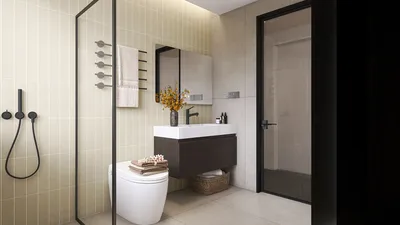


In our fast-paced environment, the capability to design floor plans straight from your tablet can greatly elevate your design process. Whether you are a professional interior designer or simply someone interested in revamping your living space, leveraging a floor plan creator on a tablet provides unmatched convenience and versatility. With the benefits of a touch-screen interface and a multitude of design applications, visualizing your concepts becomes effortless without the constraints of a desktop computer.
Advantages of Using a Tablet for Floor Planning
Utilizing a tablet for floor planning comes with various benefits. To begin with, it offers incredible portability; you can develop your designs virtually anywhere—be it in the comfort of your home, a cozy coffee shop, or right on-site with clients. Furthermore, many design applications feature intuitive interfaces, simplifying the drawing and editing process. You can also utilize gestures like pinch-to-zoom and drag-and-drop to improve your design workflow.
Best Floor Plan Applications for Tablets
There are several outstanding applications designed for creating floor plans on tablets. Applications such as Homestyler provide a robust set of features that allow users to design in both 2D and visualize in 3D. Customizing dimensions, incorporating furniture, and experimenting with various styles is incredibly straightforward. Moreover, the Room Planner function allows users to arrange interiors and visualize layouts efficiently.
Advice for Designing on a Tablet
Although tablet design is generally user-friendly, here are several tips to enhance your experience: 1. Acquaint yourself with the app's features for improved efficiency. 2. Consider using a stylus for enhanced precision when sketching or adjusting elements. 3. Maintain clarity about your design objectives to prevent feeling overwhelmed with choices. Lastly, remember to save your progress frequently!
Frequently Asked Questions
Which applications are recommended for floor planning on a tablet? Some popular options include the Homestyler 2D Design Tool, Room Planner, and other customizable design solutions.
Is it possible to create 3D models on my tablet? Absolutely! Many floor planning applications like Homestyler offer 3D visualization features, allowing you to see your designs come to life with ease.
Welcome to the Ultimate Floor Plan Creator
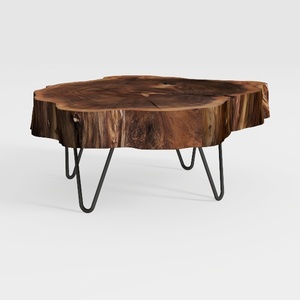

Natural Wood Coffee Table, Natural Wood Edge Conte
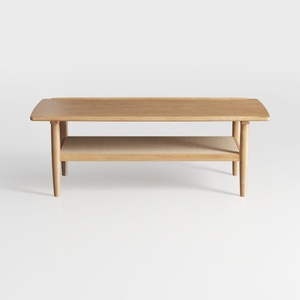
Solid Wood Coffee Table - 42.5” Firwood Farmhouse
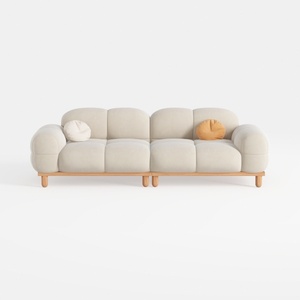
SSC SATISUNCASA 88.58" Modern Curved Sofa Couch, J
For anyone looking to transform their living space, Homestyler offers an exceptional online home design platform. Its user-friendly design tool, impressive 3D rendering, and abundant DIY video tutorials make it easy to envision and create stunning interiors. Start designing your dream home today!
Design Now for FREE
































