


Direct Answer
The 3D industry favors Linux due to its reliability, adaptability, and extensive customization capabilities essential for managing complex production pipelines. Leading animation and VFX studios depend on Linux-based platforms to efficiently handle rendering farms, modeling workflows, simulation systems, and vast asset repositories.
Linux empowers studios to govern every aspect of their production environment, which is crucial when coordinating hundreds of artists and managing thousands of digital assets within a single project.
Quick Takeaways
Introduction
Many beginners assume that 3D modeling on Linux caters mostly to hobbyists or indie developers. However, the reality is quite different, as some of the largest visual effects studios globally heavily utilize Linux to support their production processes.
Experience with large-scale design teams reveals a clear pattern: Linux is selected not for its popularity but for the absolute control it offers over performance optimization, automation, and infrastructure management.
From rendering thousands of frames overnight to organizing immense 3D asset libraries, Linux provides the consistent stability studios require. For creators who map out spatial layouts before fully modeling 3D scenes, exploring visual planning workflows like those in Homestyler can be insightful.
This article explores Linux's role within professional 3D production pipelines, reasons behind its widespread adoption by studios, and its present limitations.
Why Many Studios Choose Linux for 3D Production
Key Insight: Linux prevails in large-scale 3D production environments because it delivers unparalleled stability and extensive customization options for complex pipelines.
When managing hundreds of artists and thousands of assets, system crashes and inconsistencies can be costly. Linux environments enable easier standardization across vast teams, making them highly suitable for studio infrastructures.
Renowned studios like Pixar, DreamWorks, Industrial Light & Magic, and Weta Digital have historically adopted Linux workstations throughout their production workflows.
Why studios favor Linux:
According to the TOP500 supercomputer rankings, the majority of the world's top-performing computers operate on Linux. This scalability renders it ideal for high-performance rendering architectures.
Linux in Animation and VFX Pipelines
Key Insight: In professional VFX workflows, Linux forms the foundational layer connecting modeling, simulation, rendering, and asset management systems.
A contemporary animation pipeline encompasses more than just modeling, involving multiple interconnected systems such as rendering managers, simulation software, and asset databases.
Linux facilitates the integration of these diverse systems via custom scripting and pipeline management tools.
A typical VFX pipeline usually follows this structure:
Thanks to Linux's strengths in automation and distributed computing, it serves as the cohesive operating system linking all production phases.
3D Modeling Workflows in Professional Studios
Key Insight: On Linux, professional 3D modeling emphasizes asset uniformity, teamwork, and scalable processes instead of solely individual artistic expression.
Artists in studio settings seldom work in isolation; a single environment scene might consist of hundreds of assets crafted by various groups.
A standard modeling workflow in Linux-based studios involves:
Preliminary spatial planning is vital before commencing the full modeling process. Many designers use stepwise room layout planning methods—similar to those enabled by Homestyler—to prototype layouts before translating concepts into detailed 3D environments.
Such systematic workflows help avoid conflicts when numerous artists collaborate on the same project simultaneously.
Tools Commonly Used Alongside Blender on Linux
Key Insight: Blender seldom operates alone within production pipelines; studios combine it with simulation, compositing, and advanced rendering tools.
Though Blender is popular in the Linux ecosystem, professional workflows usually incorporate a suite of tools working in harmony.
Typical Linux-compatible 3D tools include:
Studios often create proprietary software tailored to their specific production requirements.
For instance, Pixar’s proprietary program Presto manages character animation, and many studios develop customized asset managers and render queue systems.
Advantages and Limitations of Linux in Production
Key Insight: Linux offers outstanding performance and pipeline control but demands technical know-how and upfront investment in infrastructure.
Primary benefits:
Common challenges:
However, once a studio establishes a reliable Linux-based pipeline, these challenges diminish significantly.
Answer Box
Linux powers numerous professional 3D production pipelines by enabling scalable rendering, stable workstations, and highly customizable workflows. For large studios handling complex animation and VFX projects, Linux provides the robust infrastructure essential for coordinating hundreds of artists and managing millions of digital assets.
Future Trends of Linux in 3D and Creative Industries
Key Insight: The utilization of Linux in 3D production continues to rise as rendering technologies, AI-assisted design tools, and distributed workflows advance.
Three significant trends pushing Linux deeper into the creative sector include:
Contemporary design workflows increasingly blend layout planning, rendering, and simulation. Many creative teams now prototype scenes with tools that support realistic interior visualization—akin to Homestyler—before final rendering phases.
With advancements in GPU rendering, AI modeling, and real-time engines, Linux remains well-positioned due to its versatility and capacity to operate across both local machines and extensive server infrastructures.
Final Summary
FAQ
Do major VFX studios really use Linux?
Absolutely. Leading studios like Pixar, DreamWorks, and ILM have long depended on Linux-powered workstations and render farms for 3D content creation.
Why do studios prefer Linux for 3D graphics?
Linux delivers stability, scalability, and extensive customization, which are vital for handling complex 3D animation workflows involving numerous artists and heavy rendering demands.
Is Blender widely used on Linux in studios?
Yes. Blender is frequently integrated into Linux-based pipelines, particularly for modeling, animation, and independent projects.
What operating systems are common in VFX studios?
Most large studios deploy Linux on artist workstations and rendering clusters, though Windows and macOS sometimes complement specific tasks.
Can professional 3D production be done on Linux?
Indeed. Linux supports professional-grade 3D production using software such as Blender, Maya, Houdini, and advanced render engines.
Is Linux superior for rendering?
Linux often excels in rendering due to its efficient management of resources and capability to handle large computational workloads.
Do game studios use Linux for development?
Some game studios utilize Linux for build servers and rendering infrastructure, even though many game artists prefer Windows environments.
Is Linux beginner-friendly for learning 3D?
Yes, particularly when working with open-source apps like Blender. Beginners might need some time to adapt to Linux workflows.
References
TOP500 Supercomputer List
Blender Foundation Documentation
Academy of Motion Picture Arts and Sciences Technology Reports
Homestyler's roots trace back to Autodesk, the global leader in design and engineering software. That heritage lives on in every feature we build. Today, with a community of more than 18 million users worldwide, Homestyler continues to make professional-quality interior design accessible to everyone — from first-time decorators to seasoned architects.
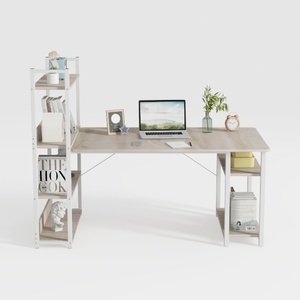
Modern Minimalist Oak Metal Computer Desk With Storage Shelves 3D Model


Minimalist Modern White Wall Mounted Bookshelf With Book Display 3D Model

Modern Solid Wood Desk With Velvet Fabric Upholstered Chairs And Table Lamp 3D Model
Homestyler offers an easy-to-use online home design tool packed with 3D renderings, inspiring projects, and helpful DIY video tutorials. It’s perfect for bringing your interior design ideas to life quickly and beautifully. Give your home a fresh new look with Homestyler!
Zaprojektuj teraz za darmo
































