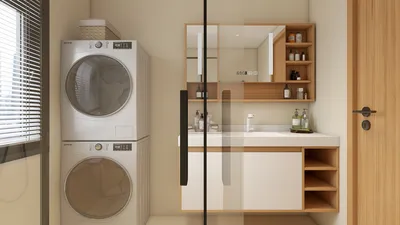


In today's world, technology shapes not only how we entertain ourselves but also how we design our living spaces. The popularity of games like League of Legends encourages a lifestyle centered around extended screen time and immersive digital experiences. This trend inspires home setups with ergonomic furniture and ambient lighting that enhance comfort and focus, creating a dedicated space that balances high-tech engagement with restful living.
Does 3D modeling require significant computing power? The answer varies depending on the complexity of the project, the software in use, and rendering requirements. Simple models run smoothly on mid-tier machines, whereas high-detail scenes, intricate simulations, and real-time renderings demand advanced CPUs, GPUs, and ample RAM.
Understanding When 3D Modeling Becomes Resource Intensive
The primary factor dictating hardware demands in 3D modeling is not the software itself but rather the complexity of the scenes being worked on. Modern modeling tools are generally well-optimized, but the number of polygons, texture sizes, and lighting calculations can quickly slow down systems.
For example, an architectural project featuring a furnished apartment might involve millions of polygons once detailed furniture, lighting, and decor elements are included — this is often where less capable computers start experiencing performance issues.
Role of GPU in 3D Modeling
While a graphics card enhances viewport responsiveness, many modeling functions depend more heavily on CPU and RAM resources than commonly assumed. GPUs become critical mainly during rendering stages and real-time previews.
Many interior designers create furniture layouts using laptops with integrated graphics in software like SketchUp or Blender. However, the demand for GPU horsepower rises considerably during photorealistic rendering sessions.
RAM Requirements for Efficient 3D Workflows
A frequent but subtle bottleneck in 3D modeling is insufficient RAM. When working with larger scenes and numerous assets, the system's performance progressively degrades as available memory runs low.
Increased RAM capacity, such as moving from 16 GB to 32 GB, can drastically improve scene loading times and handling of high-resolution materials, based on many residential visualization projects.
Comparing Rendering and Modeling Demands
Rendering generally places more strain on hardware than modeling does. While modeling primarily involves geometry editing and viewport updates, rendering engages complex lighting calculations, shadows, reflections, and global illumination effects.
It’s common practice in studios to separate modeling and rendering tasks to optimize workflow efficiency and hardware usage.
Feasibility of Using Entry-Level Computers for 3D Modeling
Lower-end machines can handle 3D modeling if projects remain straightforward and well-optimized. Early complexity management is crucial.
Techniques such as model simplification, proxy usage, and selective texture application are widely adopted by professionals to maintain system responsiveness.
Why Efficient Workflow Beats Hardware Upgrades
A smart modeling approach often yields better performance improvements than simply upgrading hardware. Importing excessively detailed models prematurely can cause software crashes and slowdowns.
Experienced professionals typically build scenes progressively, starting with simple forms and adding details in stages to maintain smooth performance.
Homestyler provides tools that help users design interiors with optimized 3D environments, enabling designers to balance detail with performance effectively.
Summary
3D modeling demands intensify mainly when scenes become heavily detailed with millions of polygons or large textures, or when real-time rendering is involved. Mid-range computers suffice for general modeling, but more powerful setups are necessary for rendering and complex projects.
Frequently Asked Questions about 3D Modeling Hardware
Is 3D modeling resource intensive for beginners? Usually not. Simple models and small scenes run well on mid-range laptops.
What hardware components matter most for 3D modeling? CPU speed and adequate RAM take precedence, with GPU importance increasing during rendering tasks.
Can a laptop handle 3D modeling? Yes, especially when equipped with at least 16 GB RAM and a dedicated graphics card.
Is rendering more demanding than modeling? Rendering requires sophisticated lighting computations, making it significantly more resource intensive.
How much RAM is advisable for 3D modeling? A minimum of 16 GB is recommended, while 32 GB benefits larger, more detailed scenes.
Why does modeling sometimes cause computer lag? High polygon counts, large textures, and low RAM are common causes rather than software inefficiencies.
Do newcomers need high-end hardware? No, unless tackling very complex scenes; otherwise, mid-range systems usually suffice.
What factors make 3D modeling resource heavy? Large polygon quantities, complex materials, and detailed texture maps significantly increase hardware load.

Modern Black Metal Solid Wood Adjustable Gaming Desk 3D Model
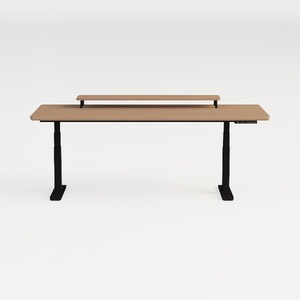

Minimalist Solid Wood Black Metal Adjustable Standing Desk 3D Model

Modern Walnut Black Metal Adjustable Standing Desk 3D Model
Homestyler is an easy-to-use online home design platform that lets you create stunning 3D renderings and explore numerous interior projects. With helpful DIY video tutorials, it’s perfect for anyone looking to design and visualize their dream space effortlessly.
Progetta ora GRATIS
































